

Leads are sitting in one inbox. Sales notes live in a spreadsheet no one updates. Your email platform has one version of the customer, your ad platform has another, and your team keeps asking the same question in different ways: who owns this contact, and what happens next?
That’s usually the moment a business starts looking for a crm marketing agency. Not because the software is new or exciting, but because the current setup is leaking revenue through missed follow-ups, weak segmentation, and disconnected reporting.
Buying a CRM doesn’t fix that by itself. A platform can store records, send emails, and automate tasks, but someone still has to decide how leads enter the system, how they move, what data matters, which campaigns trigger when, and how reporting ties back to revenue. That’s the core job.
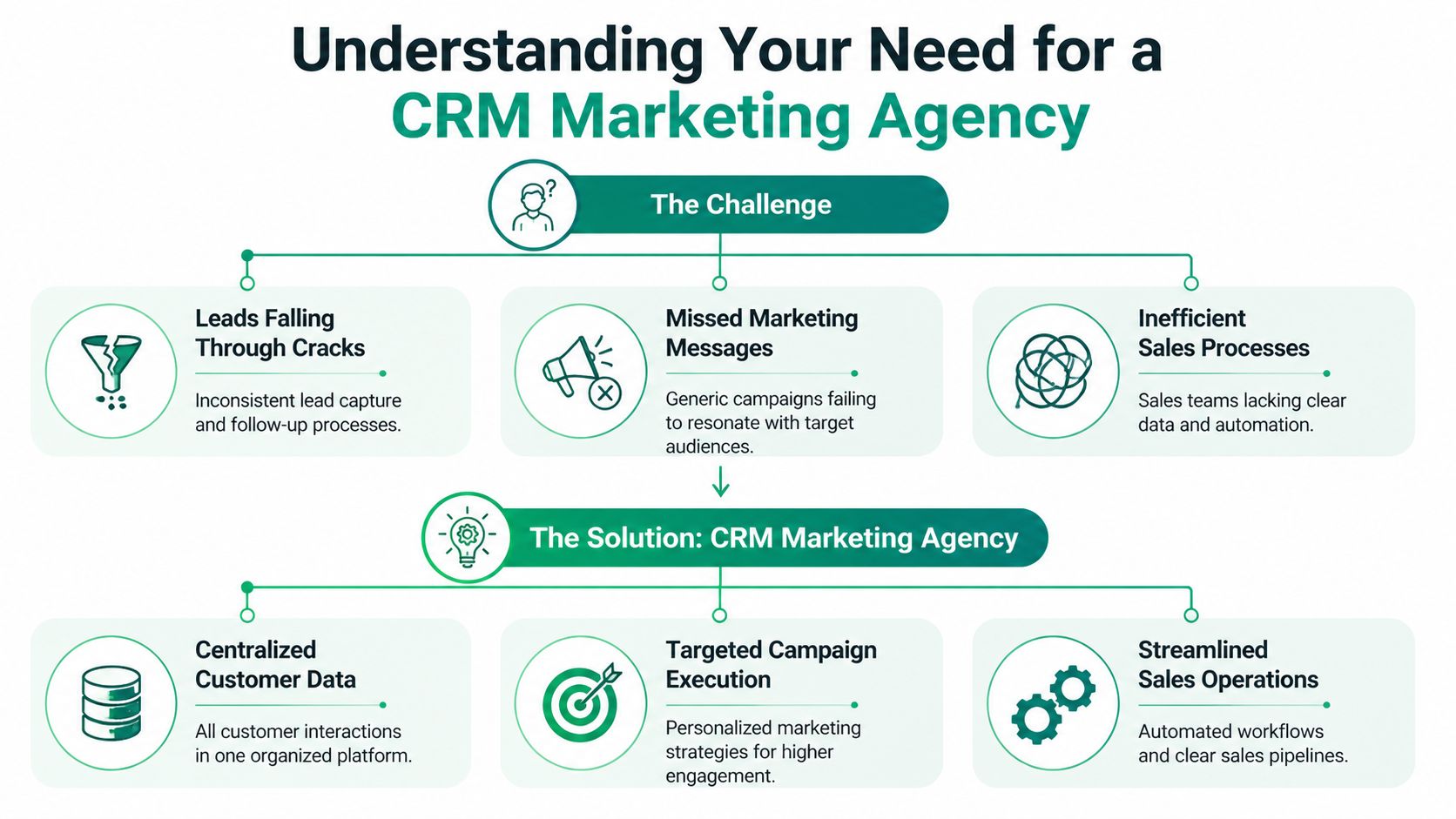
Understanding Your Need for a CRM Marketing Agency
A CRM agency steps in when the system you have stops matching the business you’re running. That often shows up in practical ways. Sales gets leads too late. Marketing can’t tell which campaign produced qualified opportunities. Service teams don't see the promises made during the sales process.
A good agency doesn’t just “set up software.” It builds the operating model around customer data. Think of the CRM as the central nervous system for growth. If the data flow is broken, every function downstream reacts slowly or incorrectly.
What a business usually gets wrong first
The first mistake is treating the CRM like a contact list. That approach creates a cleaner spreadsheet, not a growth system.
The second mistake is copying another company’s pipeline and workflows. A B2B sales cycle with demos, procurement, and multi-person approvals doesn’t behave like an ecommerce retention program or a local service business with short buying windows.
A third problem shows up later. Teams collect data they never use, while missing the data they need to make decisions.
Practical rule: If a field doesn’t change routing, reporting, segmentation, or follow-up, it probably shouldn’t be required.
What the agency should actually build
A CRM marketing agency should define four things before automation starts:
Entry points
Every lead source needs a clean path into the CRM. Website forms, ad submissions, referrals, chat tools, email outreach, and sales imports all need consistent rules.Lifecycle stages
“New lead” and “customer” aren't enough. Your stage design needs to reflect how people buy from you.Ownership and handoff rules
Someone must own response time, qualification, nurture, and closed-loop reporting. Shared ownership usually means no ownership.Learning loops
The system should get smarter as it runs. A 2024 study on CRM, knowledge management, and organization found that knowledge management positively influences CRM performance (β=0.42), which then boosts customer profitability (β=0.35) and loyalty (β=0.38). In practice, that means the agency should build a process for capturing what sales calls, campaign results, objections, and customer behavior are teaching you.
Software alone won’t solve operating friction
Many implementations fail when the platform goes live, dashboards look polished, and nobody changes how they work. Follow-up still depends on memory. Segments stay broad. Reports stay disconnected from action.
A solid CRM agency fixes that by aligning process, not just tools. It decides what gets automated and what still needs a human decision. It pushes standardization where it helps and keeps flexibility where your sales motion needs it.
That’s why the right partner feels less like a software installer and more like a systems architect for revenue.
The Core Services That Drive Measurable Growth
Most businesses hire a CRM agency expecting cleaner data and better automation. Those matter, but they’re only useful when tied to business outcomes. The work that moves growth is more specific.
CRM adoption is already mainstream. 91% of companies with 10 or more employees use CRM software, and 65% of SMBs implement a CRM within their first five years, according to CRM statistics compiled by CRM.org. That changes the role of the agency. The value isn’t access to a platform. The value is knowing how to structure one so it produces useful actions.

Strategy before automation
A serious engagement starts with CRM strategy. That means defining the customer journey, mapping lifecycle stages, choosing key fields, and deciding which moments deserve automation.
If that work gets skipped, the automation tends to be noisy. Leads get too many emails. Sales reps get alerts they ignore. Reports fill with activity that has no decision attached to it.
What works is narrower and more disciplined:
Lifecycle mapping tied to buying behavior
A lead should move because the buyer did something meaningful, not because time passed.Segmentation built on usable data
Separate audiences by need, source, sales readiness, account type, or product interest. Don’t build ten segments when three will be used.Lead routing rules that match capacity
If your team can’t respond fast enough, the problem isn’t just traffic. It’s handoff design.
Services that usually produce the clearest lift
A CRM marketing agency often earns its keep in these areas:
Marketing automation setup
This includes lead nurture sequences, re-engagement flows, deal-stage triggers, and post-purchase communication. Good automation reduces lag. Bad automation sends generic noise at scale.Campaign personalization
Personalized email and SMS campaigns work when the underlying data is clean. If fields are inconsistent or stages are wrong, personalization breaks fast. Teams looking to sharpen that channel often benefit from a practical step-by-step email marketing guide.Reporting and attribution design
Dashboards should answer direct questions. Which lead sources create qualified pipeline? Which campaigns influence closed revenue? Which segments stall?AI-assisted workflows
AI can help score intent, summarize interactions, draft follow-ups, and speed campaign production, but only if the CRM structure is already sound. For teams exploring where that fits, this AI for marketing guide gives a practical overview of use cases worth testing.
The fastest way to waste a CRM budget is to automate a process your team hasn’t agreed on.
What these services should change in day-to-day work
Done well, the CRM becomes the place where marketing and sales stop arguing about lead quality because both teams are using the same definitions, triggers, and records.
That shift is visible in operational details. Fewer duplicate contacts. Cleaner follow-up queues. Better suppression logic. More relevant nurture tracks. Less manual exporting between tools.
For a business owner, that means you’re no longer paying for disconnected activity. You’re paying for a system that can route, nurture, measure, and improve.
Integrating Your Tech Stack for Seamless Operations
A CRM becomes useful when it stops being an island. If your website, ad platforms, ecommerce system, email tools, and sales process all keep separate records, the CRM turns into another place to check instead of the place where decisions happen.
That’s why integration work matters so much. Not for technical neatness, but because disconnected tools create bad timing and bad data. A rep follows up without seeing a recent purchase. Marketing keeps promoting an offer to someone already in a sales conversation. Finance can’t match source data to revenue.
What should connect first
Start with the systems that create or change customer status.
For many businesses, that means:
- Website forms and landing pages so every inquiry lands in the CRM with source details
- Email platforms so engagement data informs segmentation and follow-up
- Ad channels so campaigns can be measured against pipeline, not just clicks
- Sales calendars and inboxes so conversations and next steps stay visible
- Commerce or booking systems so customer actions update records automatically
If a business runs Shopify, HubSpot, Salesforce, Klaviyo, Google Ads, or Calendly, the agency should know where native integrations are enough and where custom middleware is cleaner. That decision affects data quality later.
The single-source-of-truth test
Ask one simple question: when a lead becomes a customer, where does that status change first?
If the answer is “it depends,” the stack is already weak.
A working CRM setup gives one system authority over lifecycle state, then syncs that state outward. That cuts down on duplicates, conflicting statuses, and manual cleanup. It also makes automation safer because triggers fire from reliable conditions instead of guesses.
Teams that are trying to reduce manual work across channels often pair this kind of integration effort with broader marketing automation planning.
Integration should remove decisions your team keeps making by hand.
The agency-specific complexity most guides ignore
Most CRM advice assumes one company managing one database. Agencies deal with a harder version of the problem. They may be handling multiple client accounts, different schemas, different reporting expectations, and different compliance requirements at the same time.
That changes architecture decisions. Shared instances can simplify administration, but they increase risk if permissions and data isolation are weak. Separate instances improve isolation, but they create more overhead for billing, onboarding, training, and cross-account reporting.
There isn’t one correct model. There is only a fit-for-purpose model. A capable agency should be able to explain why it chose one setup over another, how client data stays isolated, and how the team prevents one client’s workflow from contaminating another’s.
If they can’t answer that clearly, they’re probably describing software features instead of operational design.
Measuring Success with Key KPIs and ROI Analysis
You don’t judge a CRM agency by how many workflows it built. You judge it by whether the system changed business outcomes you can track.
The strongest benchmark available is financial. Businesses report an average return of $8.71 for every $1 spent on CRM, and companies using CRM tools see a 27% increase in customer retention and a 21% to 30% increase in sales revenue, according to Salesmate’s CRM statistics roundup.

The KPIs that deserve attention
Many teams still look at email opens, raw lead counts, and dashboard activity before they look at movement through the funnel. That creates false confidence.
A CRM agency should center reporting on a short set of operating metrics:
| KPI | What it tells you | What usually breaks it |
|---|---|---|
| Lead-to-customer conversion | Whether lead quality and follow-up are aligned | Bad qualification rules |
| Sales cycle length | How long deals take to move from first touch to close | Slow routing or weak nurture |
| Customer acquisition cost | What it costs to win a customer | Poor attribution or wasteful campaigns |
| Retention and repeat purchase behavior | Whether the post-sale system is working | Missing lifecycle marketing |
| Pipeline stage velocity | Where deals stall | Unclear ownership or bad stage design |
A dashboard should make bottlenecks obvious. If one stage collects deals and doesn’t release them, the agency should investigate whether the issue is message fit, response lag, missing data, or a broken handoff.
How to read ROI without fooling yourself
ROI analysis gets messy when teams count all revenue growth as a CRM win. That’s rarely accurate. A clean approach isolates the effect of better routing, nurture, retention, and visibility.
Look for changes in areas directly connected to CRM work:
- Faster response and follow-up
- Higher conversion from specific lead sources
- Better retention after post-sale automation
- Lower waste from tighter segmentation
- Clearer attribution between campaigns and revenue
If reporting can’t connect activity to one of those outcomes, it’s decorative.
Here’s a useful explainer to watch before reviewing your own dashboard assumptions:

