

A lot of teams buy software at the moment when pipeline anxiety peaks. Sales has capacity. Marketing is a producing activity. The CRM looks busy enough to impress someone who hasn’t opened a report in a while. Then the quarter gets tighter, follow-up slips, and everyone realizes they still don’t have a reliable system for turning interest into qualified conversations.
That’s where B2B lead generation software gets misunderstood. Many buyers treat it like a bigger contact list or a faster way to send email. In practice, the useful platforms do something more operational. They help teams identify the right accounts, enrich the data, route leads correctly, and create a repeatable process that doesn’t depend on one salesperson having an unusually disciplined week.
From Empty Pipeline to Predictable Growth
The usual problem isn’t that nobody on the team knows how to prospect. The problem is that manual prospecting doesn’t hold up once you need consistency across channels, teams, and handoffs.
A sales rep can build a list. A marketer can launch a webinar. Someone can export contacts from LinkedIn, clean a spreadsheet, and send a sequence. That still leaves a fragile system. When one person gets busy, the whole machine slows down. When data goes stale, response rates fall. When the CRM and outreach platform don’t sync correctly, leads get ignored or duplicated.
What the software is actually doing
B2B lead generation software is the operating layer between demand and sales action. It helps teams:
- Find accounts and contacts that match the market they want to sell to
- Capture signals from forms, website visits, content engagement, or outreach replies
- Qualify and score leads before sales spends time on them
- Route records into the right CRM owner, sequence, or nurture path
- Measure outcomes instead of relying on anecdotal feedback from the sales floor
That shift matters because the category is no longer small or experimental. The worldwide demand generation software market was valued at USD 4,486.39 million in 2022 and is projected to reach USD 8,350.8 million by 2030, according to The Insight Collective’s demand generation market summary. The same source says 88% of businesses use email and 94% of B2B marketers use LinkedIn for lead generation, which tells you where these platforms are expected to connect and perform.
Practical rule: If your team still depends on reps manually rebuilding prospecting lists every week, you don’t have a lead generation system. You have recurring setup work.
What works and what breaks
Software works when the team wants repeatability. It works when you need shared rules for lead capture, qualification, and follow-up. It also works when leadership wants less guesswork and more visibility into where leads come from.
What doesn’t work is buying a platform before deciding how you want leads to move. If there’s no agreed definition of a good lead, no routing logic, and no owner for the process, the tool accelerates confusion.
If your current outbound motion still feels improvised, a structured look at outbound lead generation strategies will usually reveal whether the problem is channels, targeting, or handoff discipline.
Decoding Core Software Features and Workflows
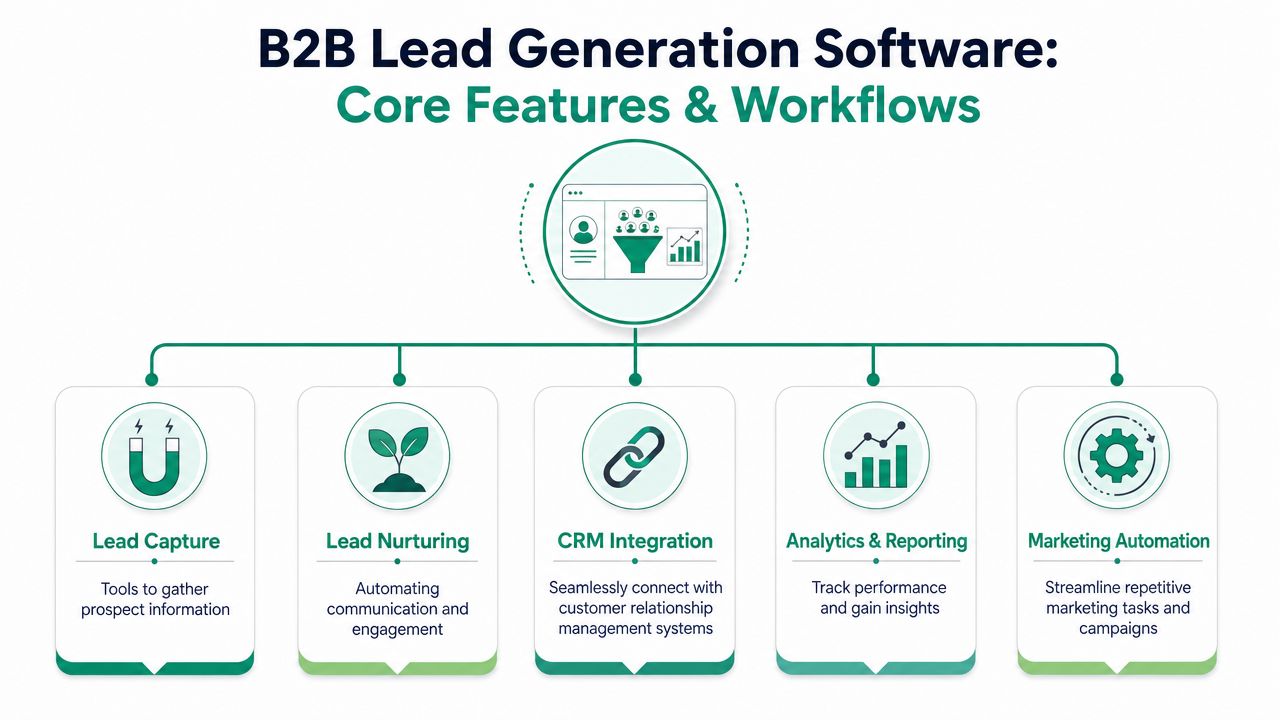
Most B2B lead generation software categories look crowded because vendors describe overlapping functions with different labels. The cleaner way to evaluate the stack is to look at the job each layer performs.
The three layers that matter
Current platforms are often built on three data layers: contact databases, intent-data platforms, and data-enrichment systems, as outlined in Directive Consulting’s review of lead generation tools for 2026.
Imagine building a guest list for a private event.
First, you need names. That’s the contact database layer. Tools in this category help you find people and companies that fit your target market.
Then you need to know who is likely to show up. That’s the intent layer. These signals help teams spot accounts that appear to be researching a problem, comparing options, or revisiting relevant topics.
Finally, you need context. That’s where enrichment comes in. Firmographic and technographic data help marketing and sales decide whether the account belongs in an enterprise, mid-market, a specific region, or a niche campaign.
How the workflow usually runs
A useful setup often follows this pattern:
- An account enters view through a database, website visit, list build, or campaign response.
- Intent or engagement data adds urgency so the team can prioritize instead of contacting every account equally.
- Enrichment fills gaps such as company size, industry, tools used, or role details.
- Scoring and routing rules activate inside the CRM or automation platform.
- The lead moves into action, which may be a rep follow-up, a nurture sequence, or an account-based workflow.
This is why feature lists can mislead buyers. A vendor may advertise prospecting, visitor tracking, email sequencing, forms, and analytics in one dashboard, yet still perform poorly if the layers don’t connect cleanly.
Good lead gen software doesn’t just collect records. It decides what to do with them next.
The trade-off vendors rarely emphasize
An all-in-one tool can simplify operations for a small team. The trade-off is rigidity. If its database is thin, its intent layer weak, or its enrichment unreliable, you’ll feel boxed in quickly.
A modular stack gives you more control. It also gives you more failure points. Sync issues, duplicate logic, and conflicting lead statuses appear fast when multiple tools touch the same records.
That’s why buyers should evaluate workflows before interfaces. A clean dashboard is pleasant. A clean handoff from capture to qualification to sales is what pays for the software.
If you’re already building workflows across multiple systems, it helps to review how marketing automation for B2B teams affects routing, enrichment, and nurture paths before you expand the stack.
How to Choose the Right Software for Your Team
The wrong buying approach is easy to spot. A team books demos, compares logos, asks whether the platform “does AI,” and then picks the product with the most tabs in the navigation.
That usually ends with a bloated setup no one fully uses.
The stronger approach is simpler. Buy for operational fit. The software has to work with your CRM, your data quality standards, and your sales process. If it fails in any of those three places, the rest of the feature set won’t save it.
Three criteria worth caring about
Salesforce’s lead generation guidance points buyers toward real-time contact verification, deep CRM integrations, and customizable lead scoring. It also notes that some platforms offer over 380 integrations to connect lead capture with downstream sales workflows, which shows how much implementation depends on a connected stack rather than a standalone tool, as described in Salesforce’s lead generation tools guide.
Here’s the practical reading of that advice:
- Verification matters because bad data wastes selling time. If emails bounce, phone numbers are stale, or job titles are outdated, your reps burn hours on records that should have been filtered earlier.
- Integration matters because lead-lag kills momentum. A form fill that sits in middleware for hours is less useful than one that lands in the CRM and triggers the next step immediately.
- Scoring matters because not every hand raise deserves a sales call. Teams need rules that reflect fit and engagement, not just activity volume.
B2B lead generation software evaluation checklist
| Evaluation Criterion | Why It Matters | Question for Vendor |
|---|---|---|
| CRM integration depth | Prevents manual exports and broken handoffs | Which CRM objects, fields, and activities sync natively? |
| Contact verification | Reduces waste from stale records | How is contact data verified and how often is it refreshed? |
| Lead scoring flexibility | Supports real qualification logic | Can scoring combine fit, behavior, and source conditions? |
| Routing controls | Keeps follow-up organized | Can we route by territory, segment, product line, or account owner? |
| Enrichment coverage | Improves segmentation and reporting | Which firmographic and technographic fields can be appended automatically? |
| Intent signal usability | Helps prioritize active buyers | What signals are available, and how do they appear in workflows? |
| Reporting clarity | Makes adoption easier | Can we track source, status changes, and progression to SQL inside the platform? |
| Admin overhead | Predicts long-term friction | What daily or weekly maintenance does the system require from our team? |
Questions that expose weak platforms fast
Ask vendors to show the messy parts. That’s where you’ll find what’s real.
- Show duplicate handling. What happens when the same lead enters from paid search, a webinar, and outbound?
- Show routing conflicts. If two reps qualify for ownership, who gets the lead?
- Show status syncing. Do “working,” “nurture,” and “disqualified” remain consistent across systems?
- Show field mapping. Which source fields break, overwrite, or fail undetected?
- Show failed records. Where do rejected imports or sync errors appear?
The best demo question isn’t “What can it do?” It’s “What happens when the data is messy?”
A strong vendor answers that without dancing around the issue.
Your First 90 Days Implementing a New Platform
Implementation is where buyers discover whether they purchased software or purchased a new set of chores.
Most rollout problems aren’t technical in the dramatic sense. The platform connects, forms fire, records appear, and everyone assumes the hard part is done. Then sales starts complaining that junk leads are arriving, marketing says reps aren’t following up, and operations realizes no one agreed on lifecycle definitions.
Start slower than you want. Build the foundation before you automate every possible branch.
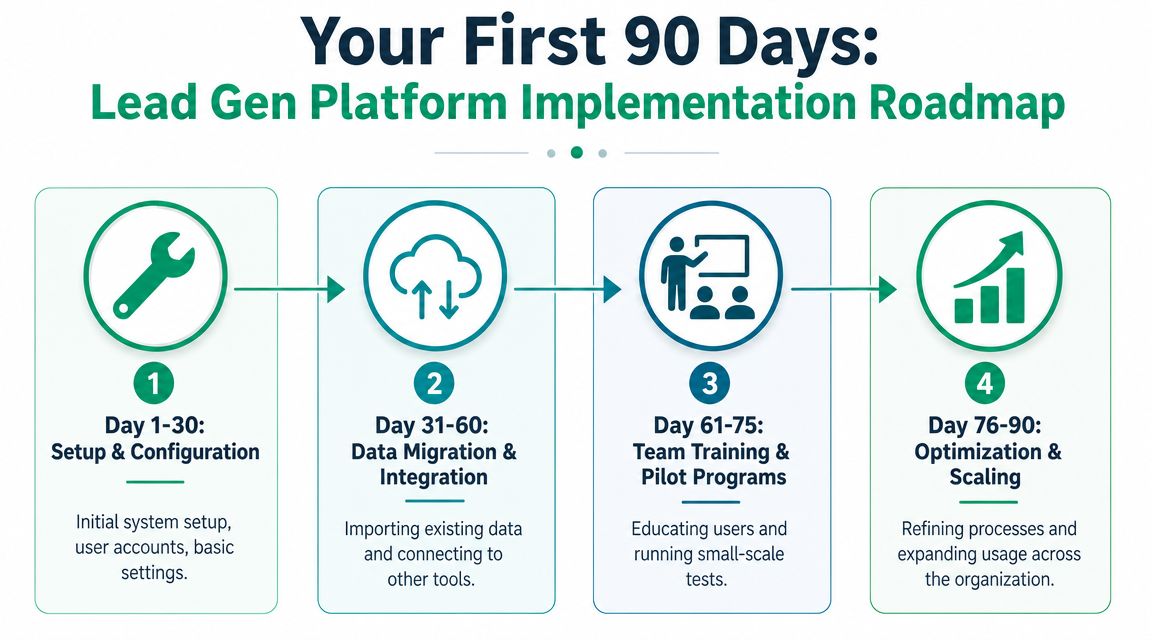
Days 1 to 30
Focus on system setup, permissions, field mapping, and core sources. Don’t connect every tool in the first week unless you enjoy debugging five systems at once.
At this stage, define a short list of required fields and statuses. Keep it strict. If marketing captures data that sales never uses, remove it. If sales needs a field that no form or import populates, fix that before launch.
Days 31 to 60
This window is for integration and routing. Connect the CRM, test data movement, and run controlled scenarios.
Use real examples:
- A webinar registrant who attends and requests a demo
- A website lead with missing firmographic data
- A target account identified by outbound research
- A contact already owned by sales who converts again through inbound
That testing exposes collisions early.
A short implementation walkthrough can help teams visualize the work before they overcomplicate it:
Days 61 to 90
Now train the team on behavior, not just buttons. Reps need to know which lead statuses to use, when to recycle a lead, and what activity should trigger a handoff back to marketing.
Run a pilot before full rollout. Pick one segment, one source, or one region. Watch how the workflow performs with live usage. Through this process, scoring gets adjusted, forms lose unnecessary fields, and routing rules become less theoretical.
Field note: If your team can’t explain the lead stages in one minute, your platform isn’t ready to scale.
A simple launch sequence usually works better than a grand one:
- Connect the CRM first
- Test routing with a limited sample
- Train both marketing and sales on the same lifecycle
- Expand only after reports match reality
The software becomes useful when the handoffs become boring. Boring is good. Boring means consistent.
Measuring Success and Calculating True ROI
Lead volume is the easiest number to pull and one of the least helpful. Teams love it because it moves. Executives often hate it later because it doesn’t explain revenue.
A platform that doubles lead count while lowering fit has not improved your pipeline. It has increased sorting work for sales.
Better metrics than raw lead totals
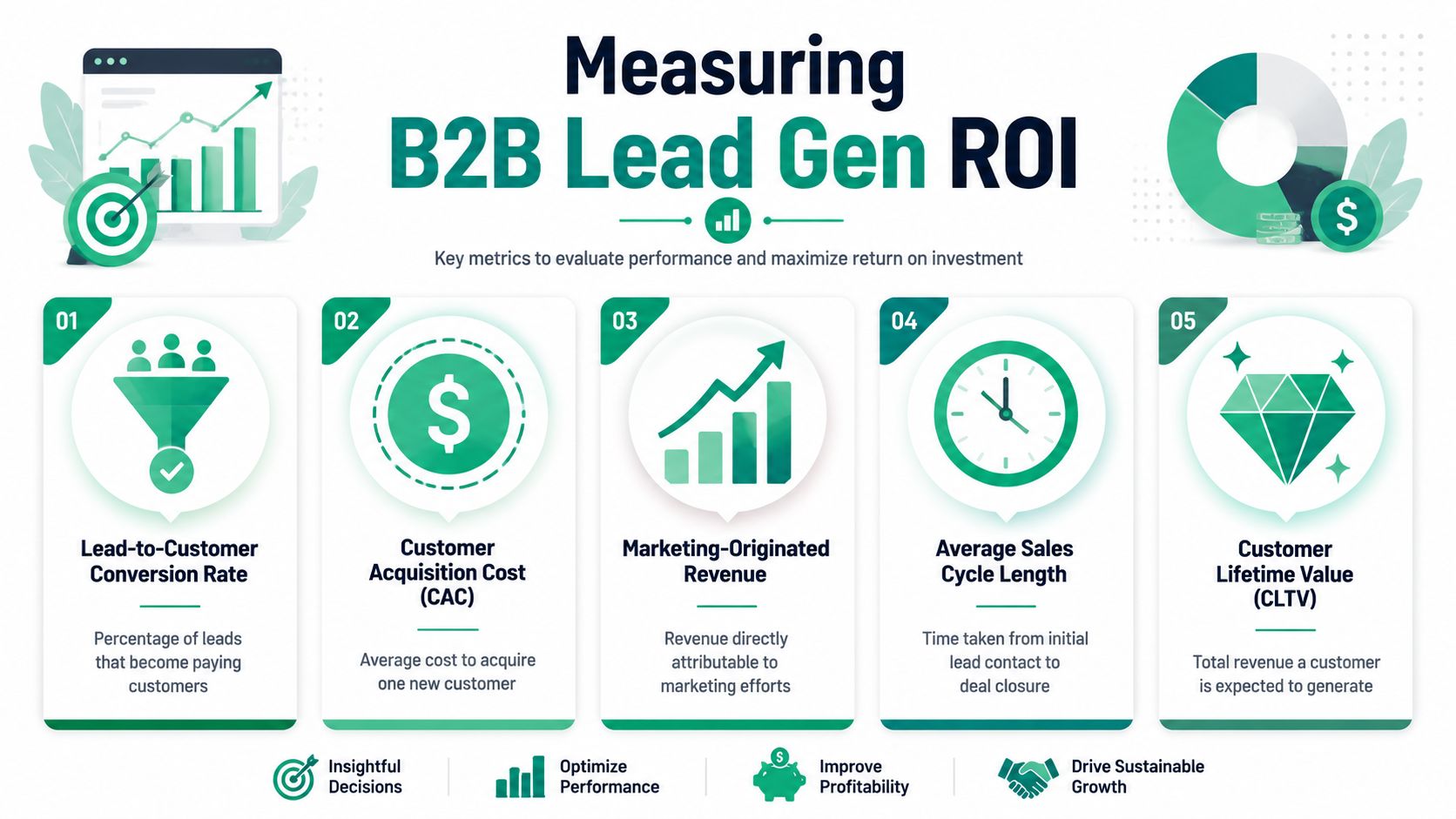
Recent guidance for buyers says teams should measure SQL conversion rates, pipeline impact, and speed-to-first-touch rather than lead totals alone, as explained in Default’s B2B lead generation guide.
Those metrics force better discipline.
- SQL conversion rate tells you whether the platform is producing leads, sales, and wants.
- Pipeline impact shows whether those leads become meaningful opportunities.
- Speed-to-first-touch reveals whether your routing and follow-up process is functioning at all.
What these metrics reveal in practice
A low SQL conversion rate often points to poor scoring, weak targeting, or over-permissive forms.
Weak pipeline impact usually means one of two things. Either the software is pulling in the wrong people, or your team is good at capturing interest but poor at moving that interest into real conversations.
Slow speed-to-first-touch exposes process failure more than tool failure. Records may be entering the system correctly while ownership rules, alerts, or rep habits are lagging.
A lead gen platform earns its budget when it improves sales focus, not when it simply creates more records.
Build reporting around movement
Useful reporting tracks stage progression, not just top-of-funnel creation. That means looking at how leads move from capture to qualification, from qualification to accepted opportunity, and from opportunity into the pipeline.
A clean report should answer questions like these:
- Which sources produce SQLs, not just MQLs?
- Which segments move fastest after first touch?
- Where do leads stall most often?
- Does verification improve rep adoption of assigned leads?
If your current dashboard still celebrates volume while sales keeps rejecting leads, the reporting model is wrong.
Teams that need a better financial view of channel performance usually benefit from a tighter framework for calculating marketing ROI, especially when software costs, media spend, and sales time all sit in different systems.
Beyond Software: When to Partner with a Marketing Agency
There’s a point where the issue stops being software selection and starts being execution capacity.
Some companies have the budget for strong tools and still get weak results. That usually happens for one of three reasons. The data layer is unreliable, the workflow design is poor, or nobody internally owns optimization after launch.

Signs the software-only approach is failing
You’ll see patterns quickly:
- The CRM gets noisier each month. Records pile up, statuses drift, and nobody trusts the reporting.
- Sales rejects leads informally. Instead of fixing scoring or routing, reps create workarounds.
- Campaigns launch without downstream planning. Marketing captures contacts, but there’s no agreed path after submission.
- The stack expands faster than the process. New tools get added while old issues remain unresolved.
At that point, the tool isn’t the strategy. It’s just a container for the strategy you haven’t built yet.
Where external expertise changes the outcome
An experienced agency can help in places software won’t. That includes offer design, segmentation, campaign architecture, lead lifecycle planning, message testing, reporting logic, and sales-marketing alignment.
This is also where implementation gets more nuanced. A team may need help deciding whether to gate content, when to route directly to sales, how to handle anonymous visitor intelligence, or how to separate nurture tracks by buying stage. Those are strategic decisions disguised as technical settings.
One option in that category is Ascendly Marketing, which offers done-for-you lead generation support, including audience targeting, outreach execution, and lead qualification. That kind of support makes sense when internal teams don’t have the time or an in-house operator to manage the system consistently.
What to expect from a real partner
A useful partner doesn’t just log into the platform and push buttons. They should be able to answer operational questions such as:
| Need | What the agency should handle |
|---|---|
| Data cleanup | Standardization, field governance, duplicate control |
| Workflow design | Scoring rules, ownership rules, nurture logic |
| Campaign execution | Messaging, channel coordination, launch process |
| Measurement | Stage definitions, reporting structure, pipeline attribution |
| Optimization | Ongoing testing and adjustment after rollout |
Software gives you capability. Expert management turns that capability into a working revenue process.
If your team is strong on strategy and weak on capacity, outside execution support often solves the problem. If your team is busy but unclear on targeting, handoff logic, or measurement, outside strategy support usually matters even more.
Frequently Asked Questions About Lead Generation Software
Is lead generation software the same thing as a CRM
No. A CRM stores and manages relationship data across the sales process. Lead generation software focuses on finding, capturing, enriching, qualifying, and routing potential buyers. In some products the lines blur, but the jobs are still different. One system manages the pipeline. The other helps create and qualify the pipeline entering it.
How should a small or mid-sized team set a budget
Start with workflow scope, not vendor pricing pages. Decide whether you need database access, enrichment, intent data, visitor identification, form capture, outbound sequencing, or all of the above. Then ask a harder question: who will run it every week? A cheaper platform with no operating owner often costs more in wasted effort than a more complete setup with clear ownership.
Does AI change how these tools should be used?
Yes. AI is affecting discovery, content structure, and how buyers find vendors before they ever fill out a form. Teams are shifting from classic SEO toward AEO, or answer engine optimization, with content formats such as FAQs helping AI tools cite a business directly, as discussed in this industry video on AEO and AI discovery.
That changes lead generation work in a few ways:
- Content has to answer questions clearly
- FAQs become acquisition assets, not just support content
- Forms, routing, and follow-up need to support visitors who arrive from AI-assisted research
- Attribution gets messier, so operational tracking matters more
When should sales get involved in setup
Immediately. Marketing can’t define qualification alone. Sales should help set scoring logic, disqualification reasons, routing rules, and response expectations. If sales joins after launch, you’ll spend the next quarter rebuilding the system around objections they could have raised in the first meeting.
If your team needs more than software selection and wants help building a lead-generation process that runs, Ascendly Marketing can support strategy, implementation, and ongoing campaign execution across B2B channels.
