

TL;DR:
- Mobile optimization is essential as over 57% of web traffic comes from mobile devices. It improves load times, user experience, and search rankings by focusing on responsive design, fast loading, and easy navigation. Small businesses that prioritize ongoing mobile performance see higher engagements and conversions.
Mobile optimization is defined as the practice of designing and developing websites and digital content to deliver fast, easy-to-use experiences specifically for mobile device users. Mobile devices now account for over 57% of global web traffic, making mobile optimization a business necessity rather than a technical nicety. Google’s mobile-first indexing means the mobile version of your site determines your search rankings for all devices, including desktop. For small and medium-sized business owners, this creates a direct link between mobile performance and visibility, engagement, and revenue.
What is mobile optimization, and why does it matter for your business?
Mobile optimization is a strategic approach that treats mobile constraints as defaults, not afterthoughts. The industry standard term for this practice is “mobile-first design,” and it goes well beyond making a site technically viewable on a phone.
A mobile-friendly site simply avoids breaking on small screens. A mobile-optimized site is engineered for the way people actually use phones: one-handed, on the go, often on slower connections like 4G or spotty Wi-Fi. The difference shows up in load times, navigation ease, and whether a visitor stays or bounces.
The business stakes are real. 53% of mobile visits are abandoned when a page takes longer than 3 seconds to load. That means more than half your mobile visitors leave before they see your offer. For a small business spending money on ads or SEO, that is a direct loss.
Mobile optimization also shapes brand perception. A slow or clunky mobile site signals that a business is not current, which erodes trust before a customer ever contacts you. First impressions on mobile are now the first impressions of your brand.
What challenges does mobile optimization solve?
Mobile users face a specific set of constraints that desktop users do not. Understanding these constraints is the first step to fixing them.
- Small screens and thumb navigation. Most people browse with one thumb. Buttons and links placed at the top corners of a screen are hard to reach. Touch targets should be at least 48×48 pixels, and font sizes should be no smaller than 16px to prevent accidental taps and eye strain.
- Variable network conditions. A user on a slow 4G connection in a rural area loads your site very differently than someone on fiber at home. Mobile optimization accounts for this by reducing file sizes and minimizing the number of server requests.
- Short attention spans and scanning behavior. Mobile users scan; they do not read. Content needs clear headings, short paragraphs, and visible calls to action placed where thumbs naturally land.
- Intermittent connectivity. Pages that depend on large JavaScript files or uncompressed images fail badly when a connection drops mid-load.
Pro Tip: Test your site on an actual phone with your cellular data turned on, not just on a desktop browser with a resized window. Emulators miss real-world performance issues that physical devices catch immediately.
The gap between mobile-friendly and mobile-optimized is where most small businesses lose customers. A site that technically works on mobile but loads slowly, has tiny text, or buries the contact button is not optimized. It is just not broken.
What are the core mobile optimization techniques for 2026?
The following techniques form the foundation of any effective mobile optimization effort. Each one addresses a specific failure point that costs businesses traffic and conversions.
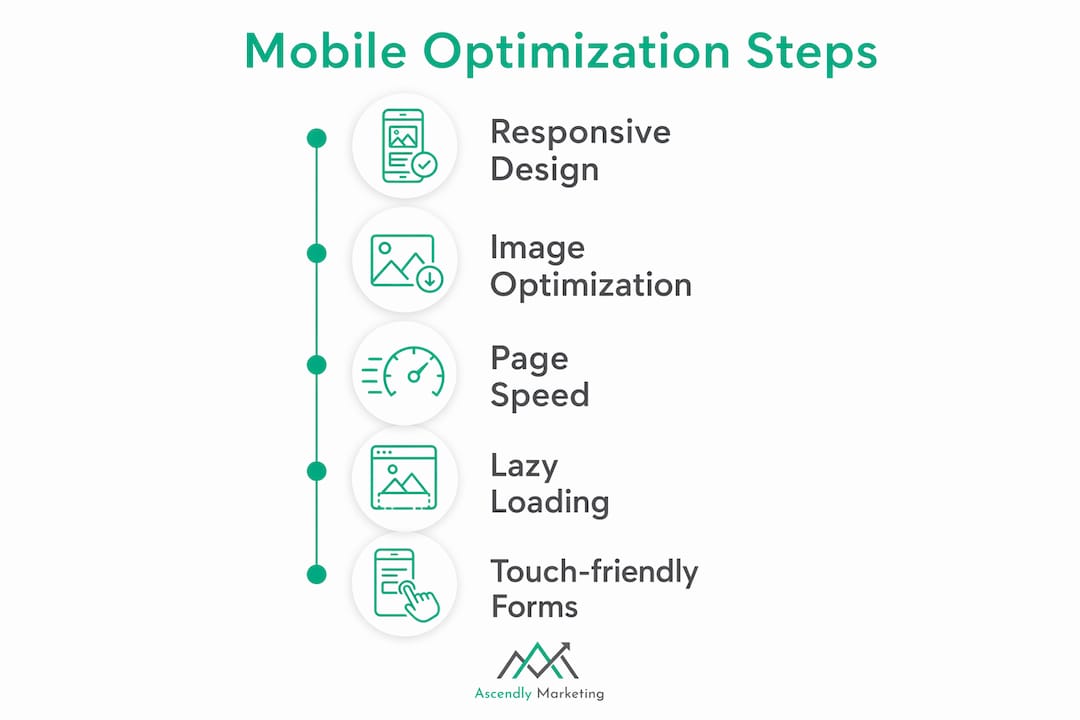
Responsive web design
Responsive design uses flexible CSS grids and media queries to reformat a page’s layout based on screen size. One codebase serves all devices. This is the baseline requirement for mobile optimization and the format Google recommends for mobile-first indexing.
Image and video optimization
Desktop-sized images on mobile bloat data usage and slow load times. Optimal mobile images are around 800–860px wide. Use modern formats like WebP or AVIF, which deliver smaller file sizes than JPEG or PNG at comparable quality. Always define explicit height and width attributes for every image. Defining image dimensions reduces Cumulative Layout Shift (CLS), which is one of Google’s Core Web Vitals metrics.

Page speed and Core Web Vitals
Google’s Core Web Vitals measure three things: Largest Contentful Paint (LCP), which should be under 2.5 seconds; Cumulative Layout Shift (CLS), which measures visual stability; and Interaction to Next Paint (INP), which measures responsiveness. Poor scores on these metrics hurt both user experience and search rankings. Reduce render-blocking JavaScript and CSS, use browser caching, and consider a content delivery network (CDN) to serve assets from servers closer to your users.
Lazy loading and above-the-fold content
Lazy loading defers off-screen images until a user scrolls to them, which speeds up initial page load. The critical exception: never lazy load hero images or any content visible above the fold. Deferring those creates a blank screen on arrival, which drives visitors away immediately.
Navigation and form design
Forms and menus built for mouse clicks fail on touchscreens. Use large, well-spaced buttons. Keep forms short and use mobile-friendly input types (number pads for phone fields, date pickers for dates). A checkout or contact form that frustrates a mobile user is a direct conversion killer.
Pro Tip: Use Google’s PageSpeed Insights and the Mobile-Friendly Test to get a free baseline score for your site. Run the test on your most important landing page first, not your homepage.
| Technique | What it fixes | Priority |
|---|---|---|
| Responsive design | Layout breaks on small screens | High |
| Image compression (WebP/AVIF) | Slow load from oversized files | High |
| Core Web Vitals (LCP, CLS, INP) | Poor SEO rankings and UX scores | High |
| Touch target sizing (48x48px min) | Missed taps and user frustration | Medium |
| Lazy loading (except above fold) | Unnecessary data load on arrival | Medium |
| CDN and browser caching | Slow delivery for distant users | Medium |
How does mobile optimization affect SEO, engagement, and conversions?
The business case for mobile optimization is direct and measurable. Google uses the mobile version of your site to determine rankings for both mobile and desktop searches. A poorly optimized mobile site does not just hurt mobile visitors. It hurts your visibility everywhere.
76% of local mobile searches lead to a store visit within 24 hours. That statistic reframes mobile optimization as a foot traffic driver, not just a digital metric. For local businesses, a fast and clear mobile experience is one of the most direct paths to in-person sales.
Mobile also drives e-commerce. 59% of e-commerce sales occur on mobile devices. A checkout process that works smoothly on a phone is not optional for online retailers. Friction at checkout, whether from small buttons, slow loading, or a form that requires pinching and zooming, directly reduces completed purchases.
Over-investing in SEO without optimizing the mobile landing experience leads to low conversions despite strong traffic. This is one of the most common and costly mistakes small businesses make. You can rank on page one and still lose the sale if the page loads slowly or the contact button is hard to find.
The benefits of a well-executed mobile experience extend to brand credibility. A fast, clean mobile site tells visitors you take your business seriously. That perception influences whether a first-time visitor becomes a repeat customer. For SMBs competing against larger brands, a strong mobile user experience is one of the most accessible competitive advantages available.
How to start improving your mobile optimization right now
A practical improvement plan does not require a full site rebuild. Start with diagnostics, then fix the highest-impact issues first.
- Run a baseline test. Use Google PageSpeed Insights to score your most important pages. Note your LCP, CLS, and INP scores. These numbers tell you exactly where performance breaks down.
- Fix images first. Compress all images, convert to WebP or AVIF, and set explicit dimensions. This single step often produces the largest speed improvement for most small business sites.
- Audit your navigation and forms. Open your site on a real phone and try to complete a key action: fill out a contact form, find your phone number, or complete a purchase. Note every friction point.
- Check responsive behavior. Resize your browser window or use Chrome DevTools to simulate different screen sizes. Look for text that overflows, buttons that overlap, or images that break the layout.
- Enable caching and consider a CDN. Browser caching stores static files locally on a visitor’s device so repeat visits load faster. A CDN reduces load times for visitors who are geographically far from your server.
- Adopt a mobile-first content mindset. Write shorter paragraphs, use clear headings, and place your most important information and calls to action near the top of the page. Mobile-first content strategy means writing for the phone screen before adapting for desktop.
- Monitor and iterate. Mobile performance is not a one-time fix. Run PageSpeed Insights monthly and track changes in bounce rate and conversion rate in Google Analytics.
Pro Tip: Set up a simple spreadsheet to track your PageSpeed scores and Core Web Vitals month over month. A small improvement in LCP from 4 seconds to 2.3 seconds can produce a measurable drop in bounce rate within weeks.
Key Takeaways
Mobile optimization is the single most direct lever small and medium-sized businesses can pull to improve search rankings, reduce bounce rates, and increase conversions across every digital channel.
| Point | Details |
|---|---|
| Mobile traffic dominates | Over 57% of global web traffic comes from mobile devices, making optimization mandatory. |
| Speed is the first filter | 53% of mobile visits are abandoned when load time exceeds 3 seconds. |
| Google ranks the mobile version | Mobile-first indexing means your mobile site quality determines desktop rankings too. |
| Local impact is immediate | 76% of local mobile searches result in a store visit within 24 hours. |
| Optimization beats traffic alone | Strong SEO without a fast mobile landing page produces traffic but not conversions. |
What I’ve learned after years of watching SMBs get this wrong
Most small business owners treat mobile optimization as a checkbox. They confirm the site “works on mobile” and move on. That mindset is the source of most of the mobile performance problems I see.
The businesses that win on mobile treat it as a design philosophy, not a technical task. They ask: “Would a person standing in a parking lot, on a 4G connection, with one hand full, be able to complete this action in under 30 seconds?” That question changes how you design navigation, write copy, and structure your checkout flow.
The other mistake I see constantly: investing heavily in paid search or SEO while ignoring the mobile landing experience. You can drive thousands of visitors to a page that loads in 5 seconds and has a contact form that requires a stylus to fill out. The traffic is wasted. The connection between website speed and business growth is not theoretical. It shows up in your bounce rate data within days of making improvements.
Mobile optimization is also not a one-time project. User expectations shift, Google updates its algorithms, and new device types emerge. The businesses that treat mobile performance as an ongoing discipline, not a launch deliverable, are the ones that compound their advantage over time.
— Ascendly Marketing
How Ascendly Marketing helps SMBs build better mobile experiences

Ascendly Marketing has worked with small and medium-sized businesses since 2013 to build digital presences that perform where it counts. Mobile optimization sits at the center of that work, from site architecture and page speed to content structure and conversion design. If your site is losing visitors before they reach your offer, the problem is almost always fixable with the right diagnosis and execution. Ascendly Marketing’s team of designers, SEO specialists, and content creators builds mobile-ready digital marketing strategies that connect traffic to real business results. Contact Ascendly Marketing to schedule a consultation and find out exactly where your mobile experience is costing you customers.
FAQ
What is mobile optimization in simple terms?
Mobile optimization is the process of designing your website so it loads fast, looks clean, and is easy to use on a smartphone. It goes beyond making a site “work” on mobile by engineering it specifically for touch navigation, small screens, and variable network speeds.
Why is mobile optimization important for SEO?
Google uses mobile-first indexing, meaning it ranks your site based on the mobile version, not the desktop version. A slow or poorly structured mobile site directly lowers your search rankings for all devices.
What is the difference between mobile-friendly and mobile-optimized?
A mobile-friendly site avoids breaking on small screens. A mobile-optimized site is built specifically for mobile behaviors, including fast load times, thumb-sized touch targets, and content structured for scanning.
How fast should a mobile page load?
The target Largest Contentful Paint (LCP) is under 2.5 seconds on a 4G connection. Pages that take longer than 3 seconds to load lose 53% of visitors before the page finishes loading.
What tools can I use to test my mobile site performance?
Google PageSpeed Insights and Google’s Mobile-Friendly Test are free tools that score your site and identify specific issues. For the most accurate results, also test on a physical mobile device with cellular data rather than Wi-Fi.