
Technical SEO is the process of optimizing a website’s infrastructure so search engines and AI systems can find, render, index, and trust its content. It also has direct business impact: technical SEO yields a 117% ROI, compared with 16% for content marketing, and pages with strong technical foundations are up to 3.2x more likely to appear in AI-generated answers.
You’re probably here because your site looks fine to you, yet traffic stalls, pages don’t show up when they should, or leads dip after a redesign. That usually means the problem isn’t the words on the page. It’s the machinery underneath.
A business owner can think of technical SEO the same way they think about a building inspection. The sign out front may look sharp, and the office may be well decorated, but if the wiring, access points, and structural layout are wrong, people won’t get in smoothly, and the building won’t function as intended. Websites work the same way. Search systems judge the hidden setup before they reward the visible content.
What is Technical SEO and Why it Drives Growth
The infrastructure behind search visibility
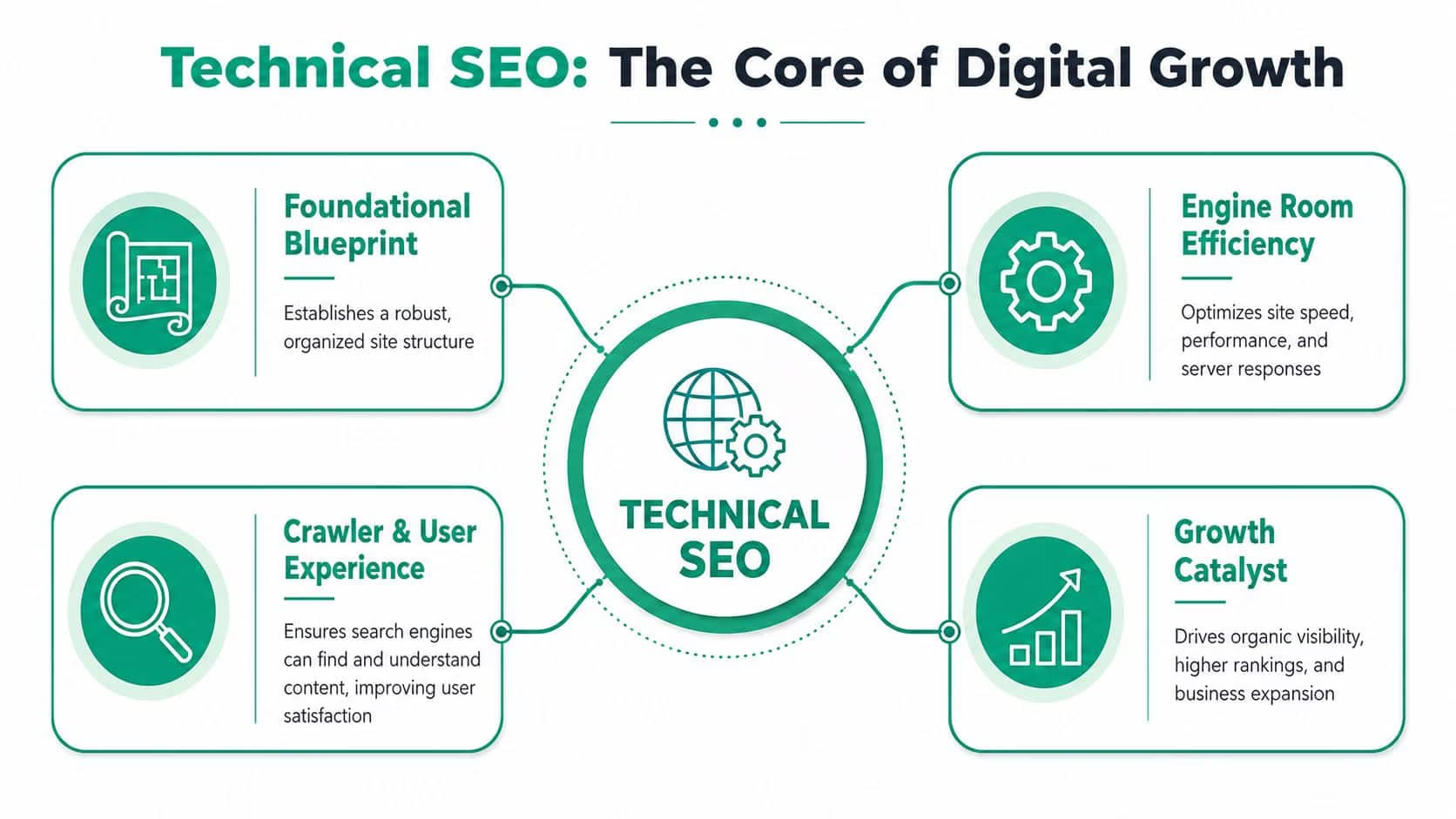
Technical SEO covers the server and website settings that decide whether search engines and AI systems can crawl, render, and index your pages. That includes HTTP header responses, XML sitemaps, redirects, robots rules, canonical tags, and metadata, as outlined by TechnicalSEO.com’s explanation of technical SEO infrastructure.
If those pieces are misconfigured, your content can become invisible in search even when the writing is strong. A blocked page in robots.txt, a broken canonical tag, or the wrong status code will stop search systems from treating that page as eligible.
Think of content as the inventory in a store. Technical SEO is the loading dock, shelf labeling, aisle layout, and front door. If the dock is blocked and the labels are wrong, customers won’t find what they came for.
Why it affects revenue, not just rankings
Some business owners file technical SEO under “developer cleanup.” That misses the commercial effect.
According to Reboot Online’s SEO statistics roundup, technical SEO yields a 117% ROI, while content marketing yields 16% ROI. The same source reports that 88.5% of survey respondents say slow loading time is the primary reason visitors leave a website, and 73.1% identify poor mobile responsiveness as a major issue.
That tells you something simple. If your site is slow or hard to use on a phone, visitors leave before your offer gets a fair shot.
Practical rule: If people can’t load the page, interact with it, or read it on mobile, rankings and conversions both suffer.
Technical SEO also shapes how efficiently search engines spend attention on your site. XML sitemaps, fixed 404 errors, and clean internal linking help bots reach high-value pages instead of wasting effort on thin or duplicate URLs. That improves the chance that your product pages, service pages, and lead-generation assets are the ones search systems keep returning to.
Why the definition has changed
Traditional definitions focused on Googlebot crawling web pages. That’s no longer enough.
Technical SEO now supports two visibility layers at once. One is classic search results. The other is AI-driven search, where systems summarize, cite, and recommend pages. A page now needs to be accessible, understandable, and consistent across formats if you want it surfaced in those experiences.
That’s why the phrase what is technical SEO has a broader answer today. It’s not just “making a site easier for Google to crawl.” It’s making your site technically reliable enough for modern search systems to interpret and reuse.
Decoding the Core Components of Technical SEO
Crawlability and indexing
Crawlability means bots can access your pages. Indexing means those pages are stored and made eligible to appear in search.
Those aren’t the same thing. A page can be crawlable but not indexable. For example, a page may load fine but contain a noindex tag, point to another URL through a canonical tag, or sit outside your internal linking structure.
A few core pieces control this:
- Robots.txt rules block or allow crawling of sections and resources
- XML sitemaps list the URLs you want crawlers to find
- HTTP status codes tell search engines whether a page works, moved, or failed
- Canonical tags tell search systems which version is the preferred one
When people ask what technical SEO includes, this is usually the first layer. Search systems need a clean path to the page before anything else matters.
Site architecture and internal linking
Site architecture is the way pages relate to each other. A simple structure helps both bots and users move through the site without confusion.
If your service page sits five clicks deep, or if a category page links to near-duplicate filter URLs instead of priority pages, you make discovery harder. That wastes crawl budget and weakens the visibility of pages that drive business.
A clear structure does a few things at once:
- Keeps key pages close to the homepage so search systems find them sooner
- Reduces orphan pages that have no internal links pointing to them
- Shows topic relationships between category, subcategory, and detail pages
- Guides users from informational pages toward conversion pages
A practical example helps. Say you run an e-commerce store selling office chairs. A clean structure links from Home to Office Chairs to Ergonomic Chairs to Product Page. A messy structure creates dozens of filtered versions, duplicate parameter URLs, and disconnected product pages. Search engines then spend time on clutter instead of your money pages.
Speed, Core Web Vitals, and mobile behavior
Performance is one of the most misunderstood parts of technical SEO because people reduce it to “make the site faster.” The core issue is user interaction.
According to Gracker’s technical SEO specialist guide, Core Web Vitals are a measurable benchmark where metrics like First Input Delay (FID) directly correlate to ranking performance. The same source says a proactive setup includes CDNs and 100% responsive design for Google’s mobile-first indexing, which governs 67% of all searches.
If a user taps a button and the page hesitates, that interaction delay damages satisfaction. If the layout jumps while someone reads, that disrupts trust. If the mobile version strips content or links that exist on desktop, your indexed version becomes weaker.
For a deeper look at the business side of performance, this guide on why website speed matters for business growth connects technical performance with user behavior and conversion friction.
FID answers a plain question: when a visitor tries to use the page, does the page respond right away?
Security, canonicals, and structured data
HTTPS signals that the site is served securely. Canonical tags prevent duplicate versions from competing with each other. Structured data adds machine-readable context around products, organizations, services, articles, and other entities.
These pieces often look small in isolation, but they work together. A secure page with clean canonical signals and accurate schema is easier for search systems to classify, trust, and present correctly.
Structured data matters beyond rich results. It helps search systems connect the visible page with the entities described in code. That means the product name, price, and page content need to match. If the markup says one thing and the visible page says another, ambiguity rises and eligibility drops.
Common Technical SEO Problems and How to Fix Them
When pages don’t show up
A common complaint sounds like this: “We published a new service page last week, and it still isn’t showing in search.”
The cause is often one of four things. The page may be blocked in robots.txt, tagged noindex, missing from the internal link structure, or assigned a canonical tag that points elsewhere. In each case, the page exists for users who know the URL, but search systems don’t treat it as a page worth indexing.
The fix starts with inspection. Check whether the page returns a valid 200 status, whether it’s linked from a crawlable page, and whether the canonical and robots directives reflect your intent.
When traffic drops after site changes
Redesigns, CMS migrations, and URL changes create a second pattern: “Traffic fell after we launched the new site.”
This often traces back to redirect chains, broken internal links, deleted pages, or non-200 responses. According to Yotpo’s technical SEO checklist covering Google’s December 2025 Rendering Update, pages returning non-200 HTTP status codes such as 404 or 5xx errors are explicitly excluded from the rendering pipeline entirely. That turns cleanup from a best practice into a visibility requirement.
A page that doesn’t return the right status code won’t get a fair chance to rank because search systems may stop processing it before they even evaluate the content.
When duplicate URLs compete
Another symptom is ranking instability. One week a product page shows up. The next week a filtered category URL or tracking-parameter version appears instead.
That usually points to duplicate content and weak canonicalization. Search engines find several near-identical versions and have to guess which one deserves visibility. They may choose a version you never intended to rank.
Fixing this means selecting one preferred URL, applying canonical tags consistently, and reducing crawlable duplicates created by filters, search parameters, and alternate versions.
Common technical SEO issues and fixes
| Symptom | Potential Cause | Actionable Fix |
|---|---|---|
| New pages aren’t appearing in search | Noindex tag, blocked robots rule, missing internal links | Remove noindex where needed, update robots rules, link the page from crawlable sections |
| Traffic dropped after a redesign | Broken redirects, deleted URLs, 404 or 5xx responses | Restore valuable pages, map old URLs to relevant new URLs, fix server errors |
| Wrong version of a page ranks | Duplicate URLs and inconsistent canonical tags | Pick one preferred URL and apply canonical signals consistently |
| Product pages lose visibility after filtering changes | Faceted navigation creates duplicate crawl paths | Limit crawlable filter combinations and point duplicates to the primary version |
| Rich results don’t appear | Missing or inaccurate structured data | Add valid schema and make sure markup matches visible page content |
Your Essential Technical SEO Audit Checklist
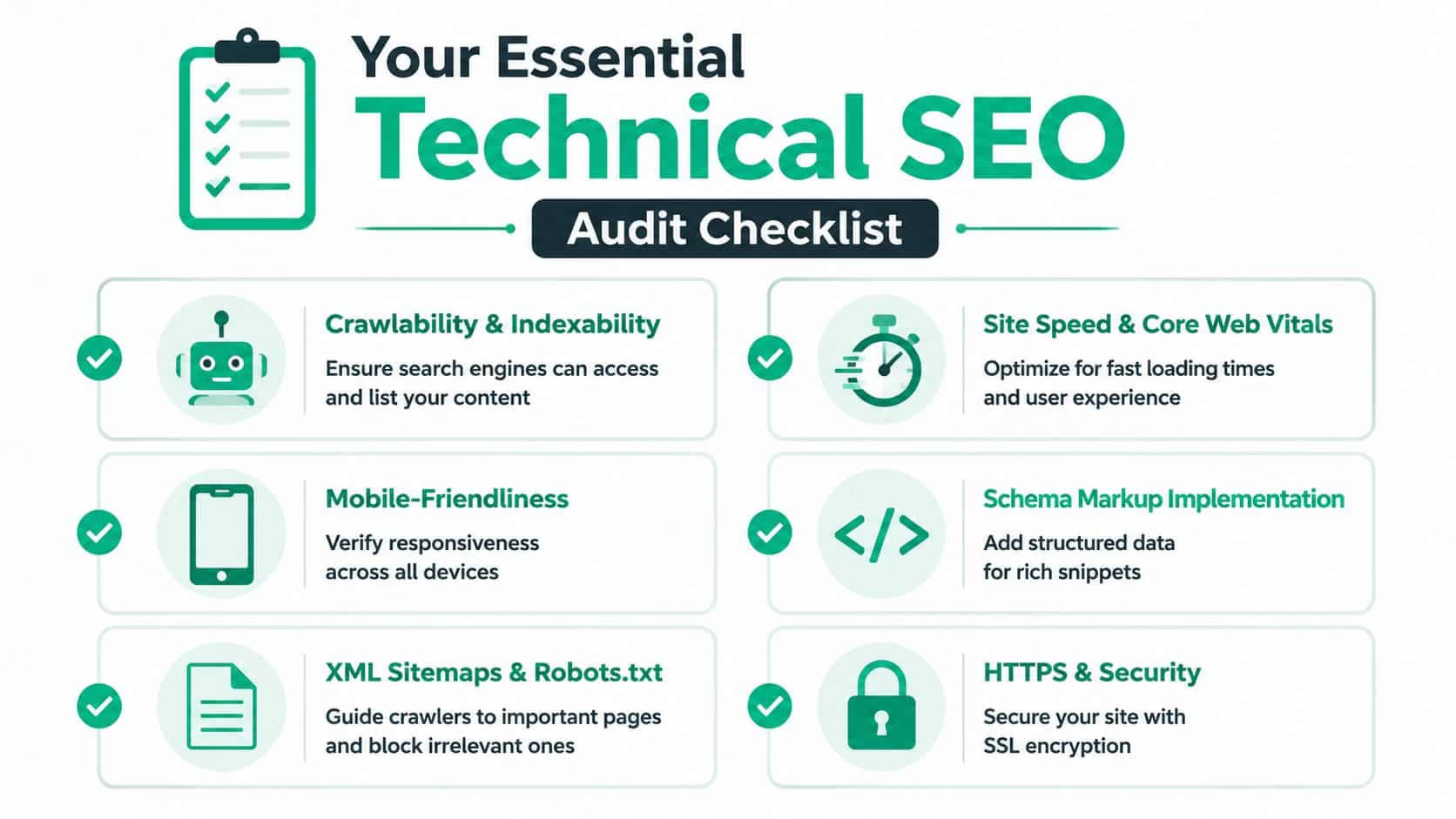
A technical SEO audit is a site health check. You’re not trying to inspect every screw on day one. You’re checking whether the systems that control access, performance, and interpretation still work the way your business needs them to.
This visual gives you a simple framework to use during that review.
Foundation checks
Start with access and status.
- Review key page responses and make sure important URLs return 200
- Inspect robots.txt to confirm important sections aren’t blocked
- Validate canonical tags so the preferred version is clear
- Check XML sitemap coverage and remove broken or irrelevant URLs
These checks tell you whether search systems can reach the pages you care about and whether you’re sending mixed signals.
Performance and user experience checks
The next layer is page behavior.
- Test mobile responsiveness across templates, not just the homepage
- Review Core Web Vitals patterns for slow interaction and unstable layout
- Check image and script weight on pages that matter for leads or sales
- Look for JavaScript dependency that hides key content or links until after load
A short video can help if you want to see how a practical audit fits together.
Content signals and structured data checks
Technical SEO also covers how clearly a page describes itself to machines.
- Confirm schema markup exists where appropriate for products, services, articles, and organizations
- Compare visible page details with markup so names, offers, and labels match
- Audit internal links to make sure priority pages receive support
- Scan for broken internal links that send both users and bots into dead ends
If you want a broader planning resource to pair with this workflow, this SEO checklist for businesses in 2026 adds strategic context around what to review first.
Audit habit: Run the same checklist after redesigns, migrations, template updates, and major content pushes. That’s when hidden technical damage usually appears.
Preparing Your Site for AI-Powered Search
Why AI search changes the standard
Technical SEO now affects whether your pages appear inside AI-generated answers, not just in blue-link search results. That changes the threshold for what counts as “good enough.”
According to Semrush’s technical SEO guidance, pages with strong technical foundations such as HTTPS, mobile parity, accurate structured data, and canonical tags are up to 3.2x more likely to appear in AI-generated answers.
That changes how you should think about site quality. AI systems don’t just fetch a page title and rank it. They try to interpret, summarize, and cite content. If the underlying signals conflict, trust drops.

What AI parity means in practice
A useful phrase here is AI parity. It means your mobile and desktop versions should match in substance, and your visible content should match your markup.
If your desktop page includes product specs, internal links, and trust information, but the mobile version hides them, AI systems may process an incomplete version. If your schema lists a different product name or price than the page itself, citation confidence weakens.
These are the habits that support AI parity:
- Keep mobile and desktop content aligned so the same core information appears on both
- Use accurate structured data that reflects what the page visibly says
- Set canonical tags correctly so search systems know which URL represents the source
- Serve clean HTML when possible, especially for important content and links
This matters beyond standard search. If you’re following how autonomous buying tools work, the rise of AI shopping agents gives a good example of why machine-readable product data and consistent page signals affect discovery and trust.
For a business-level view of this shift, this piece on how AI is transforming SEO strategies for small businesses connects technical groundwork with the new search environment.
A Practical Action Plan for Your Business
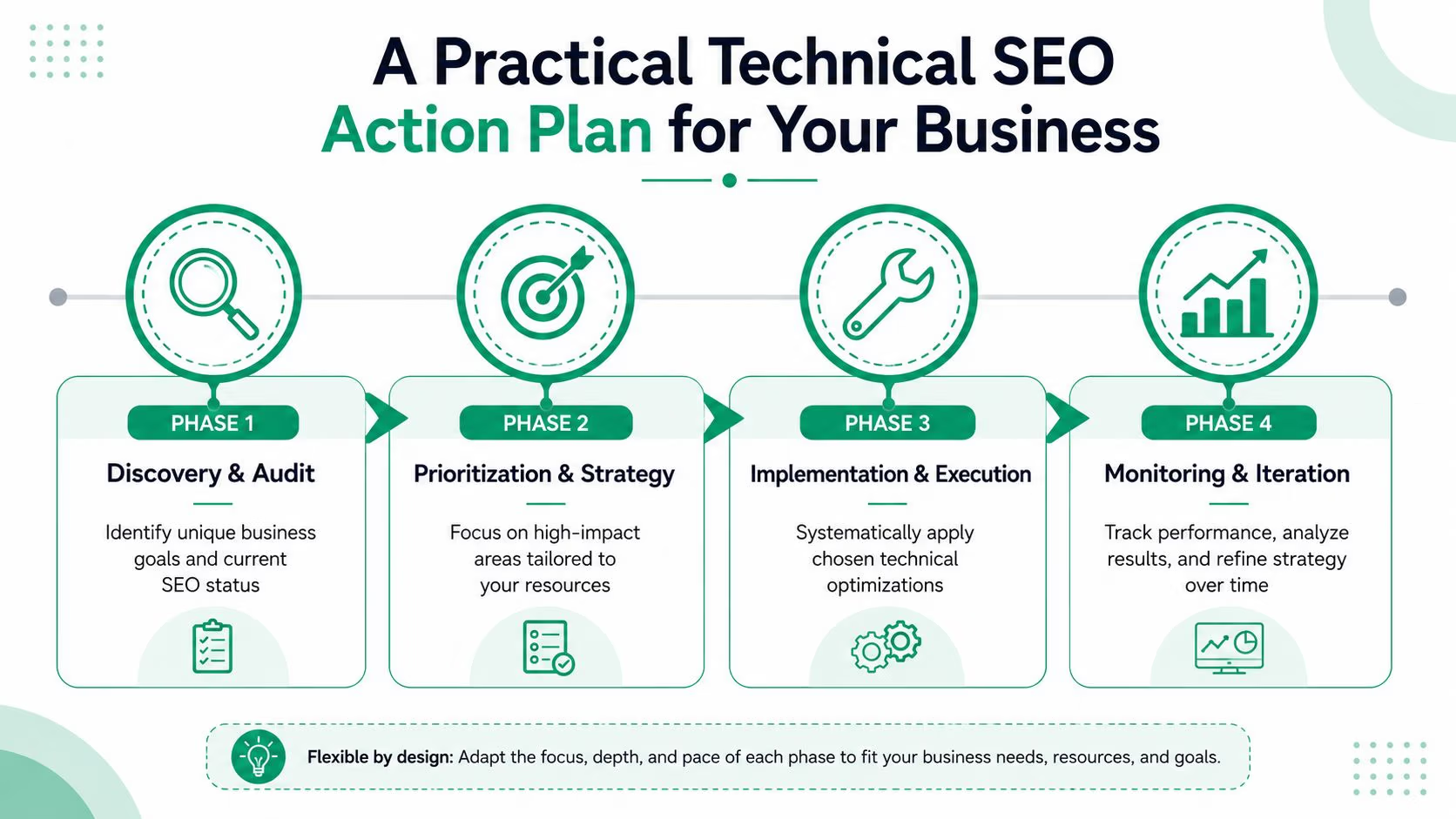
Different business models need different priorities. A five-page service site doesn’t need the same technical SEO roadmap as a large catalog with filters, product variants, and seasonal landing pages.
That said, most small and mid-sized businesses benefit from a short, focused first phase: make key pages crawlable, indexable, fast enough to use, and easy to understand.
For small business websites
Small sites often assume crawl budget doesn’t matter because they have fewer pages. That’s a mistake when the structure is messy.
According to the discussion summarized in this small-site crawl budget example, Google may only index approximately 20% of available pages on small websites if duplicate content or improper canonical tags interfere with efficient crawling.
For a smaller site, start here:
- Set up Google Search Console and check index coverage
- Submit a clean XML sitemap that includes only valuable pages
- Fix broken internal links and 404s on core pages
- Review canonicals so one version of each page is clearly preferred
- Check mobile templates for hidden text, forms, or missing calls to action
For e-commerce teams
E-commerce sites create technical complexity fast. Filters, faceted navigation, out-of-stock pages, and duplicate product variants often multiply URLs without adding value.
Your first moves should be:
- Control faceted navigation so filters don’t create endless crawlable duplicates
- Strengthen category-to-product internal linking to highlight priority items
- Apply product schema accurately and keep it aligned with visible details
- Audit discontinued URLs and decide whether to redirect, replace, or retain them
For B2B companies
B2B sites usually depend on service pages, comparison pages, resource libraries, and lead forms. The technical problem isn’t always scale. It’s hidden friction.
Review these areas first:
- Lead forms on mobile and confirm they load cleanly
- PDF assets and resource pages so they support, rather than replace, indexable HTML pages
- Template consistency across service pages, industry pages, and case-study hubs
- Internal linking from blog content into commercial pages
A practical action plan works because it removes the temptation to “optimize everything.” Start with access, clean signals, and high-value page types. Then expand.
When to Partner with a Technical SEO Agency
The point where DIY breaks down
A business owner can handle basic checks. They can review sitemap status, inspect a page, and spot obvious broken links. The problem starts when technical SEO turns into diagnosis.
That happens with JavaScript rendering issues, conflicting canonical logic, indexation loss after migrations, international setups, and unexplained traffic drops. At that point, the job stops being simple website maintenance and becomes a mix of SEO, development, and data analysis.
The coder’s gap is real
A growing challenge in technical SEO is the gap between using tools and interpreting what those tools reveal. Previsible’s technical SEO education piece notes that modern technical SEO increasingly demands code familiarity and three hard skills: data analysis, data cleansing, and data visualization. It also reports that 68% of small business content creators say they can’t interpret technical SEO reports without developer help in Previsible’s discussion of technical SEO education and the coder’s gap.
That’s the point where many teams stall. They can run Screaming Frog, open Search Console, and export a crawl. They still can’t tell whether the actual issue is rendering, duplication, status-code handling, or architecture.
You don’t hire technical SEO help because a dashboard exists. You hire it when the site’s behavior stops matching the business goal and the root cause isn’t obvious.
When outside help makes sense
A technical SEO agency becomes useful in a few clear situations:
- A migration is planned, and URL mapping, redirects, canonicals, and template integrity need oversight
- Traffic dropped and didn’t recover after updates, redesigns, or platform changes
- Your site depends on JavaScript-heavy frameworks and key content may not render reliably
- You’re competing in a crowded market where small technical errors cost visibility quickly
- Your team has reports but not answers because the diagnosis requires technical and analytical depth
The right partner brings process to the mess. They audit the site, isolate the issues, prioritize by business impact, and work with developers to get fixes deployed cleanly.
If your site has solid content but visibility still feels inconsistent, Ascendly Marketing can help you diagnose the technical blockers, prioritize the fixes that affect traffic and sales, and build a search-ready foundation for both traditional rankings and AI-driven discovery.