

A familiar meeting starts with a simple question: “How many pages do we have on the website?”
Then the guessing begins. Someone names the pages in the main navigation. Someone else checks the sitemap. Another person runs a quick site: search in Google and reads off a rough number. None of those answers are the same, and none of them are solid enough to use for a migration, a content audit, or an SEO cleanup.
That’s the core problem. Finding all pages on a website isn’t just about counting URLs. It’s about knowing what exists, what search engines can discover, what users still visit, and what’s sitting out there unnoticed.
Why Finding Every Page Matters
A site inventory usually becomes urgent right before a high-risk decision. The team is preparing a migration, pruning content, or explaining a traffic drop, and nobody can confidently say which URLs are still live, indexed, linked internally, or receiving visits.
That uncertainty creates expensive mistakes.
The page count is really a control problem.
A full URL inventory gives marketing, SEO, development, and content teams a shared view of the site they are managing, not the version they assume exists. Without that baseline, decisions get made from partial lists pulled from navigation, CMS exports, or a sitemap that may be months out of date.
The practical impact shows up quickly:
- Migration scope depends on the full URL set, because redirects only work when the old destinations are known
- Content audits break down when forgotten pages still rank, convert, or contradict current messaging
- SEO diagnostics stay incomplete when crawl waste, duplication, and index bloat sit outside the pages the team remembers
- Internal linking analysis gets distorted when orphaned or lightly linked pages are missing from the dataset
This is also where basic tutorials stop too early. They show how to collect visible URLs. They rarely address the pages that still matter operationally, especially the ones absent from navigation, missing from XML sitemaps, or left behind by older templates, faceted filters, campaign builds, and file uploads.
Hidden pages create visible problems.
A hidden page is still part of the site’s SEO footprint if search engines can crawl it, users can reach it, or other systems still reference it. That includes old landing pages, duplicate parameter URLs, archived PDFs, test folders, legacy blog paths, and retired resources that continue to attract links or impressions.
For marketing managers, the problem usually surfaces as confusion. Search Console reports URLs no one recognizes. Paid traffic lands on outdated pages. A crawl finds hundreds of thin variations that dilute internal linking and compete with stronger pages. AI-driven search features can make this worse by surfacing weak or stale pages as source candidates when the site sends mixed signals about which URLs deserve trust.
A clean inventory helps prevent that. It gives the team a way to decide what should stay, what should merge, what needs redirects, and what should disappear entirely.
The hardest pages to find are often the ones that matter most
Crawlers, sitemaps, and search engine checks each reveal part of the picture. None of them reliably exposes orphaned URLs on their own. Server log analysis closes that gap because it shows what bots and users requested, including pages that are no longer linked internally but still get hit by Googlebot, Bingbot, referral traffic, or saved bookmarks.
That matters for modern SEO. If a page is still being requested, it is still consuming attention from search engines, users, or both. Inventory work is no longer just cleanup for traditional rankings. It supports content quality control, crawl efficiency, migration accuracy, and the consistency signals that influence visibility in AI Overviews and other search features built on extracted summaries.
Teams that know the full site can improve it. Teams that only know the visible parts keep inheriting avoidable problems.
The Quick Scan with Search Engines and Sitemaps
The fastest way to start is also the least complete. That’s fine, as long as you treat it as reconnaissance instead of a final answer.
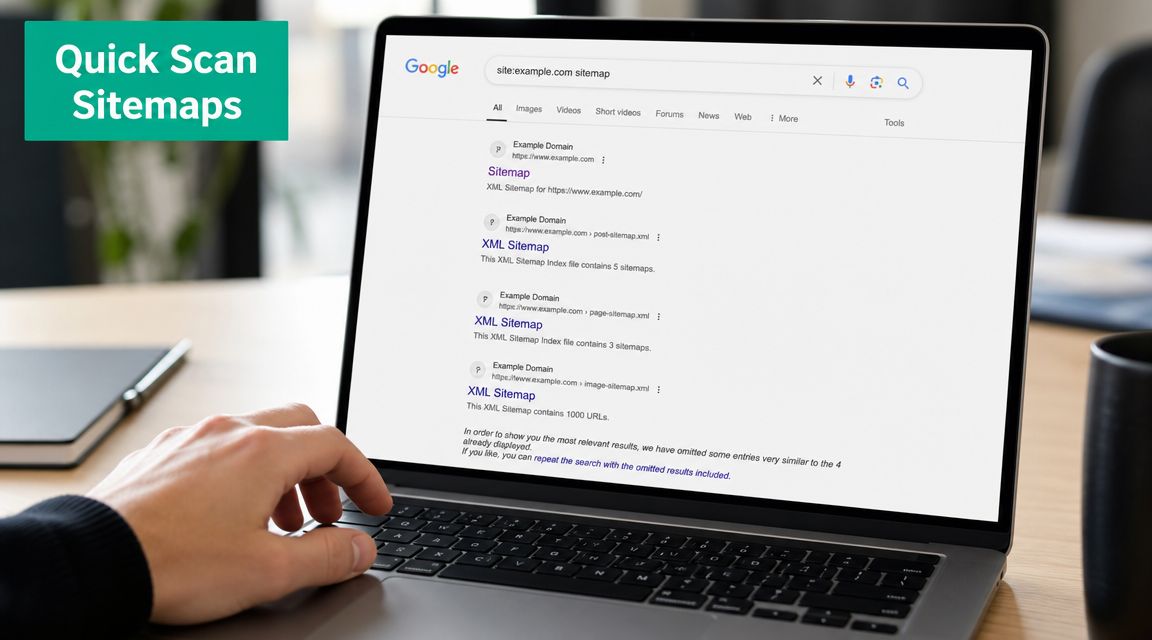
Use the site operator for pattern spotting
Start with Google and search:
site:yourdomain.com
Then narrow it when needed:
- Folder checks such as
site:yourdomain.com/blog/ - File type checks such as
site:yourdomain.com filetype:pdf - Legacy path checks for old sections, campaign folders, or tag archives
This is useful because it gives you a quick public view of what Google may have indexed. You can spot strange folders, duplicate subpaths, and content types that weren’t part of the current plan.
But the limitation matters more than the convenience. Google’s documentation explains that search systems discover pages for indexing, and the site: operator is not a complete crawl of a site. It is only a sample of indexed URLs. Industry guidance recommends combining a site crawl, sitemap inspection, and the site: operator because each method reveals different subsets of URLs.
Treat
site:results as hints, not inventory.
Find the sitemap and read it skeptically
Next, check for the XML sitemap. The usual places are:
/sitemap.xml/robots.txt, which often lists sitemap locations- A sitemap index, which can point to multiple sitemaps by language, section, or content type
What the sitemap gives you is a declared list. In plain terms, it shows the pages the site wants search engines to know about.
That can be helpful. It can also be messy.
What a sitemap is good at
| Sitemap use | Why it helps |
|---|---|
| New content review | It often includes pages added recently |
| Section review | It may break the site into clearer content groups |
| Gap detection | Missing sections often point to publishing or CMS issues |
Where sitemaps fall short
- They can be outdated
- They may exclude legacy pages that still exist
- They can include URLs that shouldn't be in the primary page set
- They don't prove a page is indexed, visited, or even linked internally
A tidy sitemap can make a chaotic site look organized. That's why this stage is only a quick scan.
If your Google search results and your sitemap already disagree, that's useful. You've found the first sign that the website has more than one version of reality.
A Deeper Look with Google and Bing Tools
Public checks give you hints. Search Console, Bing Webmaster Tools, and analytics show what search engines and users have touched. That makes this stage useful for separating theoretical URLs from pages that exist in the wild.
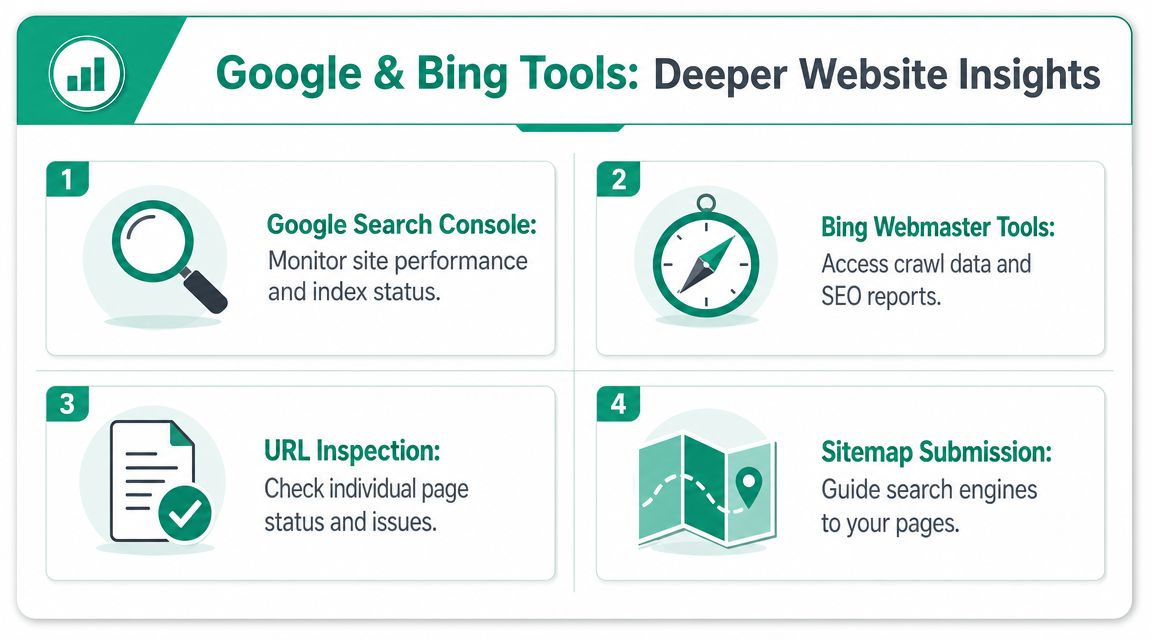
Search Console shows what Google has discovered, tested, or ignored
Start with the Pages report in Google Search Console and compare submitted URLs against URLs Google knows about beyond the sitemap.
That gap is often where the useful work starts.
- Submitted pages reflect what the site has declared through sitemaps
- Known pages include URLs Google found through crawling, internal links, canonicals, redirects, or older site paths
If Google knows a URL that your current sitemap does not list, there is usually a reason. It may be a valid legacy page. It may be a parameter version. It may be a page the CMS still exposes even though the team assumes it is gone.
For SEO, that affects far more than inventory hygiene. Hidden URLs can split internal equity, create duplicate clusters, and send mixed signals about which version should rank. They also complicate AI Overview readiness, because search systems work better with a clean, consistent set of canonical pages than with five weak variations of the same topic.
Analytics shows which pages still get visits
Analytics answers a different question. Not what Google found, but what users still reach.
The Pages and Screens report helps surface URLs that continue to attract sessions even when they are missing from the sitemap or absent from the current internal linking structure. I use this check to catch old campaign landing pages, outdated blog posts, and support URLs that are still doing quiet work months after a redesign.
That difference is practical:
| Tool | Good for | Weak at |
|---|---|---|
| Search Console | Discovery, indexing status, search-facing URL patterns | Pages with no search visibility |
| Analytics | User access patterns and residual traffic | Pages that exist but get no visits |
A URL with traffic but weak technical visibility is a business risk. A URL Google knows about but nobody visits may be clutter. Those require different decisions.
Bing adds a second search engine view
Bing Webmaster Tools is worth checking because it often surfaces a slightly different set of discovery and indexing patterns. That is useful on larger sites, multilingual sites, and sites with uneven internal linking.
Google and Bing do not always find the same things at the same time. When both platforms report the same odd section, I take that more seriously. When only one platform reports it, I look for crawl-path issues, rendering problems, or inconsistent canonicals.
Export first, interpret second
Do not review these platforms one screen at a time and trust memory. Export the URL sets and compare them in one sheet.
A workable export usually includes:
- URL
- In Search Console
- In Bing Webmaster Tools
- In analytics
- In sitemap
- Status notes
- Likely page type
That side-by-side view exposes the disagreements that matter. Pages in Analytics but not in Search Console often point to weak search visibility or blocked discovery. Pages in Search Console but not in Analytics often point to low-value indexed URLs. Pages in neither platform can still exist, which is exactly why advanced inventory work eventually needs server logs to find orphaned pages that users and crawlers rarely touch.
For broader visibility problems beyond URL discovery, this related guide on why a business may not be showing up on Google helps connect indexing, visibility, and technical coverage.
A trustworthy page inventory comes from comparing systems that discovered, crawled, or served the site from different angles.
The Comprehensive Crawl with Automated Tools
If Search Console and analytics tell you what was discovered or visited, a crawler tells you what the site exposes right now through links.
That’s why crawling is the workhorse method for finding all pages on a website.
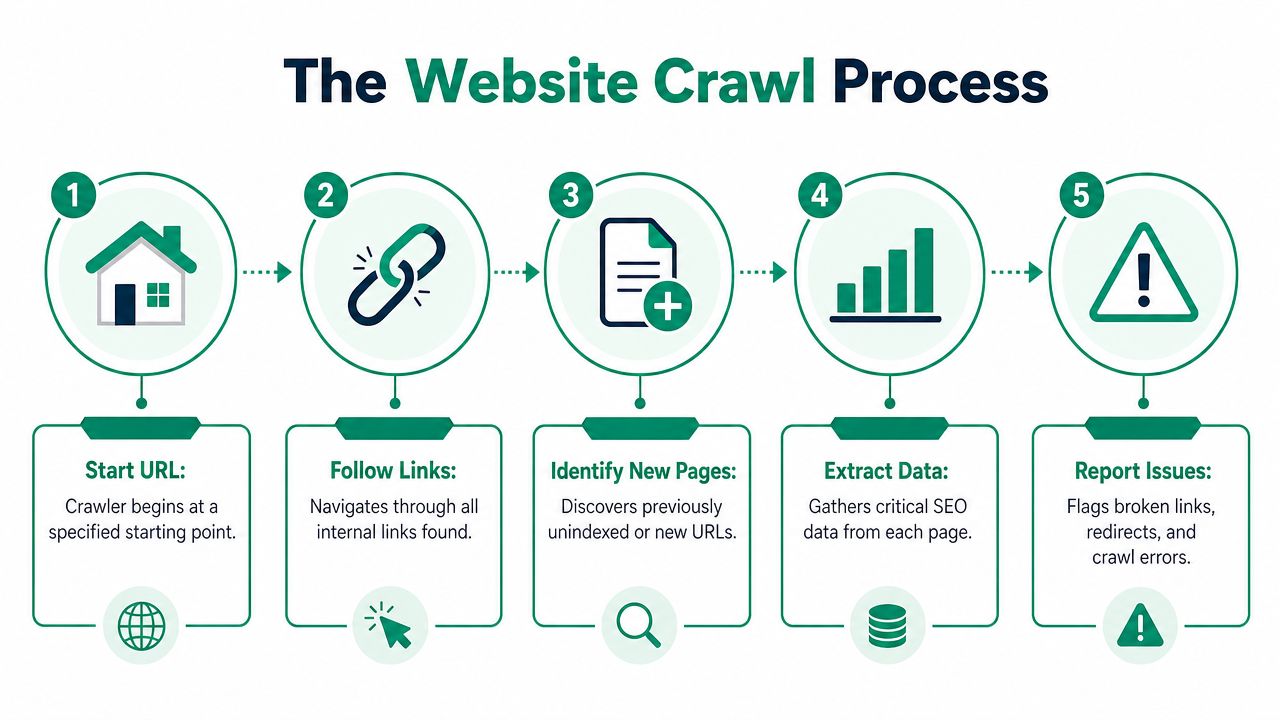
What a crawler is actually doing
Tools like Screaming Frog and Sitebulb start from a URL and follow internal links across the site. That means they build an observed map of the website’s accessible structure.
This is different from a sitemap, which is declarative, and different from Search Console, which is based on what Google has discovered.
A crawler answers a narrower but very practical question: what can be reached from the pages and links available right now?
Set up the crawl with a clear scope
A sloppy crawl creates a sloppy inventory. Before you hit start, decide:
- Property scope: Whether you need the full domain, a subdomain, or a subfolder
- Rendering mode: Whether the site requires JavaScript rendering for links to appear
- Content focus: Whether you want only HTML pages or all assets
- Depth control: Whether the site has traps such as faceted navigation or endless archives
This doesn’t need to be overengineered. It does need to match the site you’re auditing.
Filter for pages, not noise
Raw crawl exports are noisy. They usually contain images, scripts, redirects, feeds, PDFs, and other assets that can inflate your count.
A cleaner workflow is to extract URLs from sitemap.xmlcrawl the site, then filter the crawl output down to HTML status-200 pages and compare that set against Search Console and analytics. ScrapingBee specifically recommends narrowing to live 200-status HTML URLs because crawlers also surface non-page assets, which otherwise inflate the page count and create false positives.
That filtering step changes the output from “everything the crawler touched” to “the actual set of live HTML pages.”
Keep these in the working file
| URL type | Keep for diagnostics | Keep in primary page list |
|---|---|---|
| 200 HTML pages | Yes | Yes |
| Redirects | Yes | No |
| Images and scripts | Usually no | No |
| PDFs | Depends on scope | Depends on scope |
Compare crawl output against other sources
Here, the crawl transitions from merely large to useful.
Check the crawler export against:
- Sitemap URLs to find submitted pages that aren’t easily crawlable
- Search Console exports to find URLs Google knows about but your crawl missed
- Analytics landing pages to find visited pages with weak internal exposure
These differences are where hidden structural problems show up. Some pages are weakly linked. Some are effectively orphaned. Some exist because the CMS generated them and nobody noticed.
For broader site health work around crawlability, architecture, and page performance, this guide to technical SEO explained fits naturally beside a crawl review. If you want outside help with the inventory itself, an agency such as Ascendly Marketing can also handle technical audits and site structure analysis as part of a larger SEO engagement.
What crawling won’t solve on its own
A crawler can only follow paths it can reach. If no internal link points to a page, the crawler may never find it. That’s the ceiling of link-based discovery.
Which is why the next layer matters more on older sites, e-commerce sites, and any site with a long history of redesigns.
Uncovering Ghosts with Advanced Techniques
Every inventory method misses something.
Sitemaps miss pages that no one bothered to include. Search Console misses pages that haven’t surfaced in the way you expect. Crawlers miss pages with no internal links. Analytics misses pages with no tracked visits.
Server logs fill in the gap.
Why logs reveal a different class of URLs
A server log records requests made to the site. That includes visits from users and bots. If a URL gets requested, the server has a record of it.
That makes logs especially useful for finding:
- Orphan pages with no current internal links
- Parameterized URLs generated by filters, search, or legacy systems
- PDFs and non-HTML assets that still attract visits
- Pages discovered only through old backlinks, bookmarks, or bot activity
According to Trysight’s guide on finding all pages on a website, the most reliable complete-inventory method is combining crawl data with server-log analysis to surface orphan pages, parameterized URLs, and pages discovered only by bots or legacy links. The same guidance connects this to modern search visibility, noting that Google has said AI Overviews may appear only when systems determine they improve usefulness.
That shifts the reason for URL discovery. You’re not just asking, “Does this page exist?” You’re also asking, “Could this page still influence search visibility, AI surfacing, or content duplication?”
The pages your crawler misses are often the pages that create the most confusion later.
What ghost pages usually look like
Ghost pages tend to fall into familiar groups.
Legacy pages
Old campaign URLs, retired product pages, and previous site sections often live on long after teams forget them.
Parameter variants
Faceted navigation and internal search can generate large numbers of URL versions that don’t belong in a clean primary inventory.
Asset pages
PDFs, downloadable resources, and old file-based content can still be requested by users or bots even if they’re absent from the current navigation.
AI visibility changes the cleanup priority
Basic tutorials often stop after “found all URLs.” That’s too early.
A page that is crawlable but duplicated, thin, or semantically unclear may exist in your inventory without being a good candidate for search visibility. That matters more now because page discovery is tied to indexability, canonical handling, and distinctiveness. On sites with messy archives, the job isn’t only to locate every URL. The job is to separate useful content from pages that blur topic signals.
Logs are valuable here because they reveal what still gets requested in actual use, not just what your current navigation suggests should matter.
When advanced methods are worth the effort
Use server logs when:
- The site has a long publishing history
- The URL structure changed after multiple redesigns
- The sitemap looks incomplete or untrustworthy
- The crawl output seems suspiciously small
- E-commerce filters or large content archives are involved
If you’ve ever looked at a website and thought, “There’s no way this list is complete,” logs are usually the next place to look.
From Raw List to Actionable Insights
A raw URL export rarely answers the question a marketing manager has: what should stay, what should change, and what is wasting crawl attention.
That decision layer matters even more now. If the site sends mixed signals through duplicate URLs, thin archive pages, or stale assets, it becomes harder to support strong organic visibility and harder to present clear, distinct source material for AI-generated search experiences.
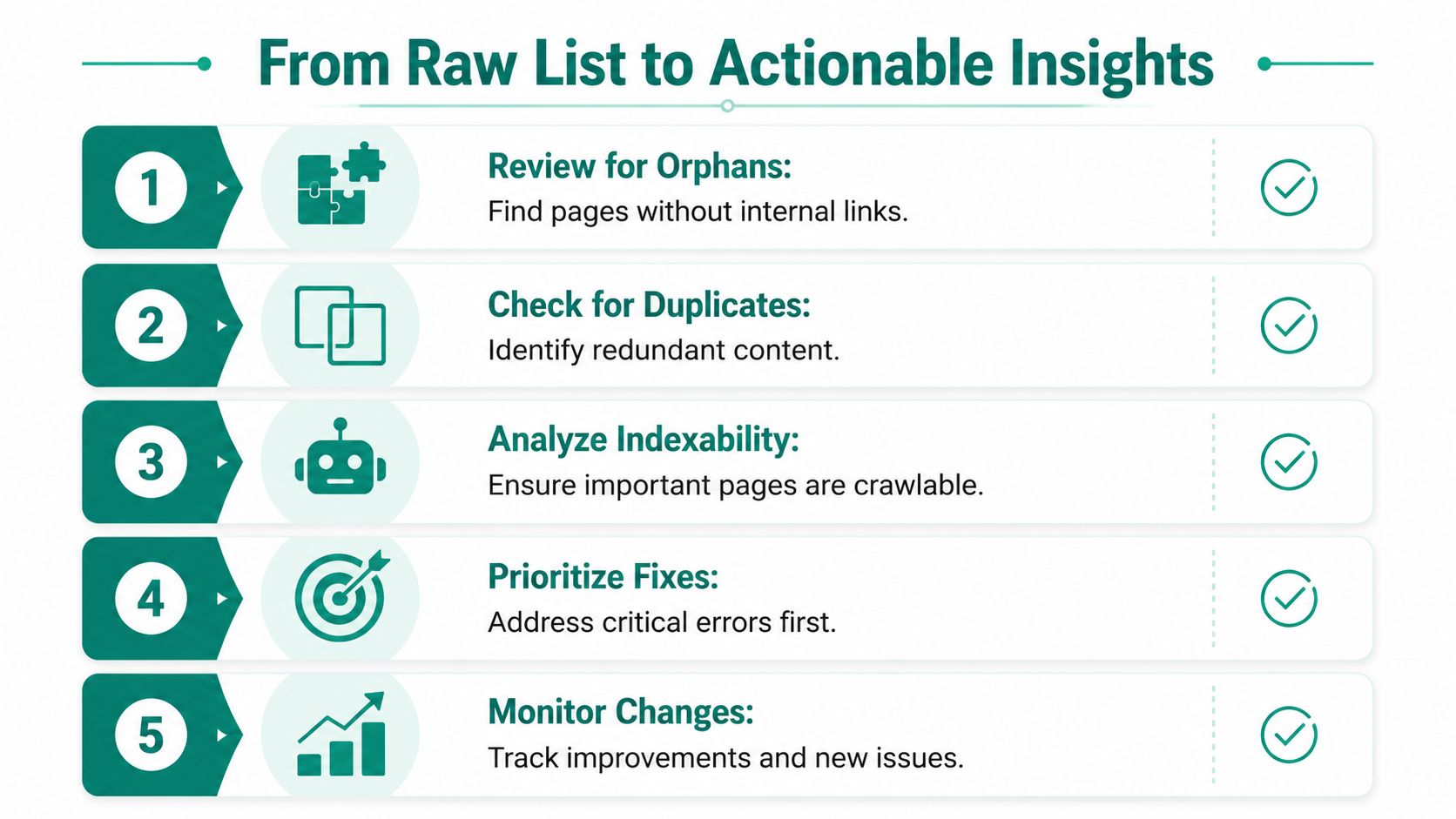
Build one master inventory
Start by combining every source into one working file. The goal is a single list that reflects how the site exists in practice, not just how the CMS says it exists.
Pull in crawler exports, sitemap URLs, search engine tool exports, analytics page lists, and server log discoveries. Then normalize the format before you deduplicate. Clean up protocol differences, trailing slashes, uppercase variations, and obvious tracking parameters so one page does not show up as four separate rows.
A useful master sheet usually includes:
| Column | Why it matters |
|---|---|
| URL | The primary row key |
| Source | Shows whether the page came from crawl data, sitemaps, logs, or another source |
| Status | Separates live pages from redirects, errors, and soft 404s |
| Type | Distinguishes HTML pages from PDFs, images, and other assets |
| Canonical target | Shows whether the page points to a different preferred URL |
| Indexability | Helps separate pages that can rank from pages blocked or excluded |
| Action | Records the decision: improve, consolidate, redirect, noindex, or remove |
Check canonical intent before assigning value
A live URL is not automatically a page worth keeping.
During review, separate primary pages from alternate versions, duplicates, filtered URLs, and pages that exist only because of old templates or system behavior. Canonical tags help, but they are only one signal. If the internal links, sitemap inclusion, and server responses contradict the canonical setup, search engines may treat the page differently than the site owner intended.
Here, the inventory becomes useful for strategy. You are defining the site’s intentional footprint.
Score pages by business value and search value
Teams get stuck when every URL looks equally important in a spreadsheet. They are not.
Score each page against a short set of questions. Does it serve a real audience need? Does it target a distinct topic or intent? Does it support revenue, lead generation, retention, or customer support? Does it attract search demand, internal traffic, or repeated bot activity from search engines and AI crawlers? If the answer is no across the board, the page probably should not remain indexable.
This process also helps with AI Overviews. Pages that are clear, current, and non-duplicative are easier for search systems to interpret and cite. Pages that overlap heavily or say very little tend to dilute the site rather than strengthen it.
Working standard: Every discovered URL should justify its existence through audience value, business value, or a necessary technical function.
Turn the inventory into a decision log
The best inventories lead directly to action. In practice, the review usually sorts pages into a handful of buckets:
- Keep and improve for pages with a clear purpose but weak copy, poor structure, or thin supporting detail
- Consolidate for overlapping pages that split relevance and internal links
- Redirect for outdated URLs with a clear replacement
- Noindex or remove for pages that add clutter without serving search, users, or operations
Server logs help settle borderline cases. A page with no internal links may still receive repeated requests from Googlebot, Bingbot, customers returning from bookmarks, or links embedded in old emails and documents. That does not always mean the page deserves to stay indexed, but it does mean removal decisions should be deliberate.
If your team needs help turning the inventory into a remediation plan, technical SEO audit services can connect discovery work to cleanup priorities, implementation, and QA.
If your team knows the site is still only partially mapped, Ascendly Marketing can help with technical audits, URL inventory work, and the cleanup decisions that follow. The useful output is not a giant spreadsheet. It is a site you can account for, improve, and defend.
