

TL;DR:
- Web accessibility enables inclusive design, reaching over 1.3 billion people worldwide and reducing legal risks.
- Following WCAG 2.1 AA standards ensures most legal and usability requirements are met for small businesses.
- Implementing core features like alt text, keyboard navigation, and captions enhances user experience and improves SEO.
Most small business owners don’t realize that a website built without accessibility in mind can quietly turn away over a billion potential customers. Web accessibility means designing and building your site so people with disabilities can use it just as easily as anyone else. Ignore it, and you’re not just missing revenue. You’re also exposed to serious legal risk. ADA web guidance shows that accessible websites open your business to over 1.3 billion people worldwide while reducing lawsuit exposure. This article breaks down what web accessibility is, how standards like WCAG work, what features matter most, and how you can take practical steps today.
Table of Contents
- What is web accessibility?
- Understanding accessibility standards: The POUR framework and WCAG
- Core accessibility features: Real-world examples and common practices
- How web accessibility drives business growth and reduces legal risk
- Common misconceptions, challenges, and what’s next in accessibility
- Our take: The uncomfortable truth about web accessibility for SMBs
- Ready to make your website accessible—and grow?
- Frequently asked questions
Key Takeaways
| Point | Details |
|---|---|
| Web accessibility defined | Accessible websites are usable by everyone, including users with disabilities. |
| Business value | Accessibility expands your audience, increases conversions, and reduces legal risk. |
| Compliance basics | WCAG 2.1 AA is the recommended compliance level for SMBs. |
| Core features | Key practices include alt text, keyboard navigation, color contrast, and captions. |
| Continuous improvement | Combine automated tools with user testing for lasting accessibility gains. |
What is web accessibility?
At its core, web accessibility is the practice of making sure your website works for everyone, including people with visual, auditory, physical, cognitive, speech, and neurological disabilities. The WCAG 2.1 guidelines define it simply: web accessibility means making web content usable for people with disabilities in a way that benefits all users. That last part matters. When you build for accessibility, you typically improve usability for everyone.
Here’s a common misconception worth clearing up: accessibility is not just about blind users and screen readers. It covers a wide range of needs. Someone with arthritis may struggle to use a mouse. A person with dyslexia needs clear, well-spaced text. A user with low vision needs sufficient color contrast. A person watching your video in a noisy coffee shop benefits from captions, even if they have no hearing impairment.
Globally, about 1.3 billion people live with some form of disability. That’s roughly 16% of the world’s population. These users represent enormous purchasing power and influence over others’ buying decisions. When your website excludes them, you’re not just failing a moral standard. You’re making a poor business decision.
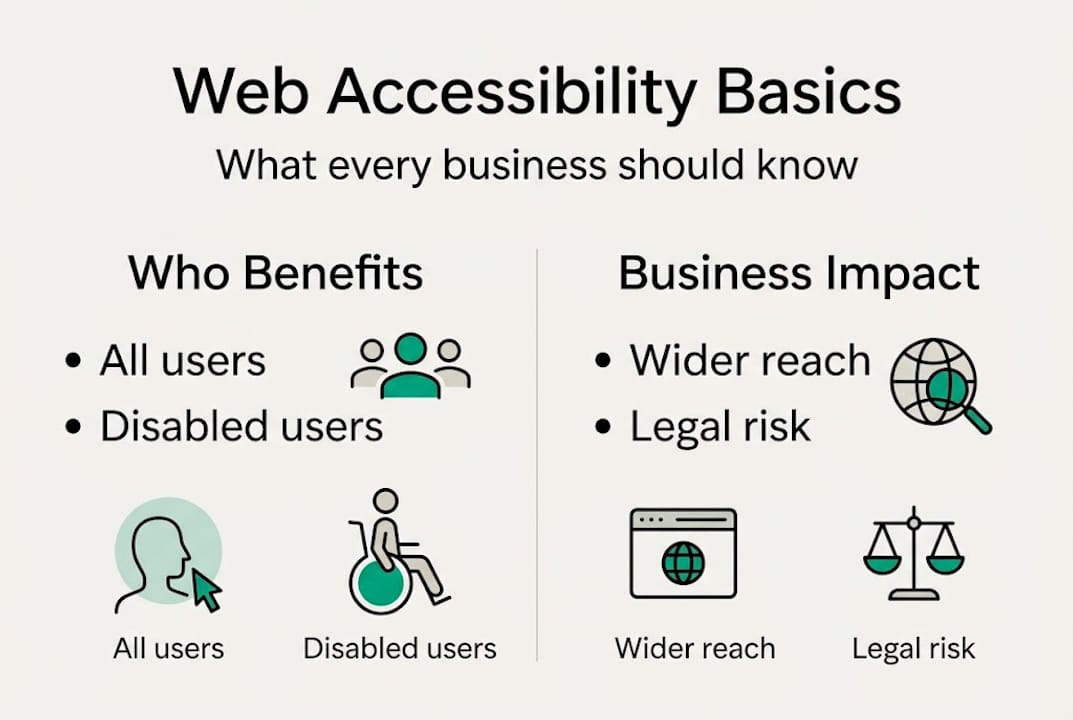
Accessible websites also tend to have cleaner code, faster load times, and better structure, all of which have a measurable impact on digital marketing performance.
Here’s a snapshot of the types of impairments your website should support:
- Visual: Blindness, low vision, color blindness
- Auditory: Deafness or hard of hearing
- Motor: Limited hand or arm movement, inability to use a mouse
- Cognitive: Dyslexia, ADHD, memory impairments
- Speech: Conditions affecting verbal communication
- Neurological: Epilepsy, conditions triggered by flashing content
“Accessibility is not a feature. It’s a baseline expectation for any modern website that wants to serve the broadest possible audience.”
Thinking of accessibility as a design philosophy rather than a checklist changes how you approach every decision on your site.
Understanding accessibility standards: The POUR framework and WCAG
The Web Content Accessibility Guidelines, known as WCAG, are the international standards that define what an accessible website looks like. Currently, WCAG 2.1 is the widely adopted version, with WCAG 2.2 adding refinements around mobile and cognitive accessibility. Both versions are organized around four POUR principles that form the backbone of every accessibility requirement.
Here are the four POUR principles defined:
- Perceivable: Users must be able to perceive all content. This means providing text alternatives for images, captions for video, and ensuring nothing is invisible to all senses.
- Operable: All functionality must work without a mouse. Keyboard navigation, no time traps, and no content that causes seizures.
- Understandable: Content and navigation must be clear. Language must be readable, error messages must be helpful, and forms must be predictable.
- Robust: Content must work across a wide range of assistive technologies, including screen readers and voice control software.
WCAG compliance is divided into three levels. Understanding which level applies to your business is important for best website design practices.
| Compliance level | What it covers | Practical for SMBs? |
|---|---|---|
| A (Minimum) | Basic accessibility requirements | Starting point only |
| AA (Standard) | Covers most legal requirements and usability needs | Yes, this is the target |
| AAA (Enhanced) | Strictest requirements, often impractical for all content | Rarely realistic for full sites |
For most small and medium-sized businesses, WCAG 2.1 AA is the right target. It satisfies ADA requirements, meets most legal standards, and covers the accessibility needs of the vast majority of users. Aiming for AAA across your entire site is often unrealistic and unnecessary. Focus on AA first, and you’ll be in a strong position. Understanding these levels is also part of applying solid UX best practices to your site.
Core accessibility features: Real-world examples and common practices
Knowing the standards is one thing. Knowing what to actually fix on your website is another. The WCAG guidelines point to several core practices every business website should implement: alt text for images, keyboard navigation, sufficient color contrast, captions for media, and semantic HTML structure.
Here’s how these features translate into real business value:
| Feature | What it does | Business benefit |
|---|---|---|
| Alt text for images | Describes images for screen readers | Better SEO, screen reader support |
| Keyboard navigation | Lets users tab through your site | Reaches motor-impaired users |
| Color contrast | Ensures text is readable on backgrounds | Reduces eye strain for all users |
| Captions and transcripts | Makes video/audio content accessible | Serves deaf users and noisy environments |
| Semantic HTML | Uses proper heading and tag structure | Improves SEO and screen reader flow |
When prioritizing fixes, think low effort and high impact first. Adding alt text to images is fast and immediately improves both accessibility and search rankings. Fixing color contrast issues can often be done in a single design update. These are wins you can achieve this week.
For testing, you have several options. Automated tools like Google Lighthouse or WAVE can scan your site and flag obvious issues. But here’s the catch: they only catch part of the problem. Manual testing with keyboard-only navigation and screen readers like NVDA or VoiceOver reveals gaps that automation misses. Check out these website design tips for more on building with accessibility in mind from the start, or explore a design workflow that bakes accessibility into every stage.
Pro Tip: After automated testing, recruit one or two real users with disabilities to navigate your site. Their feedback will surface issues no scanner will ever catch, and it costs far less than a lawsuit.
How web accessibility drives business growth and reduces legal risk
Accessibility is often framed as a compliance burden. That framing is costing businesses real money. Done right, accessibility is a growth strategy.

The ADA web guidance makes clear that accessible websites tap into a $13 trillion global market of people with disabilities and their networks. These users are loyal customers when businesses make the effort to include them. And the SEO impact of accessibility is significant: semantic structure, descriptive alt text, and clean navigation all align directly with what search engines reward.
Accessibility also improves conversion rates because cleaner layouts, better readability, and logical navigation reduce friction for every visitor, not just those with disabilities. Fewer barriers mean more completed purchases, sign-ups, and contact forms.
Then there’s the legal side. ADA web lawsuits have surged, with over 4,600 cases filed in 2024 alone. Small businesses are frequent targets because plaintiffs know many lack the resources to fight. A single lawsuit can cost tens of thousands of dollars in legal fees, settlements, and remediation work.
Here’s a summary of the business benefits accessibility delivers:
- Broader reach: Access to 1.3 billion users with disabilities worldwide
- Better SEO: Accessible code and structure improve search rankings
- Higher conversions: Cleaner UX reduces friction for all visitors
- Legal protection: Reduces exposure to ADA and similar lawsuits
- Brand trust: Signals that your business respects all customers
“Accessibility isn’t charity. It’s a competitive advantage that most of your competitors are ignoring.”
Pro Tip: Build accessibility into your website from the start rather than retrofitting it later. Early planning is dramatically cheaper and signals to customers that inclusion is part of your brand’s values, not an afterthought.
Common misconceptions, challenges, and what’s next in accessibility
One of the most damaging beliefs in the SMB world is that web accessibility is just a checklist you complete once and forget. Real accessibility requires ongoing human judgment, not just a one-time audit. Automated tools are useful, but automated scans only catch 30 to 50% of accessibility issues, making manual and real-user testing essential for genuine compliance.
Another misconception: if your site passes WCAG, it’s fully accessible. WCAG conformance is not perfect accessibility. As WCAG 3.0 research shows, current guidelines don’t fully address cognitive UX needs or every real-world user scenario. WCAG 3.0 promises an outcomes-based approach that goes further, but it’s still years from widespread adoption.
Here are the top mistakes SMBs make with accessibility:
- Over-relying on automation: Scanners miss context-dependent issues that humans catch
- Ignoring user feedback: Real users reveal barriers that tools never flag
- Chasing AAA compliance: Unrealistic for most sites and distracts from practical AA wins
- Treating it as a one-time fix: Content changes and new features can break accessibility
- Skipping mobile testing: Many users with disabilities rely on mobile devices and assistive apps
The path forward is continuous improvement, not perfection. Incorporate user experience best practices into your regular site maintenance, and treat accessibility as a living part of your quality process.
Pro Tip: Schedule a quarterly accessibility review. Test new pages, review any content updates, and check that third-party tools like chat widgets or booking forms haven’t introduced new barriers.
Our take: The uncomfortable truth about web accessibility for SMBs
After working with dozens of small and medium-sized businesses on their websites, we’ve seen the same pattern repeat. Owners treat accessibility as a legal checkbox, do the minimum to avoid a lawsuit, and move on. Then they wonder why their site isn’t converting as well as it should.
Here’s the truth: the businesses that treat accessibility as a growth investment, not a compliance burden, consistently outperform those that don’t. They rank better. They convert more visitors. They earn stronger brand loyalty. And they spend far less on reactive fixes.
You don’t need a massive budget to make meaningful progress. A few targeted practical design tips, real-user feedback, and a commitment to simple, inclusive choices will put you ahead of the majority of your competitors. Perfection is not the goal. Progress is.
The SMBs that win in the next few years will be the ones who recognized early that inclusion and growth are the same thing.
Ready to make your website accessible—and grow?
If this article made you realize your site has some gaps, you’re not alone, and the fix doesn’t have to be overwhelming. Ascendly Marketing specializes in website design services that build accessibility into every layer of your site, from structure and code to content and navigation.
Our team also connects accessibility improvements to broader digital marketing services so your site doesn’t just work for more people. It grows your business. Whether you’re starting from scratch or improving an existing site, Ascendly Marketing is ready to help you build something that works for everyone. Book a free consultation and let’s talk about where your site stands today.
Frequently asked questions
What are the four POUR principles of web accessibility?
The POUR principles are Perceivable, Operable, Understandable, and Robust. These four pillars define the structure of WCAG and guide every accessibility requirement for websites.
How can I check if my website is accessible?
Start with automated tools like WAVE or Google Lighthouse, then test manually using keyboard-only navigation and a screen reader. Real-user testing is essential because scanners miss 50 to 70% of real-world issues.
Does accessibility compliance boost SEO?
Yes. Features like semantic HTML, descriptive alt text, and logical heading structure directly overlap with what search engines reward. Accessibility improvements benefit both discoverability and user engagement.
Is aiming for WCAG AA compliance enough for my small business?
For most small businesses, WCAG 2.1 AA is the right and realistic target. It satisfies ADA requirements and addresses the needs of the vast majority of users with disabilities.
What’s coming in WCAG 3.0?
WCAG 3.0 will shift toward outcome-based standards and introduce improved contrast algorithms, but it remains in development and is still years from replacing WCAG 2.1 as the practical standard.