

TL;DR:
- A structured website workflow ensures SMBs build sites that generate revenue and avoid costly delays.
- Prioritize strategy, mobile-first design, speed, and inclusivity to maximize user engagement and conversions.
- Post-launch optimization and edge-case planning are key for sustained growth and competitive advantage.
A poorly planned website redesign can quietly drain your marketing budget while your competitors scoop up the leads you should be getting. One missed discovery call, a launch delayed by three weeks, and a homepage that confuses visitors instead of converting them — these are not rare horror stories. They are the predictable result of skipping a structured workflow. For small and medium-sized businesses, a disciplined website design process is the difference between a site that generates real revenue and one that just exists. This guide walks you through every stage, from pre-launch groundwork to post-launch optimization, so you can build smarter and grow faster.
Table of Contents
- What you need before starting your website design project
- Step-by-step website design workflow for SMBs
- Critical mechanics for high-converting website design
- Designing for edge cases and inclusivity
- Measuring success: Metrics, results, and optimization sprints
- Why most SMB website workflows fail — and what really works
- Work with experts to streamline your website design workflow
- Frequently asked questions
Key Takeaways
| Point | Details |
|---|---|
| Follow core workflow stages | A structured process from strategy to post-launch reduces delays and rework. |
| Prioritize mobile, speed, and accessibility | Optimizing for key mechanics and inclusivity directly boosts conversions and user satisfaction. |
| Test for edge cases | Inclusive design and edge-case planning set your website apart and reduce risk. |
| Measure and optimize post-launch | Use benchmarks and a 90-day optimization sprint to drive ongoing improvements. |
What you need before starting your website design project
Before a single wireframe gets sketched or a color palette gets chosen, you need a clear strategic foundation. Many SMB website projects stall or overshoot budget because owners jump straight to visuals without defining what the site actually needs to accomplish. Start by clarifying your business goals. Are you driving online sales, capturing leads, or building brand authority? Then map your user personas — the specific people who visit your site, what they need, and how they make decisions.
Gather your resources early. You will need branding assets (logos, brand colors, fonts), baseline analytics from your current site, and an inventory of existing content. Knowing what you have prevents duplication and reveals gaps.
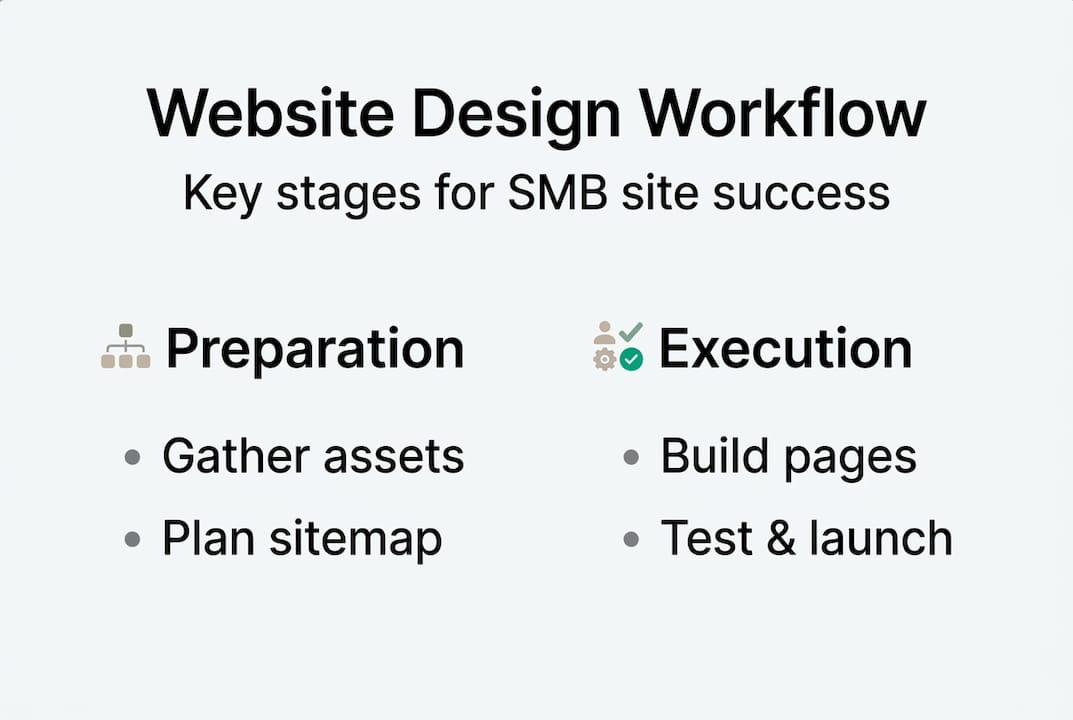
Next, build a sitemap. A sitemap is a visual map of every page on your site and how they connect. Align each page to a stage in your buyer journey so visitors move naturally from awareness to action. For a practical overview of how this fits into the broader web design process, it helps to see all phases mapped together before you start.
According to a small business website development guide 2026, website design workflows typically follow 7 to 10 structured phases: strategy and discovery, planning and wireframing, design and prototyping, content creation, development, testing, launch, and post-launch maintenance.
Essential pre-launch checklist:
- Business goals and KPIs are documented
- User personas defined
- Branding assets collected and organized
- Analytics baseline captured (current traffic, bounce rate, conversions)
- Sitemap drafted and approved
- CMS platform selected (WordPress, Webflow, Shopify, etc.)
- Wireframing tool ready (Figma, Balsamiq, or similar)
- SEO keyword targets identified
| Tool category | Example tools | Purpose |
|---|---|---|
| CMS | WordPress, Webflow | Site management |
| Wireframing | Figma, Balsamiq | Layout planning |
| Analytics | Google Analytics 4 | Baseline and tracking |
| SEO | Semrush, Ahrefs | Keyword and audit data |
| Project management | Trello, Asana | Workflow coordination |
For small business web design tips that tie directly into planning and to understand SEO’s role in redesign from the start, build both into your discovery phase rather than treating them as add-ons.
Pro Tip: Start every project with commercial strategy, not visuals. A beautiful site built on the wrong goals will still underperform.
Step-by-step website design workflow for SMBs
With the essentials in place, you are ready to move into the structured workflow itself. A 7-to-10-phase process typically takes 6 to 14 weeks for most SMBs, depending on site complexity and team availability.
- Strategy and discovery (Weeks 1 to 2): Define goals, audience, competitors, and sitemap. This is your foundation.
- Planning and wireframing (Weeks 2 to 3): Sketch page layouts, map user flows, and get stakeholder sign-off before any design begins.
- Design and prototyping (Weeks 3 to 5): Build UI mockups and interactive prototypes. Test visual direction with real users if possible.
- Content creation (Weeks 4 to 6): Write copy, source images, and produce video or other media. Content often takes longer than expected — start early.
- Development (Weeks 5 to 9): Build the site on your chosen CMS. Front-end and back-end work happen here.
- Testing (Weeks 9 to 11): Test across browsers, devices, and screen sizes. Check forms, links, load speed, and accessibility.
- Launch (Weeks 11 to 12): Go live, monitor for errors, and confirm analytics tracking is firing correctly.
- Post-launch maintenance (Ongoing): Update content, monitor performance, and run optimization sprints.
One of the most debated decisions for SMBs is choosing between the Waterfall and Agile project methods. The Agile vs Waterfall methods comparison shows clear tradeoffs:
| Factor | Waterfall | Agile |
|---|---|---|
| Structure | Linear, sequential | Iterative, flexible |
| Best for | Fixed scope, simple sites | Evolving needs, complex builds |
| Client involvement | Front-loaded | Ongoing throughout |
| Risk of scope creep | Lower | Higher without discipline |
| SMB fit | Good for brochure sites | Better for e-commerce or apps |
For practical website design tips on managing this process and to understand how workflow choices affect your ability to improve website conversions, plan your methodology before kickoff.
Pro Tip: A hybrid approach, using Waterfall for structure and Agile for content and design iterations, tends to work best for most SMBs. You get predictability without rigidity.
Critical mechanics for high-converting website design
Workflow is only half the battle. Applying core design mechanics is what delivers real-world results. The most important principles are not about aesthetics. They are about performance and usability.

Mobile traffic now accounts for over 60% of web traffic globally, which means designing for mobile first is not optional. Build your layouts for small screens, then scale up. Buttons need to be thumb-friendly. Text needs to be readable without zooming.
Speed is equally critical. Every additional second of load time beyond 2.5 seconds costs roughly 7% of visitors. That is not a rounding error. It is real revenue walking out the door. Compress images, minimize scripts, and use a content delivery network (CDN) to keep load times tight.
Visual hierarchy guides users toward your most important content. Use size, contrast, and whitespace to direct attention. Clear calls to action (CTAs) should stand out visually and tell users exactly what to do next. Vague CTAs like “Learn more” underperform specific ones like “Get your free quote.”
Core mechanics to audit on every site:
- Mobile-first responsive design
- Page load time under 2.5 seconds on mobile
- Clear visual hierarchy with intentional use of whitespace
- Accessible color contrast (WCAG AA standard)
- Descriptive alt text on all images
- Logical heading structure (H1, H2, H3)
- CTAs above the fold on key landing pages
- SEO foundations: title tags, meta descriptions, structured data
For deeper guidance on SEO strategies for redesign and lead generation best practices, treat both as core design requirements rather than post-launch tasks. The conversion data for SMBs consistently shows that sites built with these mechanics from day one outperform those that bolt them on later.
Designing for edge cases and inclusivity
Beyond following best practices, anticipating outlier scenarios ensures your website works for everyone. Edge cases are situations your design did not originally anticipate. They include users with visual impairments, people on slow rural connections, or someone who types an unusually long name into your contact form. These are not fringe concerns.
Edge cases require flexible systems and scenario planning because users with disabilities, odd input data, and slow connections will interact with your site whether you planned for them or not.
“Designing for the extremes does not just protect edge users. It creates more robust, innovative experiences for everyone. When you solve for the hardest cases, the average case becomes effortless.” — Web Designer Depot
Inclusive design is not charity. It is a strategy. Accessible sites rank better in search engines, reach broader audiences, and reduce legal risk. The benefits of edge-case design extend well beyond compliance.
Common edge cases to test before launch:
- Very long text strings in form fields and navigation labels
- Images that fail to load (does alt text display correctly?)
- Screen reader compatibility across key pages
- Slow 3G connection performance
- Keyboard-only navigation (no mouse)
- Right-to-left language support if serving diverse markets
- Extreme viewport sizes (very small phones, large monitors)
For a broader review of website best practices that incorporate inclusive design, build your QA checklist to include at least five edge-case scenarios before every launch. It takes an extra day. It saves you from a PR problem or an accessibility complaint later.
Measuring success: Metrics, results, and optimization sprints
Launching is not the finish line. Measuring and optimizing is essential for ongoing business growth. The sites that consistently generate leads and revenue are the ones with owners who treat the post-launch period as seriously as the build itself.
The average SMB conversion rate sits at 2 to 3.5%, but a well-executed redesign can lift leads by 25 to 60% within 90 days when paired with a structured optimization sprint. That is not a minor improvement. That is a business-changing outcome.
Top 5 KPIs to track after launch:
- Conversion rate: The percentage of visitors who complete a desired action (form fill, purchase, call). Benchmark: 2 to 3.5% for SMBs.
- Largest Contentful Paint (LCP): Google’s core measure of load speed. Target under 2.5 seconds.
- Bounce rate: The percentage of visitors who leave after one page. High bounce often signals a mismatch between ad copy and landing page.
- Leads generated: Raw number of qualified inquiries per month. Compare month over month.
- Mobile responsiveness score: Use Google’s PageSpeed Insights to track mobile usability.
To improve conversion rates systematically, treat your first 90 days post-launch as a sprint. Run A/B tests on CTAs, adjust page layouts based on heatmap data, and fix any usability issues surfaced by real user behavior. For structured website conversion improvements and website optimization best practices, document every change and its impact so you build institutional knowledge over time.
Pro Tip: Set a 30-day, 60-day, and 90-day review cadence right after launch. Most conversion gains happen in this window when you act on real data quickly.
Why most SMB website workflows fail — and what really works
Here is the uncomfortable truth: most SMB website projects do not fail because of bad design. They fail because of a bad process. Rigid linear workflows miss the reality that business goals shift during a 12-week build. Pure Agile methods strain small teams that do not have dedicated project managers or developers on staff every day.
The biggest culprits we see are undervaluing commercial strategy at the start, skipping post-launch optimization entirely, and obsessing over visuals while ignoring UX data. A site that looks great but loads slowly or buries its contact form will always underperform a simpler site with a clear CTA and fast mobile experience.
The contrarian insight worth holding onto: edge-case thinking is not just defensive planning. It is a source of innovation. When you design for someone using a screen reader or a 3G connection, you often discover interface improvements that make the experience better for every user. That is a competitive advantage hiding in your QA checklist.
Treat launch as the midpoint, not the endpoint. The value of website design is only fully realized when you combine a strong build with relentless post-launch iteration. Structure gives you the roadmap. Iteration gets you to the destination.
Work with experts to streamline your website design workflow
For those seeking the most efficient, growth-focused website process, partnering with experienced professionals can make all the difference. Managing strategy, design, development, SEO, and post-launch optimization simultaneously is a significant lift for any SMB team.

At Ascendly Marketing, our web design services are built around the exact workflow framework outlined in this guide. From discovery through post-launch optimization, we handle the complexity so you can focus on running your business. Explore our website design explained resource for a deeper look at how we approach each phase, or browse our full suite of digital marketing services to see how design fits into a broader growth strategy.
Frequently Asked Questions
How long does a typical website design workflow take for small businesses?
Most small business website projects take 6 to 14 weeks from start to finish, depending on complexity, team size, and how quickly decisions get made.
Which website design methodology is best for SMBs: Waterfall or Agile?
Waterfall suits fixed-scope sites while Agile works better for complex or evolving projects. A hybrid of both often delivers the best balance for small business teams.
What is the most important factor in boosting website conversion rates?
Fast load times, mobile-first design, and clear CTAs are the three factors that consistently move conversion rates the most for SMBs.
How should I handle website content for a redesign?
Audit your existing content first, then plan updates during the wireframing stage. Involving SEO and content planning early ensures your copy is both findable and persuasive from day one.
Why design for edge cases if they are rare?
Designing for extremes makes your site more inclusive and frequently surfaces interface improvements that benefit all users, not just those in unusual situations.