

Google Guaranteed Ads are part of Google’s Local Services Ads, and Google says they use a pay-per-lead model, not pay-per-click. That means you’re charged only when someone calls, books, or messages through the ad, which is why the format sits apart from standard Google Ads.
A plumber, electrician, or lawyer often feels the difference right away. A normal ad buys clicks, but this format buys contact from someone already looking for a service provider, and the trust signal changes too as Google moves providers to the Google Verified badge on October 20, 2025, while retiring the older Google Guaranteed, Google Screened, and License Verified labels and ending the money-back protection that came with the old badge.
What Google Guaranteed Ads Actually Are
A homeowner searches for an urgent repair, sees a local provider at the top of the results, and calls before scrolling further. That’s the kind of moment this format is built for. The business isn’t paying for curiosity clicks or broad traffic; it’s paying for a direct contact from someone with service intent.
The right mental model
Think of pay-per-click as renting attention, and pay-per-lead as renting a phone call. The difference matters because service businesses don’t usually live or die by page views. They live by bookings, calls, and messages that turn into work on the calendar.
Google places Google Guaranteed ads inside its Local Services Ads ecosystem, and the product is designed to surface eligible local providers to people searching for help nearby. Google’s support materials frame the trust signal as part of building confidence online, while the Local Services Ads product page is centered on reaching local customers looking for service providers. Google also says Local Services Ads report more narrowly than standard Google Ads, with a focus on leads and cost, which is why this format feels operationally different from classic search ads. The practical result is that owners spend less time reading traffic charts and more time looking at lead flow.
Practical rule: If your business needs booked jobs, not broad awareness, this format gives you a cleaner match between spend and outcome.
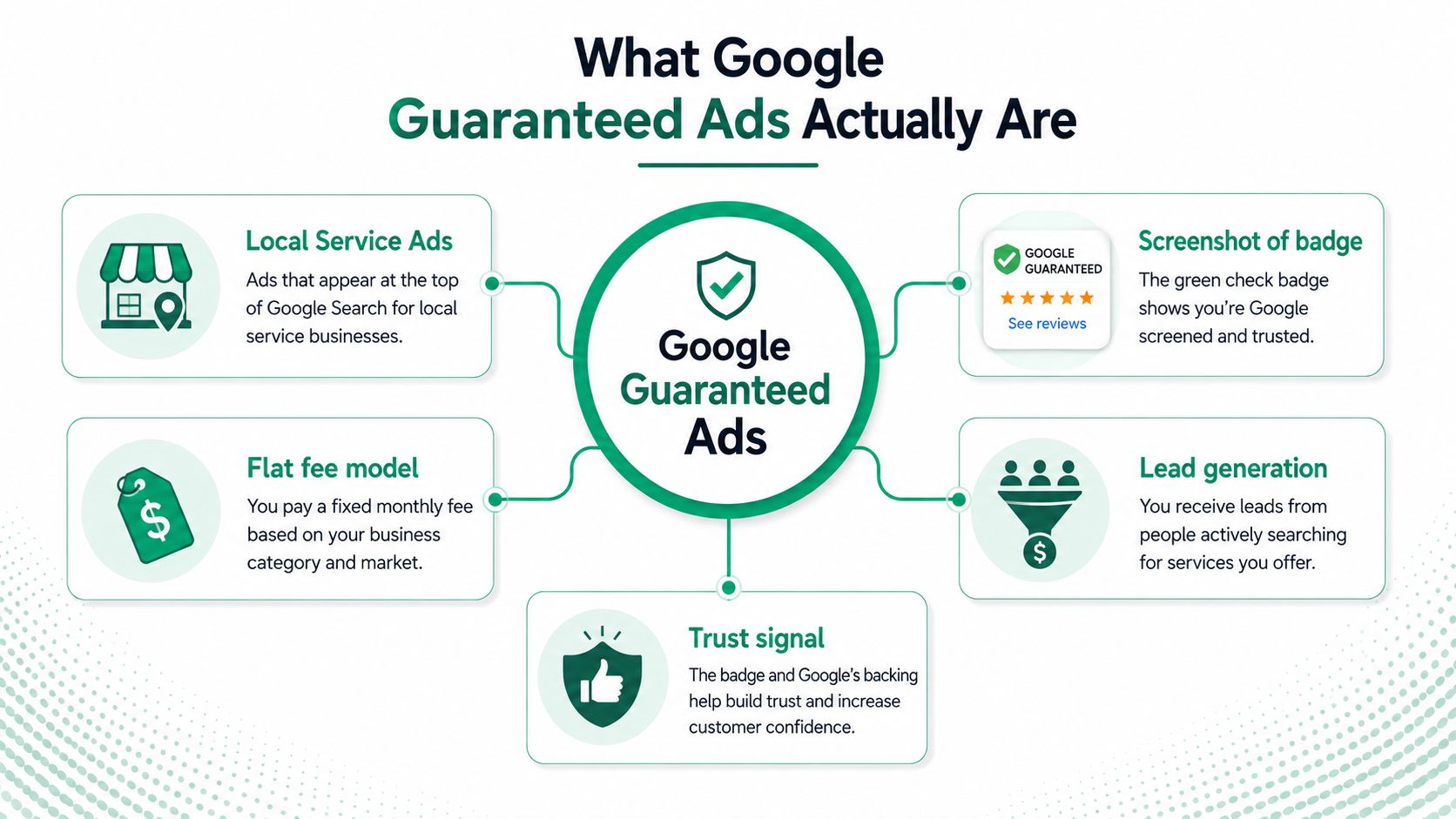
The badge people recognize is changing, which matters for anyone reading this in 2026. Google says the familiar trust labels will move to Google Verified, and the older guarantee language disappears with it. If a customer still asks about the old badge, the answer now has to include the transition, not just the legacy name.
For a plain-language overview of how local placement works, the internal guide on advertising locally gives useful context.
Eligibility and the Verification Process
A lot of owners assume setup starts with budget. It doesn’t. It starts with whether Google will allow the business into the program at all, and that gate is where many campaigns stall before they ever go live.
What gets checked first
Google’s setup flow requires a business to enter type, location, screening, and verification details before ads can run. In practice, that means the company has to fit an eligible category, serve an eligible area, and submit the right business information in a form Google can verify. If the profile is incomplete, the system has less confidence in matching the business to the right searcher, and the ad may never become eligible in the first place.
That screening is part of why the format works. Each gate removes unqualified supply, so the businesses that pass tend to face a more intent-rich audience. The process also explains why owners in regulated categories often feel more friction than owners in simpler service lines. Licensing, insurance, and background review can all sit in the path before the first lead arrives.
Google’s screening is not a formality, it’s the filter that creates the trust signal.
What to gather before you start
The cleanest approach is to collect the documents and details before opening the application. That means business identity information, service-area details, and the records Google asks for during screening. Once the profile is live, keeping the details accurate matters just as much, because matching and lead routing depend on the business data staying consistent.
The biggest mistake is treating verification as a one-time hurdle. It’s really ongoing hygiene. If a phone number changes, a service area shifts, or the profile looks thin, lead quality can slip even after approval. The Google Business Profile benefit guide is a useful companion here because a complete profile supports matching, trust, and customer contact once the ads are active.
A simple way to think about it: the business clears eligibility first, then keeps its information clean so Google can keep sending the right jobs.
Google Guaranteed vs Traditional Google Ads
A local owner can open Google and see both formats sitting near the top of the page. They may look like cousins, but the way they earn attention, qualify leads, and get measured is different. One runs on keywords and clicks; the other on service eligibility and direct contact.
Side by side
Traditional Google Ads use a pay-per-click model, while Google Guaranteed ads use pay-per-lead. Traditional search gives broader control over keyword themes and audience intent, which makes it a better fit for people who are researching, comparing, or still deciding. The Local Services format is narrower and more bottom-funnel, which suits someone who already wants a plumber, electrician, or similar provider and is ready to reach out.
That difference matters once the phone starts ringing. A standard search campaign can act like a wide net, catching several kinds of intent across the buying journey. A Local Services campaign works more like a front desk, filtering toward direct contact from people who are closer to hiring.
Reporting also feels different inside the account. Standard Google Ads gives you click and impression data in the familiar auction environment. Local Services Ads focus more on leads and cost, so the reporting view is smaller but often easier for a local owner to read quickly. Google Ads Help also notes that relevant reach and frequency data are created daily, which shows how measured the broader platform has become.
The strategic split is straightforward. Traditional Google Ads captures demand across more stages of the journey, while Google Guaranteed ads target people who are ready to contact a provider now. Both can run in parallel when they are organized by intent stage, so one does not need to replace the other.
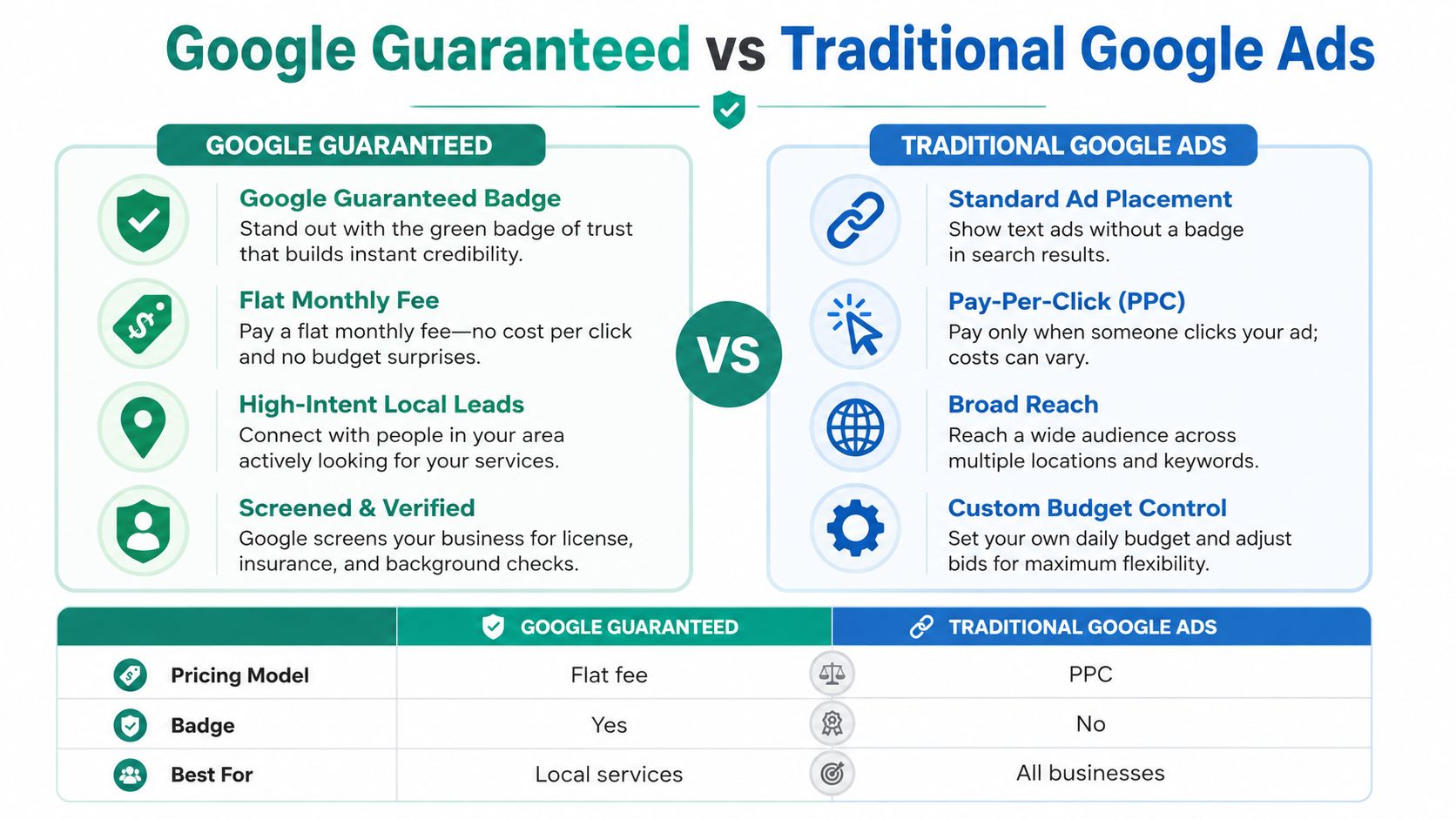
A simple comparison makes the differences easier to see:
| Dimension | Google Guaranteed | Traditional Google Ads |
|---|---|---|
| Pricing model | Pay per lead | Pay per click |
| Badge | Trust signal tied to verification | No guarantee badge |
| Best use | Local service contact | Broader search demand |
Google’s ad business reached $264.59 billion in revenue in 2024, and WordStream’s 2026 benchmark data reported an average click-through rate of 6.64%, an average cost per click of $5.42, and an average conversion rate of 8.18% across its Google Ads sample. Those figures help put the two formats in context. Google Guaranteed did not appear outside the platform; it grew inside a mature ad system that already measured performance closely. For local owners, the choice is not “ads or no ads”; it is which type of demand each campaign should catch.
Designing Service Areas and Category Targeting
A service-area campaign lives or dies on geography. If the map is too wide, the call desk gets jobs it can’t handle. If the map is too tight, the business leaves work on the table.
Start with dispatch, not ambition
A Houston-area HVAC company that wants jobs in The Woodlands and Conroe needs to ask one question before anything else: can a technician reach the customer at the service level the business wants to promise? If the answer is no for part of the map, then the map is too big. The service area should follow dispatch reality, not the wish list on a whiteboard.
Google’s Help pages make location targeting part of the Local Services Ads setup, and the business has to define service areas carefully so matching works. That means the ad system is not just looking for a broad metro name; it’s looking for the business’s declared reach plus the location signals around the searcher. Over-declaring coverage stretches the lead pool thin and can pull in jobs the team can’t serve cleanly. Under-declaring it keeps the campaign small, even when the business can handle more volume.
Category choice shapes the search inventory
Category selection does more than label the business. It decides which searches the ad can appear for at all. A locksmith, an attorney, and a cleaning company do not share the same search environment, and Google uses category eligibility to narrow who can participate. The category has to fit the service line, or the campaign won’t match the right intent.
Clean data matters. Accurate service-area data, correct business type, and consistent location details make matching easier. Weak data hygiene does the opposite, since the platform has less confidence routing leads to the right provider. If the company plans to cross county lines or test adjacent cities, the map and the category need to be set before launch, not patched later after the lead quality starts slipping.
A good rule is simple: define where the truck can go, define what the business does, then let the ad system work inside those limits.
Pricing, Budgeting, and the Actual Cost per Lead
Owners often ask what a lead costs, then they ask the wrong follow-up question. The better question is what a booked job costs after the lead gets handled by real people. Those two numbers are not the same, and confusing them leads to bad budget decisions.
What shapes the true economics
Google’s model charges for contacts, not clicks, but the price of those contacts still varies by category and market. A lead in one metro can behave very differently from a lead in another, and the reason is usually competition, service type, and how well the business handles response and follow-up. That makes pricing a quality-adjusted question, not just a bidding question.
A simple example helps. If a company pays $40 for a lead and handles it poorly, the lead can become an expensive closed job because the office loses the chance to convert it efficiently. If the team answers quickly, tags the lead correctly, and resolves disputes cleanly, the same lead price produces a much lower cost per closed job. The nominal price did not change; the operation did.
Lead acceptance rate, response speed, and dispute management shape the true cost curve. If the office rejects valid leads, waits too long to call back, or lets disputes drag, the budget leaks. Google’s Local Services Ads are built around booked calls and messages, so the back office matters as much as the ad account.
A practical budgeting rule is to set a weekly lead cap before scaling. Watch the dispute rate, confirm that accepted leads are relevant, and only expand once the operation can handle the traffic without breaking response standards. That keeps the campaign from growing faster than the team.
For measurement structure, the internal guide on analytics and reporting fits well with this channel because the numbers that matter here are operational, not vanity metrics. For owners comparing service-area visibility with broader local search work, the expert local SEO tips for 2026 piece helps separate ad spend from organic demand.
A Local Operator’s Setup and Optimization Playbook
A roofing owner opens the Local Services account on Monday, uploads a thin profile, and lets the leads come in. By Friday, the phone rings with the wrong jobs, the response times are uneven, and nobody can tell which leads were worth the spend. That’s what happens when the channel gets treated like a switch instead of a process.
The first month looks operational, not glamorous
The first week should focus on the profile. Photos, business hours, service areas, and contact details all need to line up so lead routing doesn’t break. After that, reviews and response speed start to matter more, because people comparing providers notice how quickly the business answers and how much trust the profile gives them.
Once the ads are live, three signals matter again and again: review velocity, response speed, and dispute rate. Those aren’t flashy metrics, but they tell you whether the campaign is getting healthier or more expensive to run. If reviews arrive steadily, calls get answered fast, and disputes stay under control, the account behaves better. If any one of those slips, the reporting will show strain.
Keep the lead report tied to a weekly review meeting, not a monthly surprise.
How the workflow stays usable
A simple rhythm works better than a complicated dashboard. The office tags each lead, notes whether it was accepted, and checks whether the contact turned into a real opportunity. That makes next week’s decisions obvious. If one service area keeps producing the wrong calls, tighten the map. If the team is missing calls after hours, fix the routing before spending more.
For owners who want outside help, expert local SEO tips for 2026 pair well with this channel because profile quality and local visibility usually rise or fall together. Ascendly Marketing also handles Google Ads management and local lead generation, which fits businesses that want one team to manage both paid media and reporting.
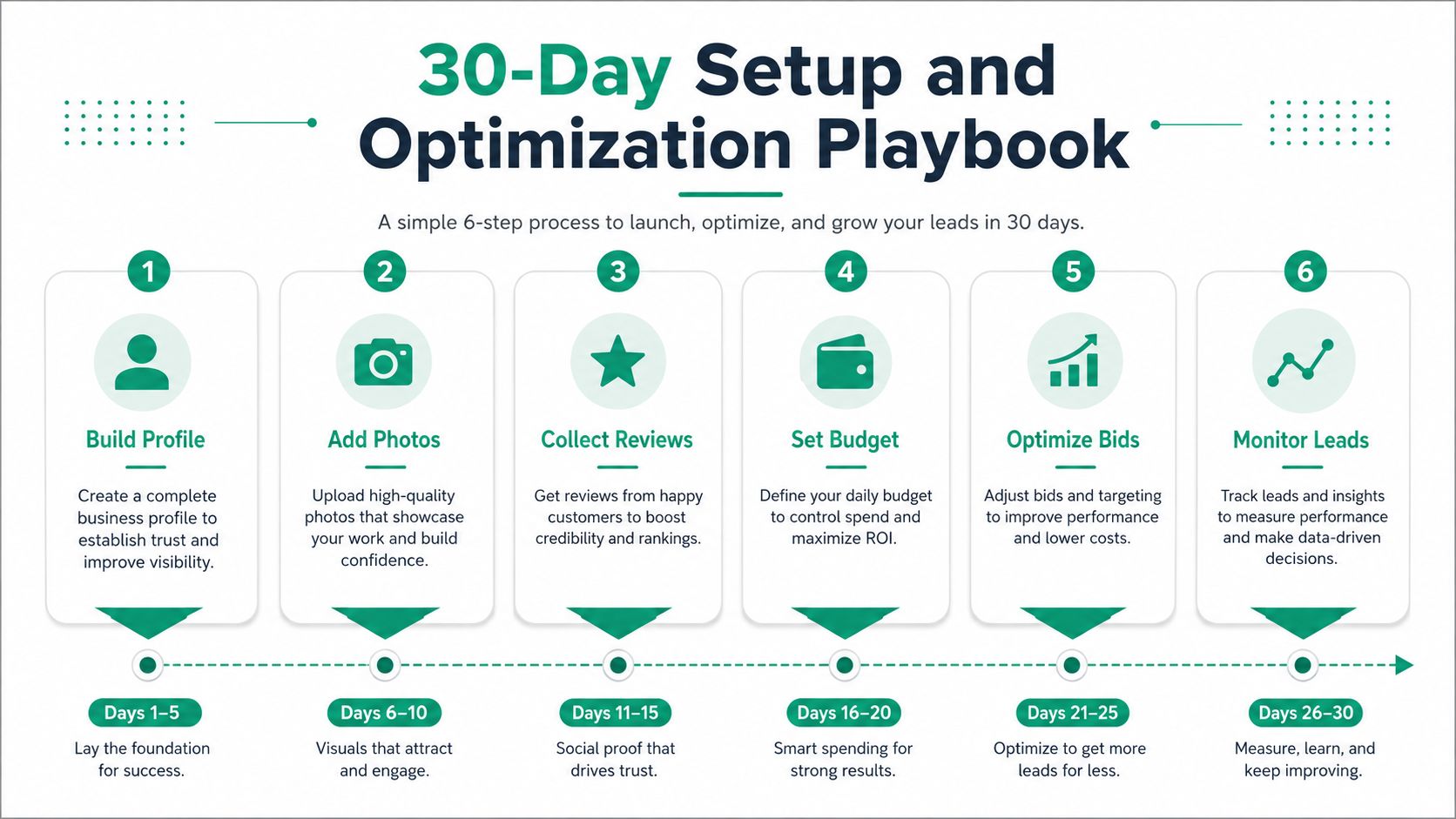
The pattern is consistent. Treat the account like an operating system for calls, not a decorative badge on a homepage.
A Practical Checklist Before You Turn the Ads On
The cleanest launch is the one that answers the obvious questions before the first lead arrives. Which locations are eligible? Which person answers the phone? Which jobs count as valid? Which ones get disputed? If those answers are fuzzy, the campaign turns messy fast.
Readiness items
A launch-ready account usually has the basics in place:
- Licenses and insurance: Keep the documents the verification flow asks for ready to upload.
- Business hours: Match your real hours to your call handling, so leads don’t land in a dead zone.
- Contact number: Use the number your team monitors.
- Profile photos: Add real photos of the business, the team, or the service vehicles.
- Review plan: Keep asking for reviews after completed jobs so the profile doesn’t look stalled.
- Budget set: Decide the weekly lead cap before ads go live.
Those items look small, but they shape whether the account can function cleanly from day one.
Metrics to watch first
The first week tells you whether lead routing works. The first month tells you whether the team can answer and qualify those leads. By the twelfth week, the better question is whether the mix of accepted leads and disputes supports the budget you set.
A good internal process gives a coordinator or agency partner the same three numbers every time: cost per qualified lead, lead-to-close rate, and dispute rate. That’s enough to see whether the channel is healthy without drowning in noise. Ascendly Marketing’s consultative model- discover, plan, execute, report- fits that kind of workflow because the reporting stays tied to client goals instead of generic traffic stats.
A launch checklist like this keeps the campaign honest. It also makes it easier to decide whether you want to run the account in-house or have a team like Ascendly Marketing handle the paid media, lead generation, and reporting work for you.