
TL;DR:
- Following six simple steps allows SMBs to set up effective marketing automation without a developer, reducing errors and increasing ROI. Proper domain authentication, contact hygiene, and targeted automations like welcome sequences and cart recovery are essential for success. Investing in these foundational practices and tools helps SMBs recover revenue and streamline customer engagement efficiently.
A practical SMB marketing automation setup is six repeatable steps you can implement without a developer: choose your tool, map the customer journey, authenticate your sending domain and clean your data, build three priority automations, test everything before going live, then measure and iterate.
Follow those six steps in order, and you skip the most common failure modes. Skip any one of them, and you’ll likely spend weeks troubleshooting deliverability problems or wondering why your sequences aren’t converting.
Your 6-step SMB marketing automation setup:
- Step 1 — Choose your tool: Match the platform to your contact volume, budget, and technical comfort. Free tiers from tools like Brevo or MailerLite work for lists under a few thousand contacts.
- Step 2 — Map the customer journey: Identify every touchpoint from first contact to purchase and define where automation adds the most leverage.
- Step 3 — Domain authentication and data hygiene: Configure SPF, DKIM, and DMARC records in your DNS. Deduplicate contacts, confirm opt-in status, and populate essential fields before building a single workflow.
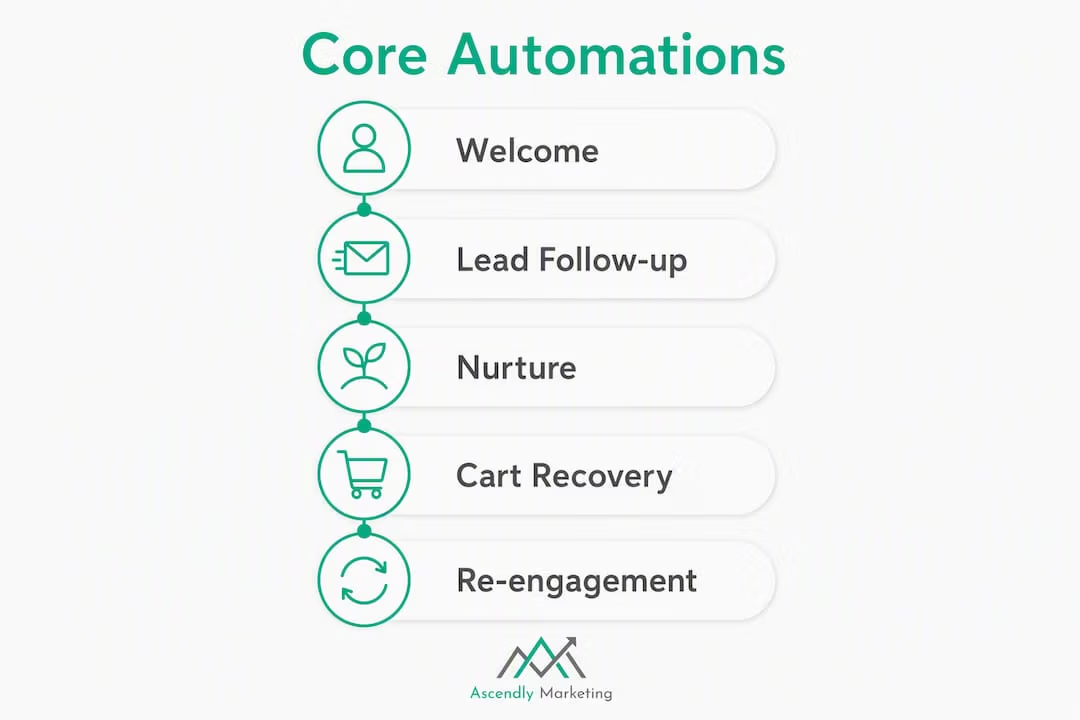
- Step 4 — Build three priority automations: Welcome sequence, lead follow-up/nurture, and either cart recovery (e-commerce) or re-engagement (service businesses). These three deliver the highest ROI for most SMBs.
- Step 5 — Test before going live: Run seed-list sends, verify every personalization token, click every link, and confirm your CRM integration is logging correctly.
- Step 6 — Measure and iterate: Track open rate, click-through rate, and conversion rate weekly for the first month. Run one A/B test per automation before scaling.
TL;DR: A properly configured SMB automation program typically recovers abandoned revenue, lifts welcome-sequence conversion, and cuts manual follow-up time. Ascendly Marketing handles the full setup for SMBs that want it done right the first time. Zapier works well as a low-code connector when your tools don’t talk to each other natively.
Table of Contents
- Why does marketing automation matter for SMBs?
- What technical setup do you need before building automations?
- What are the core automations to build first?
- How do you choose the right tools for your SMB?
- How do you build a welcome and lead-nurture workflow step by step?
- Which KPIs should you track for SMB automations?
- What mistakes do SMBs most often make with marketing automation?
- What does a realistic rollout timeline and budget look like?
- When should you DIY, and when should you hire an agency?
- Key Takeaways
- What most SMBs get wrong before they even build their first automation
- Ascendly Marketing’s automation setup service: what you get
- Useful sources and further reading
Why does marketing automation matter for SMBs?
The honest answer: because manual follow-up doesn’t scale, and most SMBs are losing revenue at predictable, fixable points in their customer journey. Salesforce notes that SMBs investing in automation reduce costs and increase efficiency, specifically by automating email campaigns, lead nurturing, and social media posting.
The six use cases below cover where automation pays off fastest:
- Welcome sequences: Convert new subscribers while intent is highest. A three-email welcome sequence typically outperforms a single confirmation email on every metric.
- Lead follow-up and nurture: Respond to form fills within minutes, not hours. Speed-to-lead is one of the strongest predictors of conversion.
- Appointment reminders: Reduce no-shows for service businesses with automated SMS or email reminders sent 24 hours and 1 hour before the appointment.
- Cart recovery: Recover abandoned purchases for e-commerce businesses. Native integrations with platforms like Shopify make this straightforward to attribute directly to revenue.
- Re-engagement: Win back contacts who haven’t opened or clicked in 60–90 days before they go completely cold.
- Review and testimonial requests: Trigger a review request 3–5 days after a completed service or delivery. Most customers who leave reviews do so because they were asked.
| Use Case | Primary KPI | Expected Business Impact |
|---|---|---|
| Welcome sequence | Conversion rate, open rate | Higher early-stage engagement and first purchase |
| Lead follow-up | Speed-to-lead, conversion rate | More leads converted before they go cold |
| Appointment reminders | No-show rate | Fewer missed appointments, more completed services |
| Cart recovery | Recovered revenue, click-to-order rate | Direct, attributable revenue from abandoned sessions |
| Re-engagement | Re-activation rate, unsubscribe rate | Cleaner list, recovered dormant revenue |
| Review requests | Review volume, average rating | Social proof that supports future conversion |
SMB segmentation affects which features you actually need. A 10-person service business and a 200-person e-commerce operation have different automation priorities, different contact volumes, and different pricing tiers to consider. Build for your actual stage, not for where you hope to be in three years.
What technical setup do you need before building automations?

Most automation failures trace back to one of two things: emails landing in spam because domain authentication was skipped, or workflows misfiring because contact data was never cleaned. Both are preventable. Neither is complicated.
Domain authentication: SPF, DKIM, and DMARC
Domain authentication is a non-negotiable technical foundation for any automated email sequence. Without it, your carefully written welcome email goes straight to the spam folder.
SPF (Sender Policy Framework): A DNS TXT record that lists which mail servers are authorized to send email from your domain. Add your email platform’s sending server to this record.
DKIM (DomainKeys Identified Mail): A cryptographic signature added to outgoing emails. Your platform generates a public key you add to DNS; recipients use it to verify the email wasn’t tampered with in transit.
DMARC (Domain-based Message Authentication, Reporting & Conformance): A policy record that tells receiving servers what to do when SPF or DKIM fails. Start with p=none to monitor, then move to p=quarantine once you’ve confirmed legitimate mail is passing.
Authentication verification checklist:
- [ ] SPF record added to DNS and includes your email platform’s sending IPs
- [ ] DKIM key generated in your platform and published in DNS
- [ ] DMARC record published with at least
p=noneand a reporting email address - [ ] MX records confirmed for your sending domain
- [ ] Verify all three using MXToolbox or your platform’s built-in domain checker
Contact data hygiene
| Field | Why It Matters |
|---|---|
| Email address | Primary identifier; deduplicate before import |
| First name | Required for personalization tokens |
| Lifecycle stage | Controls which sequence a contact enters |
| Lead source | Attribution and segmentation |
| Opt-in status and date | Legal compliance (CAN-SPAM, GDPR if applicable) |
| Consent language version | Audit trail for compliance reviews |
Before you build a single workflow, remove duplicate records, confirm every contact has a valid opt-in, and populate at least the fields above. A workflow built on dirty data will fire incorrectly, personalize incorrectly, or both.
Tracking and integrations
Install your platform’s tracking pixel on your website. Set up form endpoints or webhook connections so that a form submission in your CRM immediately triggers the right automation. If you’re using Zapier to connect tools that don’t have native integrations, test each Zap with a real record before going live, not just the built-in test function.
Pro Tip: Run a seed-list deliverability test before launching any sequence. Send your first email to a set of test addresses across Gmail, Outlook, and Apple Mail, then check where it lands. Tools like Mail-Tester or GlockApps give you a spam score and flag authentication gaps before real contacts see the problem. Ascendly Marketing typically runs this test as part of every new client setup.
What are the core automations to build first?
Three automations produce predictable ROI for most SMBs: the welcome sequence, lead follow-up and nurture, and either cart recovery or re-engagement. Build and optimize these three before adding anything else. A half-configured library of ten workflows will underperform three well-tuned ones every time.
Welcome sequence template
Entry trigger: Contact subscribes via any opt-in form or lead magnet download.
Goal node: Contact makes a purchase or books a call. Exit the sequence when the goal is met.
Required fields: Email, first name, lead source.
| Step | Timing | Action | Sample Subject Line |
|---|---|---|---|
| Email 1 | Immediately | Welcome + deliver lead magnet or promised resource | “Here’s what you asked for, {{first_name}}.” |
| Email 2 | Day 2 | Value email: your best tip or case study | “The one thing most [industry] businesses miss” |
| Email 3 | Day 5 | Soft conversion ask: book a call, start a trial, or shop | “Ready to take the next step?” |
Email 1 body snippet:
Hey {{first_name}}, thanks for joining us. Here’s the [resource name] you requested — [link]. Over the next few days, I’ll share a couple of things that have made a real difference for businesses like yours. If you have a question in the meantime, just reply to this email.
Lead follow-up and nurture template
Entry trigger: Form submission tagged as “new lead” in CRM.
Timing: First email within 5 minutes of form submission. Speed-to-lead matters more than copy quality at this stage.
- Email 1 (immediate): Confirm receipt, set expectations, offer a quick resource.
- Email 2 (Day 1): Share a relevant case study or proof point.
- Email 3 (Day 3): Direct ask — book a call or reply with their biggest challenge.
- Task trigger (Day 5): If no reply and no booking, create a CRM task for a sales rep to call.
Appointment reminder template
Entry trigger: Appointment created in scheduling tool (connect via Zapier if no native integration).
- Confirmation email: Immediately after booking.
- Reminder email + SMS: 24 hours before appointment.
- Final reminder SMS: 1 hour before appointment.
- Post-appointment email: 3 hours after scheduled end time. Ask for feedback or a review.
Cart recovery template (e-commerce)
Native e-commerce integrations make abandoned-cart attribution straightforward. Platforms with built-in Shopify or WooCommerce connectors pull product names, images, and prices directly into the email.
Entry trigger: Cart abandoned for 60 minutes with no purchase.
- Email 1 (1 hour): “You left something behind” — show cart contents, no discount yet.
- Email 2 (24 hours): Add social proof or an FAQ that addresses common objections.
- Email 3 (72 hours): Optional incentive (free shipping or small discount) if margin allows.
Re-engagement template
Entry trigger: No open or click in 90 days.
- Email 1: “Are we still a good fit?” — simple, direct, one clear CTA.
- Email 2 (7 days later): Last-chance email. Make it obvious this is the final message.
- If no engagement after Email 2: Tag as inactive, suppress from future campaigns, and remove from billing count.
| Automation | Total Steps | Total Duration | Key Delay Points |
|---|---|---|---|
| Welcome sequence | 3 emails | 5 days | Day 0, Day 2, Day 5 |
| Lead follow-up | 3 emails + 1 task | 5 days | Immediate, Day 1, Day 3, Day 5 |
| Appointment reminders | 3 messages | Day of booking to post-appt | 24h before, 1h before, 3h after |
| Cart recovery | 3 emails | 72 hours | 1h, 24h, 72h |
| Re-engagement | 2 emails | 7 days | Day 0, Day 7 |
Pro Tip: Use personalization tokens beyond just first name. Referencing the lead source (“you came to us through our Facebook ad”) or the specific product a contact viewed increases relevance and, typically, click-through rates.
How do you choose the right tools for your SMB?
The wrong tool choice is expensive in two ways: you overpay for features you never use, or you outgrow a cheap tool and face a painful migration. Neither is inevitable if you ask the right questions before signing up.
Decision checklist before committing to a platform:
- Does it bill by contact count or email volume? Contact-count billing gets expensive fast as your list grows.
- Does it include a native CRM, or do you need to connect one via Zapier?
- Does it support e-commerce integrations (Shopify, WooCommerce) if you sell products?
- Does it offer SMS natively or require a third-party add-on?
- Does it provide deliverability support (dedicated IP, warm-up tools, spam testing)?
- Is there a mandatory onboarding fee? Some platforms require paid implementation packages that add $500–$2,000+ to your first-year cost.
- What does migration look like if you outgrow it?
Vendor categories to consider
Entry-level, email-first platforms (Brevo, MailerLite): Low cost, free tiers available, solid automation builders for the three core workflows. Best for SMBs under 5,000 contacts who want to start without a large upfront investment. Free tiers can support the initial three automations within typical contact and send limits.
Automation-first platforms with built-in CRM (ActiveCampaign): Widely praised for visual workflow builders and deep automation logic. Contact-count pricing scales steeply at larger lists, so model your cost at 2x your current list size before committing.
E-commerce-focused platforms (Omnisend and similar): Native product catalog and order-event integrations make cart recovery and post-purchase sequences much easier to build and attribute.
All-in-one platforms with CRM, payments, and scheduling (Keap and similar): Powerful for service businesses doing meaningful revenue, but mandatory implementation packages and higher monthly pricing make them a poor fit for early-stage SMBs. Pay for what you’ll actually use.
No-code integration hubs (Zapier): Not a marketing automation platform itself, but an essential connector when your chosen tools don’t have native integrations. Zapier lets you trigger automations from form submissions, CRM events, payment confirmations, and hundreds of other app events without writing code.
Cost scenario: 2,500-contact SMB
A 2,500-contact list on an entry-level platform typically runs $20–$50/month. An automation-first platform with CRM at the same contact count runs roughly $49–$99/month. An all-in-one platform may start at $149–$299/month before any onboarding fee. Model your cost at your expected scale before you commit, not at your current list size.
All-in-one vs. best-of-breed:
All-in-one pros: Single login, unified data, no integration maintenance, one support team.
All-in-one cons: Higher cost, you pay for features you won’t use, harder to switch later.
Best-of-breed pros: Best tool for each job, lower entry cost, easier to swap one piece.
Best-of-breed cons: Integration overhead, data can fragment, more vendors to manage.
Zapier sits in the middle. It connects best-of-breed tools without custom development, keeps costs low, and lets you move fast. For most SMBs starting out, a lightweight email-automation platform plus Zapier plus a simple CRM outperforms an expensive all-in-one they’ll only use at 30% capacity.
Pro Tip: Before signing a 12-month contract, run your three core automations on a free or monthly tier for 30 days. Real usage data tells you whether the platform’s workflow builder fits how you think, which no trial video ever will.
How do you build a welcome and lead-nurture workflow step by step?
This walk-through is tool-agnostic. The logic applies whether you’re building in ActiveCampaign, Brevo, MailerLite, or any other platform with a visual workflow builder.
Phase 1: Map before you build
- Write down the entry trigger: what action puts a contact into this workflow? (Form submission, lead magnet download, ad click-through to landing page.)
- Define the goal: what does success look like? (Booked call, first purchase, replied to email.)
- Map the contact’s likely questions at each stage. Email 1 answers “Did this work?” Email 2 answers “Why should I trust you?” Email 3 answers “What do I do next?”
- Decide your exit conditions: goal met, unsubscribed, or manually removed by sales.
Phase 2: Build the workflow
- Create a new list segment or tag for contacts entering this workflow (e.g., “Welcome Sequence Active”).
- Set the entry trigger in your platform. Add a filter: only contacts who have not previously completed this workflow should re-enter.
- Write Email 1 copy. Keep it under 150 words. Deliver the promised resource immediately. No selling.
- Add a wait step of 48 hours.
- Write Email 2 copy. Lead with a specific result or proof point. One CTA only.
- Add a wait step of 72 hours.
- Write Email 3 copy. Make the ask explicit. Use a button, not a text link, for the primary CTA.
- Add a goal node after Email 3. If the goal is met at any point in the sequence, the contact exits immediately.
- Add a re-entry rule: contacts who complete the sequence and then re-subscribe should not re-enter unless you explicitly allow it.
- Add a failure notification: if a contact’s email bounces on Email 1, create a CRM task to review the record.
Phase 3: Test before going live
- Send each email to your own address and two seed addresses (one Gmail, one Outlook).
- Click every link. Confirm UTM parameters are firing in Google Analytics.
- Check every personalization token with a contact record that has a missing first name. Confirm the fallback (“there” or a generic greeting) renders correctly.
- Confirm the goal node fires correctly by manually triggering the goal action on a test contact.
- Check your CRM: does the contact’s lifecycle stage update when they complete the sequence?
Phase 4: Pilot and monitor
- Launch to a small segment first (50–100 contacts).
- Monitor open rate and click rate daily for the first week.
- If Email 1 open rate is below 30%, check deliverability first, then the subject line.
- If Email 3 conversion rate is low, check the CTA clarity and the offer itself before changing the copy.
Sample Email 2 copy (value + social proof):
{{first_name}}, one thing we see consistently with [business type] clients: the biggest gap isn’t traffic or budget. It’s follow-up. Here’s a quick example: [brief outcome description — e.g., “a client in [industry] added X% to their conversion rate by automating their lead response time from 2 days to 5 minutes”]. If you want to see how this applies to your situation, [CTA link text here].
When to hand a lead to sales: Create a CRM task automatically when a contact opens all three emails but does not convert. A contact who reads everything and still hasn’t acted is a warm lead, not a cold one. That task should go to a sales rep within 24 hours.
Which KPIs should you track for SMB automations?
Data-driven marketing requires knowing which numbers actually tell you something. Tracking everything produces noise. Tracking the right KPIs per automation type produces decisions.
| Automation | Primary KPIs | Secondary KPIs |
|---|---|---|
| Welcome sequence | Open rate, CTR, conversion rate | Unsubscribe rate, reply rate |
| Lead follow-up | Speed-to-lead, conversion rate | CRM task completion rate |
| Appointment reminders | No-show rate, confirmation rate | Cancellation rate |
| Cart recovery | Recovered revenue, click-to-order rate | Revenue per email sent |
| Re-engagement | Re-activation rate | List shrinkage rate |
| Review requests | Review volume, average rating | Response rate |
Simple reporting structure
Weekly (pilot phase, first 4 weeks): Open rate, CTR, and conversion rate per automation. Flag any sequence where open rate drops below 20% or CTR drops below 2%.
Monthly (ongoing): Revenue attributed to each automation, list growth vs. unsubscribe rate, and cost-per-acquisition from automated sequences vs. manual outreach.
Attribution window: Use a 7-day click attribution and a 1-day view attribution as a starting point. Adjust based on your typical sales cycle length.
Optimization playbook
Run one test at a time per automation. Test in this order, highest impact first:
- Subject line: Test two versions on a 20% sample each, send the winner to the remaining 60% after 4 hours.
- Send time: Test morning vs. afternoon for your specific audience. B2B audiences often respond better mid-morning; B2C varies by industry.
- CTA placement and copy: Test a button vs. a text link, and test two different CTA phrases.
- Segmentation: Split your list by lead source or lifecycle stage and compare performance. Contacts from paid ads often need different messaging than organic subscribers.
- Cadence: Test a 2-day vs. 3-day gap between emails in your welcome sequence.
Never run two tests simultaneously in the same automation. You won’t know which variable moved the needle.
What mistakes do SMBs most often make with marketing automation?
Most automation problems are predictable. Here are the ones that show up most often, and the fix for each.
Mistake 1: Skipping domain authentication.
Fix: Configure SPF, DKIM, and DMARC before sending a single automated email. Use MXToolbox to verify all three records are publishing correctly. This is the single most common reason automated sequences land in spam.
Mistake 2: Importing a dirty contact list.
Fix: Before importing, remove duplicates, confirm opt-in status for every contact, and delete any address that hasn’t engaged in over 18 months. A smaller, cleaner list outperforms a large, unverified one on every deliverability metric.
Mistake 3: Building too many automations before optimizing the first three.
Fix: Launch welcome, lead follow-up, and one recovery automation. Run them for 60 days. Optimize based on real data. Then add more.
Mistake 4: No testing before going live.
Fix: Always run a seed-list test, click every link, and verify every personalization token before activating a workflow. A broken link in Email 1 of your welcome sequence damages trust with every new subscriber.
Mistake 5: Poor segmentation.
Fix: At minimum, segment by lifecycle stage (new lead, active customer, lapsed customer) and lead source. Sending the same message to a new subscriber and a 2-year customer is a missed opportunity at best and an unsubscribe trigger at worst.
Mistake 6: Ignoring compliance.
Fix: Every automated email must include a physical mailing address and an unsubscribe link under CAN-SPAM. If you have European contacts, confirm your opt-in process meets GDPR requirements. Store consent records with timestamps.
Pro Tip: Avoid the all-in-one trap. Paying for a comprehensive platform when you’ll only use email automation and a basic CRM means you’re subsidizing features that add no value to your business. Start with the tool that covers your three core automations well, and upgrade only when you hit a specific limitation.
Pre-scaling checklist:
- [ ] All three core automations have run for at least 30 days
- [ ] Open rate, CTR, and conversion rate are at or above your baseline
- [ ] Domain authentication verified and passing
- [ ] Contact list deduplicated and opt-in status confirmed
- [ ] CAN-SPAM compliance confirmed (physical address, unsubscribe link)
- [ ] At least one A/B test completed per automation
What does a realistic rollout timeline and budget look like?
Most SMBs can go from zero to three live automations in a matter of weeks. Complex setups with CRM migrations or mandatory onboarding packages take longer. Plan for 4–6 weeks for complex all-in-one platforms to reach steady operation.
| Phase | Timeline | Key Activities |
|---|---|---|
| Foundation | Weeks 1–2 | Tool selection, domain auth, data hygiene, tracking setup, journey mapping |
| Build and test | Weeks 3–4 | Write copy, build three core automations, run seed-list tests, pilot launch |
| Optimization | Weeks 5–8 | Monitor KPIs, run first A/B tests, fix deliverability issues, refine copy |
| Scale | Weeks 9–12 | Add additional automations, expand segmentation, integrate additional channels |
Cost ranges
DIY on a free or entry-level tier: $0–$50/month for the tool. Budget 15–20 hours of internal time for setup, copywriting, and testing. Ongoing maintenance runs 2–4 hours per month.
Paid mid-tier platform: $49–$150/month depending on contact count and features. Same internal time investment, but more automation capability.
All-in-one platform with mandatory onboarding: $150–$300/month plus a one-time onboarding fee of $500–$2,000. Total first-year cost can reach $3,500–$5,600 before any copywriting or creative.
Agency-managed setup: Varies by scope. A focused setup engagement covering three automations, domain auth, and data hygiene typically runs $1,500–$4,000 as a one-time project. An ongoing retainer for management and optimization adds a monthly fee on top.
ROI rule of thumb: Your tool cost should be a small fraction of the revenue your automations recover or generate. If your cart recovery automation recovers $2,000/month in abandoned revenue and your tool costs $50/month, the math is obvious. If your tool costs $300/month and you haven’t measured what it’s recovering, that’s the first problem to fix.
Resource allocation:
- Internal marketing manager: 15–20 hours for initial setup, 2–4 hours/month ongoing.
- Copywriter (optional): 4–8 hours for initial email copy across three automations.
- Developer (optional): 2–4 hours for pixel installation and webhook setup, if not handled by the platform.
- Agency: Replaces most of the above for the setup phase; ongoing retainer covers optimization.
When should you DIY, and when should you hire an agency?
Most SMBs can handle the three core automations themselves if they’re willing to invest the setup time. The calculus shifts when complexity increases or when the cost of getting it wrong is high.
Scenarios where agency help pays off:
- You need to migrate contacts from one platform to another without losing segmentation data.
- Your CRM requires custom field mapping or API-level integration that Zapier can’t handle cleanly.
- You’re launching four or more automations simultaneously and need them live within a tight deadline.
- Your domain authentication is failing, and you can’t identify why.
- You’ve tried DIY and your open rates are below 15%, suggesting a deliverability problem that needs diagnosis.
- You want paid media (PPC) and email automation working together, with ad audiences synced to CRM lifecycle stages.
Ascendly Marketing offers three engagement tiers for SMBs at different stages:
Quick audit and setup: A focused engagement covering domain authentication, data hygiene review, and the build of your three core automations. Best for SMBs that have a tool but haven’t gotten it working properly.
Full implementation retainer: Ascendly Marketing handles strategy, copy, build, testing, and ongoing optimization. Includes integration of paid advertising triggers with email nurture sequences, so a contact who clicks a PPC ad enters the right automation immediately.
Training and handoff: Ascendly Marketing builds the foundation and trains your internal team to manage and iterate. Best for SMBs that want long-term ownership but need expert setup.
Ascendly Marketing uses Zapier extensively to keep integration costs low and implementation timelines short. Most tool connections that would otherwise require custom development are handled with Zapier in a fraction of the time.
Before contacting any agency, prepare the following: admin access to your email platform and CRM, a list of your current automations (even if they’re broken), your top three business goals for the next 90 days, and your current open rate and conversion rate if you have them. An agency that asks for these upfront is one that plans to use them.
What to prepare before your first agency call:
- Admin credentials for your email platform, CRM, and website
- A list of your current lead sources and their monthly volume
- Your three most important business goals for the next quarter
- Any existing automation reports or KPI data, even rough numbers
- A clear budget range so the agency can scope appropriately
Key Takeaways
A properly executed SMB marketing automation setup requires domain authentication, clean contact data, and three optimized core automations before you add anything else.
| Point | Details |
|---|---|
| Start with three automations | Welcome, lead follow-up, and cart recovery or re-engagement deliver the highest ROI before scaling. |
| Domain auth is non-negotiable | Configure SPF, DKIM, and DMARC before sending any automated email or sequences land in spam. |
| Model tool costs at scale | Contact-count pricing can make a cheap tool expensive fast; model cost at 2x your current list size. |
| Test before every launch | Seed-list sends, link checks, and personalization token verification prevent costly errors at launch. |
| Ascendly Marketing for complex setups | Ascendly Marketing handles audit, build, and managed rollout for SMBs that need expert implementation. |
What most SMBs get wrong before they even build their first automation
The three problems Ascendly Marketing fixes most often when a new client comes in with a broken automation program are always the same: domain authentication that was never configured, a contact list that was imported without any hygiene, and a customer journey that was never mapped before the first workflow was built.
The domain auth issue is the most frustrating because it’s invisible. Emails appear to send. Open rates look low. The assumption is that the copy is bad or the offer is wrong. The real problem is that half the emails never reached the inbox. A 10-minute DNS check would have caught it before the first campaign went out.
The data hygiene problem is slower-burning. Dirty lists don’t fail immediately. They degrade performance gradually, inflate your contact count (and your bill), and eventually trigger spam complaints that damage your sender reputation. The fix is straightforward but tedious, which is why it gets skipped.
Journey mapping is the one that surprises people most. SMBs often build automations around what they want to say rather than what the contact needs to hear at each stage. The result is a technically functional workflow that converts poorly because the messaging doesn’t match where the contact actually is in their decision process. Map the journey first. Build the automation second.
Ascendly Marketing’s automation setup service: What you get
If you’ve read this far and you’re thinking “I know what needs to be done, I just don’t have the time to do it right,” that’s exactly the situation Ascendly Marketing was built for. The agency has been working with SMBs since 2013, and the automation setup engagements are scoped specifically to get three core workflows live, tested, and converting without a months-long agency onboarding process.
A typical engagement covers domain authentication and deliverability verification, contact data review and segmentation setup, copy and build for your three priority automations, seed-list testing and a live pilot, and a performance review with optimization recommendations. For SMBs running paid media, Ascendly Marketing connects PPC campaigns directly to automation triggers, so ad clicks automatically trigger the right nurture sequence.
The next step is a 30-minute audit call. Bring your platform access, your current open rates if you have them, and your top three goals for the next quarter. Book directly at ascendlymarketing.com and the team will confirm within one business day.
Useful sources and further reading
The sources below back the claims in this article and are worth reading if you want to go deeper on specific topics.
- Marketing Automation for Small Business | Martin Ebongue — Covers the case for automation as a growth lever for small businesses; supports the “why it matters” framing in the opening sections.
- Marketing Automation for Small Businesses: Start Simple, Scale Smart | itsdeep — Primary source for the three-automation starting set, domain authentication requirements, and free-tier tool options.
- What is SMB Marketing? | SEOptimer — Practical SMB marketing strategy overview; supports the tool selection and digital strategy sections.
- What’s a Small and Medium-Sized Business (SMB)? | Salesforce — Authoritative definition and automation investment framing for SMBs.
- ActiveCampaign review | Pintoed AI — Source for workflow builder strengths, contact-count pricing behavior, and cost modeling guidance.
- Keap Review 2026 | Usereviews.io — Source for all-in-one platform pricing, mandatory onboarding fees, and the all-in-one trap warning.
- 7 Best Marketing Automation Software | VentureHarbour — Source for e-commerce-focused platform recommendations and cart recovery attribution.
- Brevo Email Marketing Review | PCMag — Supports the entry-level platform category and offers free-tier automation.
- SMB Meaning: Business, Tech & Slang Defined | Prospeo — Source for SMB segmentation and how it affects software pricing tiers.
Statistic to know: Domain authentication failures are among the most common causes of poor deliverability in automated email sequences. Configuring SPF, DKIM, and DMARC correctly before your first send is the single highest-leverage technical step in any SMB automation program.