

Companies that use video grow revenue up to 49% faster than those that don’t, and in 2025, 93% of marketers reported a strong positive ROI from video marketing, while 87% said it directly increased sales (G2 video marketing statistics). That changes the conversation.
Video production for marketing isn’t a side project for the design team. It’s a revenue program. When businesses treat it like a one-off creative exercise, they get a polished asset with no clear job. When they treat it like a system, they get content that supports demand generation, sales enablement, and conversion.
Many recognize they should be using video. The challenge is execution. Which videos belong at each stage of the funnel? What has to be decided before filming starts? How do you avoid wasting a shoot day? How do you turn one core video into assets for multiple channels without breaking the message? And how do you prove that the spend produced pipeline, not just views?
Why Video Marketing is a Revenue Driver, Not an Expense
Wyzowl’s annual research has consistently shown that marketers report positive ROI from video at very high rates. The practical takeaway is simpler than the headline. Video earns budget when it is planned to influence pipeline, close rate, or customer retention, not when it is treated as a one-off creative asset.
I see the same budgeting mistake in small and mid-sized companies. The team approves a shoot, focuses on production quality, then publishes one polished piece with no distribution plan, no follow-up assets, and no way to connect performance to revenue. In that setup, video looks expensive because the business never built a system around it.
A better model is to treat video as part of the revenue engine.
What expense thinking gets wrong
The problem usually starts in the brief. A company asks for “a brand video,” but the actual use case is unclear. Is the asset supposed to help paid traffic convert, give sales reps a stronger follow-up tool, or reduce friction for prospects comparing vendors? Without that answer, production decisions become guesswork, and reporting stays shallow.
The same issue shows up after filming:
- The objective is vague: The team wants awareness, trust, leads, and sales from one asset.
- The success metric is weak: Views are easy to report, but they do not show whether the video influenced pipeline.
- The footage is underused: One shoot produces one deliverable, instead of a core asset plus cutdowns for ads, email, social, and sales enablement.
That is where budget gets lost. Not in the camera package. In the lack of a measurement and repurposing plan.
What revenue thinking looks like
Revenue-focused video starts with the commercial job. The asset should answer a specific business question such as: Can this increase landing page conversion rate? Can this help sales reps shorten the follow-up cycle? Can this improve win rates by handling a recurring objection before the next call?
Once that job is clear, the rest of the process gets easier. Message, format, call to action, distribution, and editing choices all follow from the same goal. A testimonial for late-stage buyers should not be scripted or edited the same way as a short paid social video built to get cold traffic to click.
That operating model is what separates content production from marketing production. If you need a practical example of how that looks in execution, this overview of a business-focused video production process shows how strategy, production, and distribution need to connect.
For teams comparing approaches, the broader discussion around video marketing for online brands is useful context. The key business principle is narrower. Video should be expected to do measurable work, and the work should continue after the first publish through repurposing, channel-specific edits, and attribution tied to revenue.
Defining Your Video Strategy and Goals
Before anyone writes a script, decide where the video sits in the funnel. That sounds obvious, but it is a common origin for weak projects. Teams ask for a single video to do everything at once. Explain the product, build trust, rank in search, support sales calls, and convert cold traffic. One asset can support multiple jobs, but it can’t carry every job equally well.
A cleaner framework is to match the video to the buyer’s stage, then choose the KPI that reflects that stage. The working model is straightforward: use View-Through Rate for top-of-funnel awareness, Click-Through Rate for middle-of-funnel consideration, and conversions for bottom-of-funnel decisions (video marketing KPI framework).
Start with the buyer, not the format
Ask these questions in order:
- Who is this for? A cold prospect, a returning site visitor, a sales-qualified lead, or an existing customer?
- What should they do next? Visit a page, book a demo, reply to a sales email, or complete a purchase?
- What objection needs to be removed? Lack of awareness, weak understanding, low trust, or internal buying friction?
- Which metric will prove progress? VTR, CTR, or conversions.
If you skip that sequence, the format choice becomes arbitrary.
Mapping video types to funnel stages
| Funnel Stage | Primary Goal | Recommended Video Types | Key Metric |
|---|---|---|---|
| Top of Funnel | Reach and awareness | Short explainer, founder intro, problem-solution video, short social clip | View-Through Rate |
| Middle of Funnel | Education and consideration | Product walkthrough, use-case video, comparison-style video, webinar cutdown | Click-Through Rate |
| Bottom of Funnel | Action and conversion | Demo, testimonial, sales FAQ video, offer-focused landing page video | Conversions |
A short social clip and a landing page demo might come from the same shoot. They should not use the same script structure, pacing, or CTA.
Match the platform to the strategy
Platform behavior changes what works. A LinkedIn clip for B2B consideration needs a different opening than a landing page video or a sales follow-up. Teams publishing short vertical content can learn from channel-specific guidance on optimizing Instagram Reels content, especially when they need attention quickly inside a crowded feed.
If you're planning a broader campaign, this overview of video production services is a useful reference point for what the workflow can include from concept through editing.
Don't approve a concept until the next step is clear. “Watch this” isn't a business outcome. “Book a call” is.
A simple decision filter
Use this when a team brings you a video request:
- If the audience is cold, lead with the problem and keep friction low.
- If the audience already knows the category, move quickly into proof, product, or use case.
- If the buyer is near decision, answer objections directly and place the CTA where action is easiest.
That filter prevents a common mistake. Businesses often overproduce awareness content and underproduce decision-stage content. The result looks active in reports but weak in revenue.
The Pre-Production Blueprint
The easiest way to waste money on video production for marketing is to improvise the planning. Poor pre-production creates shoot-day delays, extra edit rounds, and assets that don't fit the funnel role they were supposed to fill.
This is the planning framework many organizations need on paper before anyone books a camera.
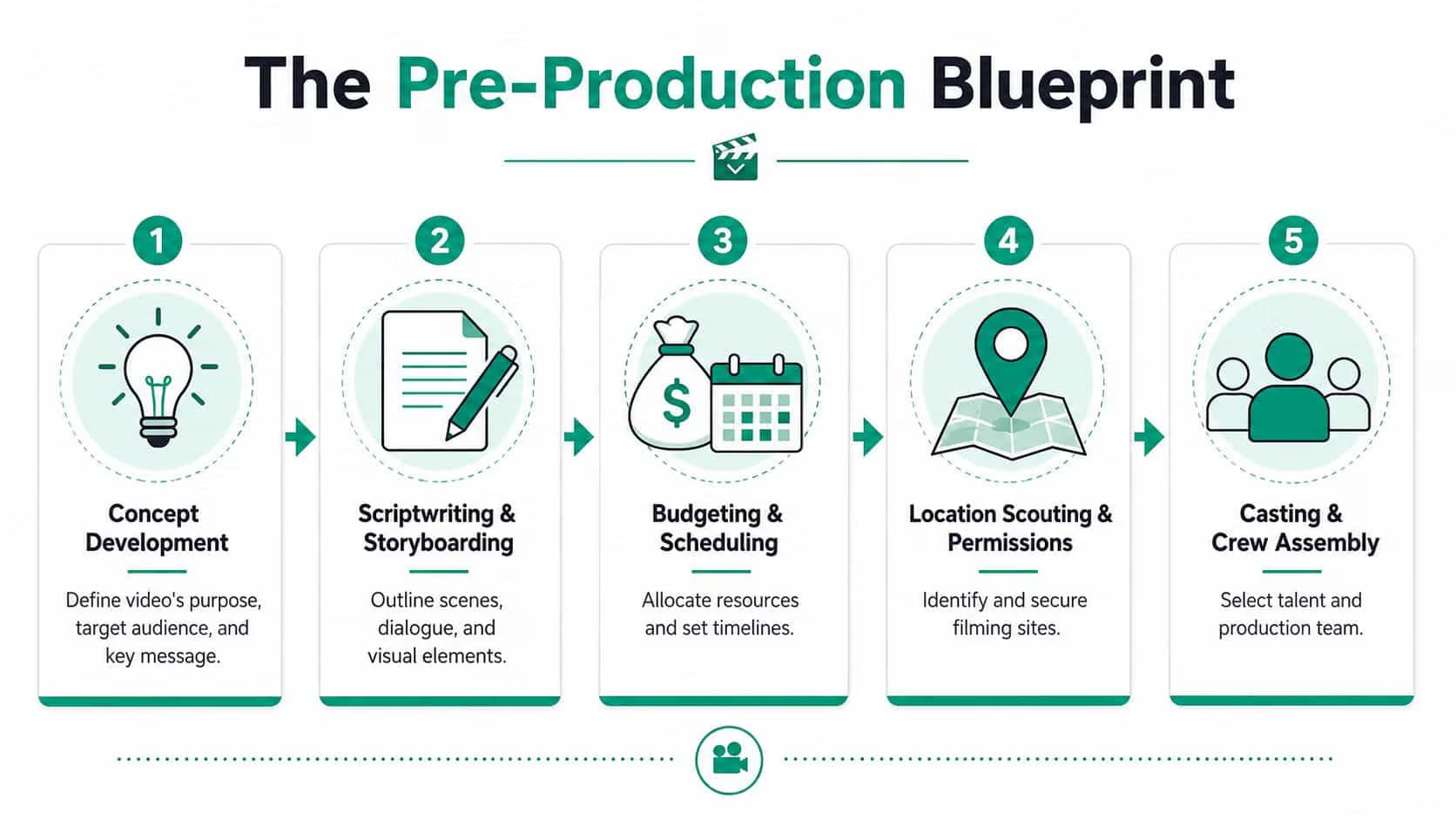
Build the brief before the script
A workable brief isn't long. It is specific. It should lock down:
- Audience: Who the video is for and what they already know
- Offer: The product, service, or next action being promoted
- Single message: One core point, not five
- Desired action: What the viewer should do after watching
- Distribution plan: Where the asset will appear first
That brief protects the project from stakeholder drift. Without it, a video starts as a lead gen asset and ends as a vague company overview because too many opinions got inserted midstream.
Script in modules, not monologues
The script should be modular. Hook. Benefit. Proof. CTA. That structure makes the footage easier to edit into multiple versions later, and it keeps the message clean. It also helps if you need platform-specific cutdowns.
For teams using AI in planning and production, there's a real operational shift here. AI-powered editing, scripting, and generation tools have reduced the median video production cost from $4,200 to $2,500 per finished minute, a 40% cut in average production costs (Digital Applied video marketing statistics). That doesn't remove the need for strategy. It does reduce the cost of scripting drafts, rough cuts, voiceover tests, and versioning.
Decide in-house or outside support
Not every project needs an agency. Not every internal team should run production alone either. The choice usually comes down to complexity, speed, and internal bandwidth.
| Situation | In-house tends to work | Outside support tends to work |
|---|---|---|
| Simple social clips | Yes, if the team can write and edit quickly | Sometimes |
| Product launch assets | Sometimes | Often |
| Multi-location shoot | Rarely | Usually |
| Brand campaign with many cutdowns | Sometimes | Often |
| Ongoing content engine | Yes, with process | Yes, if internal capacity is thin |
A hybrid model is often the most practical. Internal teams own message and approvals. Outside specialists handle filming, editing, motion graphics, or the heavier production lift. Ascendly Marketing is one example of a provider that offers pre-production and post-production support for marketing video work, which can help when internal teams need execution help without building the full function in-house.
Here’s a useful reference example of a planning-to-delivery workflow:
Lock logistics early
The glamorous parts get attention. The shoot schedule, permissions, talent coordination, and approval chain usually decide whether the project runs smoothly.
A delayed approval is a production issue, not just an admin issue.
If the approver changes the message after filming, the editor has to solve a strategy problem with footage that was captured for a different brief. That rarely ends well.
Production Practices for Business Videos
Bad production quality doesn’t just look rough. It lowers trust. Prospects may not be able to name the exact issue, but they notice shaky framing, echo-heavy audio, and dim lighting immediately. In marketing, those technical misses become brand perception problems.
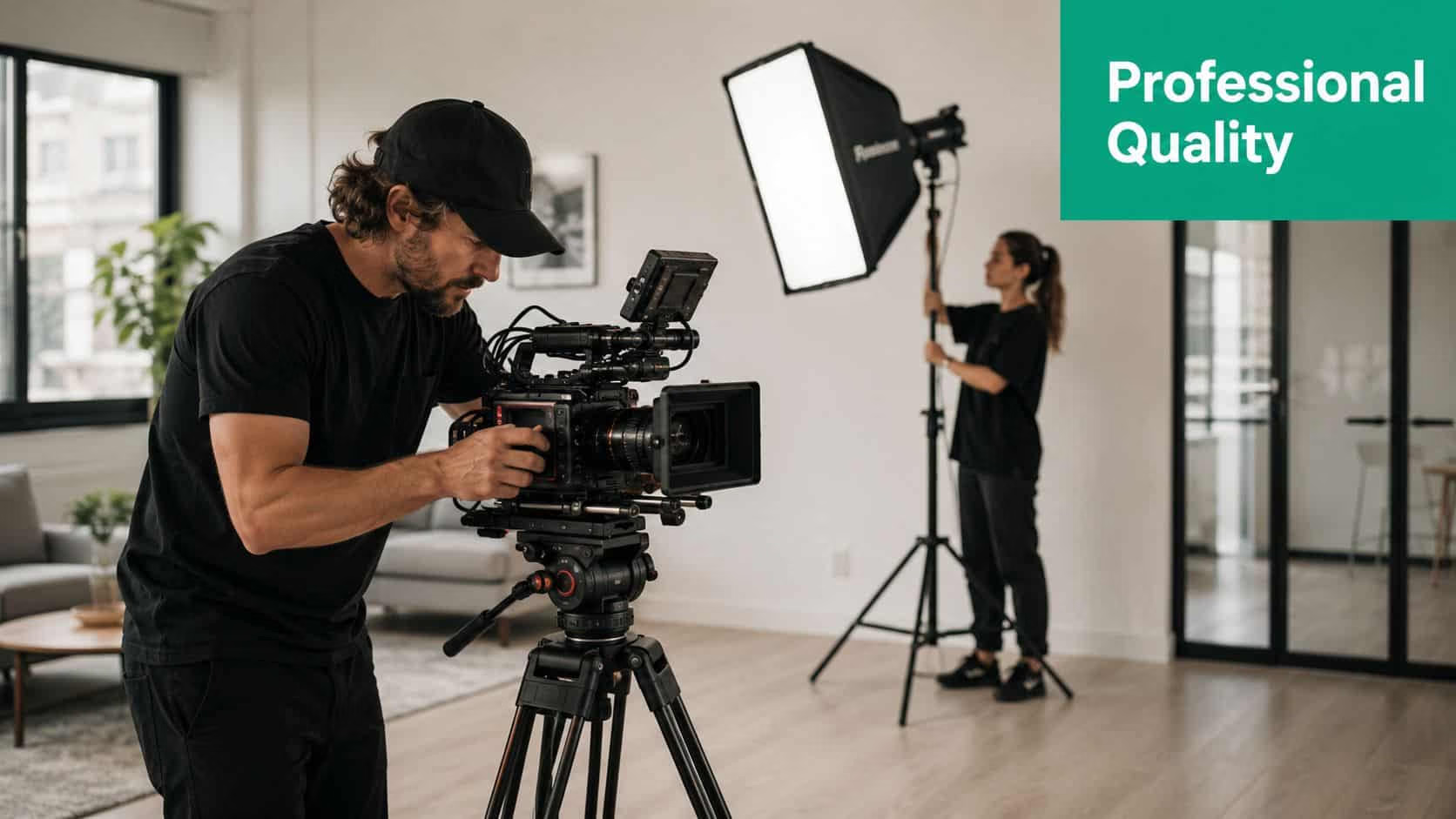
Audio first, visuals second
Teams usually obsess over camera choice. Viewers are less forgiving about poor sound. If the audio is thin, noisy, or inconsistent, completion drops because the content feels harder to consume. Clear sound makes a business appear more competent, even before the message lands.
Lighting works the same way. You don’t need a cinematic setup for most business videos. You do need enough control to keep faces clear, products readable, and colors consistent.
Shoot for adaptation, not just the first publish
A lot of marketing video shoots fail because they’re captured for one layout, then forced into others. That creates awkward crops and missing context. A better practice is to film a Vertical Master in a 9:16 aspect ratio and to keep text overlays and other key elements inside the center 80% Safe Zone so platform interfaces don’t hide them (ShortGenius video production best practices).
That one decision affects everything later:
- Social cutdowns stay usable because titles and faces don’t get cropped
- Paid placements hold up because on-screen text remains visible
- Square and horizontal exports become simpler because the original frame anticipated reuse
What good enough usually gets wrong
“Good enough” production often means the team filmed horizontally, added captions at the very bottom, placed product details near the edges, and relied on room audio. Then they try to repurpose it for Reels, Shorts, landing pages, and email thumbnails.
That footage fights the edit.
Field note: Production quality matters most when the message requires trust. Product demos, testimonials, founder videos, and offer videos all suffer when viewers sense sloppiness.
If your team is testing lower-cost production workflows or fast-turn concepts, lists of GPT Uncensored’s free AI video tools can be helpful for rough drafts, concept validation, and simple asset generation. Just don’t let tool access replace production discipline. A fast tool can still produce a weak asset if the framing, sound, and CTA are wrong.
A short production checklist
Use this on shoot day:
- Frame with repurposing in mind: Leave room for text and alternate crops.
- Capture clean audio separately: Don’t rely on in-camera sound alone.
- Record multiple intros and CTAs: The opening is often rewritten in post.
- Get cutaway footage: Product use, team motion, interface closeups, environmental shots.
- Check caption placement during filming: If lower-third graphics are planned, protect that space.
Teams that do this once usually stop calling these details “creative preferences.” They’re conversion support.
Post-Production and Strategic Optimization
Editing is where raw footage turns into an asset that can produce action. This is also where many teams make their next mistake. They treat post-production as polish only. In practice, post-production determines pace, clarity, retention, and CTA timing.
Data from 2026 shows that 73% of marketers believe videos between 30 seconds and 2 minutes are most effective for viewer retention and understanding (Kapwing video marketing statistics). That doesn’t mean every video should be the same length. It means most marketing videos need tighter decision-making than teams expect.
Edit the opening for attention, not background
The first few seconds carry too much weight to waste on logo animation, generic establishing shots, or polite introductions. Open with the problem, the promise, or the proof. If the viewer is already somewhat aware of the category, get to the useful part faster.
A founder saying, “Hi, we’re excited to share our new solution,” is weaker than a direct line about the specific issue the buyer is dealing with. The edit should reward attention immediately.
Place the CTA where intent rises
A CTA at the end is standard. It’s not always enough. Some viewers won’t make it to the end, and some will be ready earlier. The right move depends on the asset type.
| Video type | CTA placement that usually works |
|---|---|
| Short social clip | Early visual CTA and end-screen CTA |
| Product walkthrough | Mid-video prompt and final CTA |
| Landing page video | End CTA tied to the page action |
| Sales follow-up video | Spoken CTA early, repeated in text nearby |
To achieve this, copy and edit need to work together. If the action is “book a demo,” the cut should build toward that choice, not just explain features.
Tight pacing beats full coverage
Many businesses ask editors to include every talking point because they paid for the shoot. That instinct weakens the asset. Marketing videos perform better when they remove friction, not when they archive everything said on camera.
Keep the strongest proof. Cut the rest. The unused line can become a different asset.
Captions, graphics, and on-screen text also matter here, especially on social and mobile placements where silent autoplay is common. They should reinforce the point, not duplicate every spoken word with visual clutter.
If YouTube is part of the distribution plan, this guide to growing YouTube watch hours helps frame how retention and viewing behavior connect to channel growth. That matters because editing for retention isn’t only a creative choice. It affects discoverability and how much value you get from each upload.
Strategic Distribution and Content Repurposing
Posting a finished video once and hoping it finds traction is the fastest way to underuse the production budget. The bigger issue is that most guides tell businesses to “repurpose content” without showing how to preserve the message across channels.
The gap is real. Most marketing guides fail to provide a data-backed workflow for SMBs to systematically repurpose a single pillar video into platform-specific assets without losing narrative coherence, leaving marketers to guess how to structure cutdowns for different channels (BusyLike on video production and marketing).
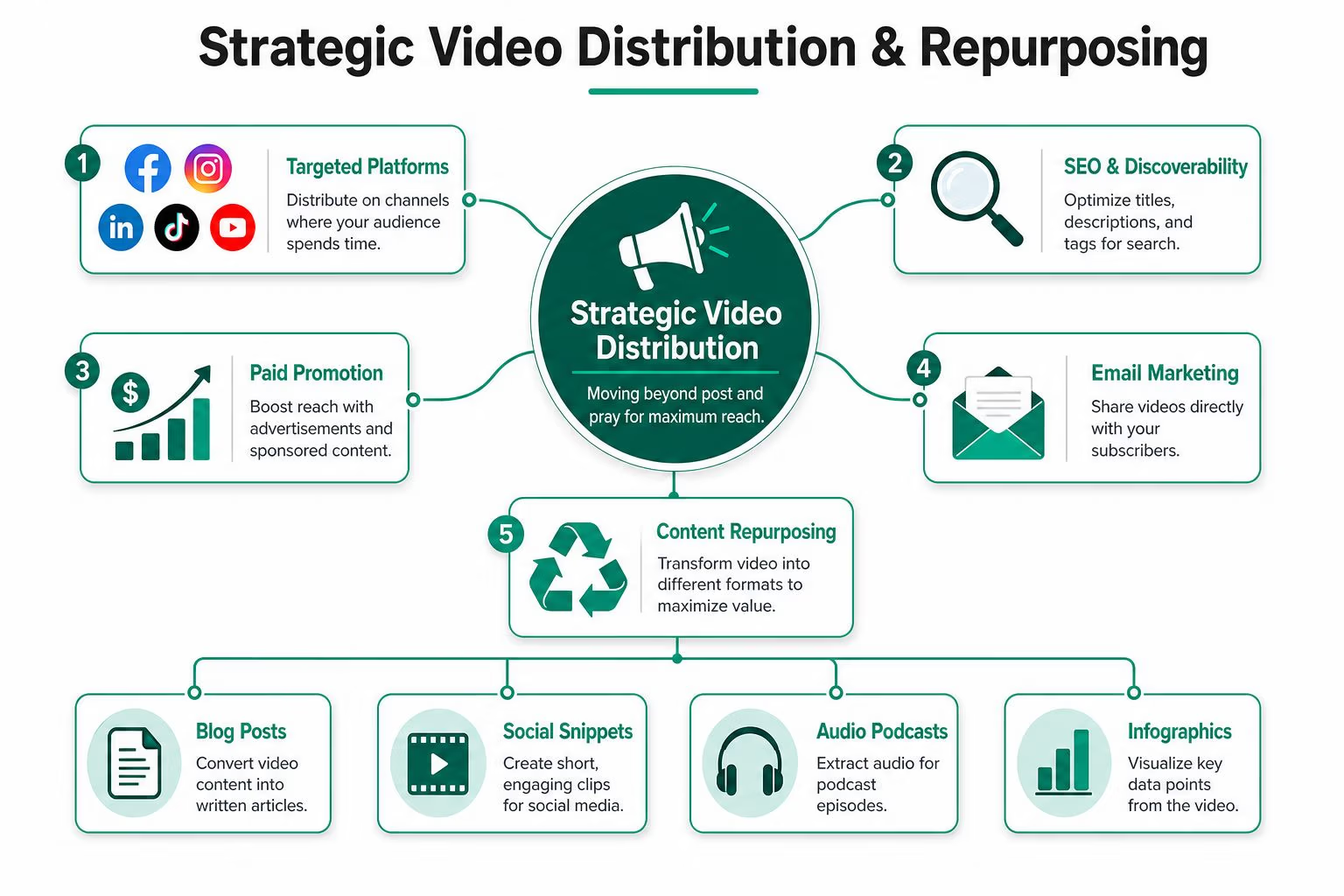
Build one pillar and several derivatives
A practical model looks like this:
Create one pillar assetThis is the main source video. It could be a product walkthrough, expert interview, founder explanation, or webinar-style teaching piece.
Pull out hook variantsDifferent channels reward different openings. A YouTube version may need a stronger search-aligned setup. A LinkedIn version may need a sharper business problem.
Cut by intent, not just by timeDon’t make a 30-second clip just because 30 seconds sounds right. Make a clip that answers one question, handles one objection, or highlights one proof point.
Adjust CTA by channelThe same footage can end with “watch the full demo,” “book a consultation,” or “reply to this email,” depending on where the viewer sees it.
A repurposing matrix that actually works
| Asset version | Best use | Editing change | CTA style |
|---|---|---|---|
| Full-length pillar video | Website, YouTube, sales follow-up | Full narrative arc | Direct action |
| Short vertical cut | Reels, Shorts, paid social | Fast opening, larger captions | Soft or medium CTA |
| Square social snippet | LinkedIn, feed posts | Text-led framing | Click-through CTA |
| Email embed teaser | Sales or nurture email | Quick payoff, short runtime | Open page or reply |
| FAQ clip | Sales enablement, retargeting | Single objection only | Decision-stage CTA |
That structure keeps the message coherent because each cut comes from the same source narrative, not from random leftovers in the edit bay.
Distribution should follow audience behavior
A B2B buyer might first see a short clip on LinkedIn, then watch a fuller explanation on YouTube, then receive a trimmed proof-focused version in a sales email. An e-commerce buyer may see a paid social cut, land on a product page, and watch a product-focused video before purchasing.
Those are not isolated assets. They’re connected steps.
Treat every published version as part of a sequence. One video introduces the problem. Another clarifies the solution. A third removes hesitation.
The teams that get the most from video production for marketing don’t create more from scratch. They design the original shoot to support a chain of edits and placements.
Measuring Video ROI and Proving Value
Views, likes, and comments are easy to collect. They’re also easy to misuse. If the video was meant to support lead generation or sales, then reporting should start with business movement, not surface engagement.
The strongest ROI conversations happen when the team can connect the asset to conversion points across the funnel. Landing pages with video can convert up to 86% higher than those without; video in marketing emails can boost click-through rates by as much as 300%, and video-based social posts generate 120% more shares than text and image posts combined (video conversion and engagement statistics).
What to track instead of vanity metrics
Use a simple hierarchy:
- Conversion metrics: Form fills, booked calls, purchases, demo requests
- Influence metrics: Assisted conversions, sales-cycle support, email clicks
- Consumption metrics: Watch completion, click-through, drop-off points
Consumption matters, but only as a supporting signal. A high view count with no downstream action usually means the content entertained or reached the wrong audience.
Tie reporting to the original role of the video
If the asset lives on a landing page, compare page conversion behavior with and without the video. If the asset is used in email, compare click-through behavior at the campaign level. If the asset supports social, look at whether the post drives traffic or assists retargeting rather than stopping at shares alone.
UTM discipline and funnel alignment matter. A video that performs well at the top of the funnel may not show immediate revenue. A bottom-of-funnel video should.
For teams that need a cleaner financial framework, this guide on how to calculate marketing ROI can help connect campaign inputs to revenue outcomes in a way leadership can use.
What a solid ROI review includes
A useful monthly review answers four questions:
- Which videos drove action?
- Which placements produced qualified traffic?
- Where did viewers drop off before the CTA?
- Which source footage should be recut into a new version?
That review process keeps the program improving. It also changes the internal conversation. Video stops being judged by whether people “liked it” and starts being judged by whether it moved buyers closer to revenue.
Ascendly Marketing helps businesses plan, produce, distribute, and measure video as part of a broader digital growth strategy. If you need video production services and a practical system for video production for marketing, from pre-production through ROI tracking, you can explore Ascendly Marketing and start the conversation.